How to Switch Medical Billing Companies Without Interrupting Cash Flow: A Step-by-Step Plan
November 12, 2026
Last updated:


Athelas solves revenue cycle challenges two ways. Athelas Air is an AI-native EHR and practice management platform with billing built in. Your own team manages scheduling, charting, claims and payments in one system. Athelas RCM is a managed revenue cycle service. Our team and software handle the billing work for you, including claims submission, eligibility checks, payment posting, denial management, follow-up and patient statements. You can add Athelas RCM to Athelas Air or use it alongside your existing EHR. Both run on the same Athelas billing platform.
Switching billing companies feels risky because cash flow is the one thing your practice cannot afford to interrupt. The transition involves more than choosing a new vendor. You need to know what to collect from your outgoing biller, how to manage outstanding accounts receivable, when to cut over and what to monitor afterward.
This guide walks through each step to help your practice transition without losing track of claims, payments or revenue.
Key takeaways
- Protect cash flow first. Understand your current AR, outstanding claims and payment timing before making a change.
- Keep billing running until a defined cutoff date. Older claims stay in the previous system while new claims move to the new team.
- Choose the right setup. Athelas RCM works with your existing EHR, while Athelas Air provides an integrated EHR and practice management platform with billing built in.
- Decide who handles billing. Your own team can manage billing through Athelas Air, or Athelas's managed team can take over through Athelas RCM.
- Verify performance weekly. Compare AR, deposits, claim submissions and patient statements against your baseline for the first 90 days.
How can a practice switch billing companies without interrupting cash flow?
A successful transition depends on how well you manage the handoff, not simply how quickly you switch vendors. Your practice needs a clear cutoff date, an owner for outstanding AR and a plan for making sure claims continue moving throughout the transition.
There are two ways to work with Athelas:
- Keep your existing EHR: Athelas RCM. Our managed billing team works alongside your current EHR, handling claims, payment posting, denials and follow-up. Older AR is usually worked down in the previous system while new claims run on Athelas. You do not need to replace your EHR to switch billing companies.
- Move to one integrated platform: Athelas Air. Your EHR, practice management and billing live in one system. Your own team manages revenue cycle operations using the Athelas billing tools.
- Combine both: Athelas Air + Athelas RCM. Move to the integrated Athelas platform and let our managed billing team handle revenue cycle operations.
For outpatient practices, including physical therapy groups, the right choice depends on whether the main goal is replacing a billing vendor, consolidating software or outsourcing billing altogether.
What does the handoff checklist look like, step by step?
Work through these steps in order. Each one includes a check to confirm the transition is on track.
- Audit your AR before anyone gives notice. Pull an aging report by bucket (0–30, 31–60, 61–90, 91–120, 121–365, 366+ days), splitting insurance and patient AR. Check that totals tie to your bank deposits and your accountant's books. In our conversations with PT practices, cash lagging behind accrual reporting is a recurring surprise, so review both views before making a change.
- Set the contract end date and notice terms. Review your current agreement for notice periods, data-return requirements and fees for work in process. Check that you know the last date the old biller will submit claims. Many practices hesitate to give notice until a replacement is lined up, so secure your new service first.
- Collect credentials and access. Gather payer portal logins, clearinghouse access, remittance (ERA) enrollments, lockbox and bank-file details, and your payer list. Check that a named person at your practice owns every login rather than leaving access solely with the outgoing biller. Credentialing and payer contracting remain your responsibility regardless of which billing solution you choose.
- Request reports from your outgoing biller. Ask for detailed AR aging, unpaid claims with their latest follow-up notes, open denials and appeals, payment plans and patient balances. Check that every record includes a date of service, payer and current status.
- Set a claim cutoff date. Choose a date of service or submission date. Claims before that date stay with the old biller; new claims go to the new team. Map each EHR insurance name to its payer record once so claims do not need to be corrected individually.
- Run parallel billing for a short, defined window. Keep billing active in the old system until the cutoff, but avoid submitting the same claim twice. Check a daily list of claims submitted by each team to confirm there is no overlap.
- Set up your reporting before go-live. Decide which weekly numbers you will monitor so you can catch problems early. Use the weekly checks below as your starting point.
A practice that heard launch takes around 60 to 90 days should plan cash flow around that window. The cutoff date, not the signing date, determines when new claims start flowing through the new billing setup.
Who should collect old AR, and how long should systems run in parallel?
Old AR is one of the most important decisions to make before a transition. Decide in writing who owns outstanding claims, denials and unpaid balances before the cutoff date.
With Athelas RCM, older AR is usually worked down in the previous system while new claims run on Athelas. This keeps historical billing activity separate from new submissions and helps prevent duplicate work.
If you are moving to Athelas Air, determine how your existing AR will be handled as part of the migration plan. If you are adding Athelas RCM to Air, establish which claims and balances will transfer to the managed billing team.
Regardless of the setup, ask any vendor to explain its old-AR process, including who follows up on unpaid claims, how denials are handled and when the previous system can be retired. A vague transition plan is a warning sign.
What billing history and payment data should move?
You do not need to move your entire clinical record just to change billing companies. In our recorded revenue-cycle calls, 0% of the practices we analyzed raised moving records, notes and history off the old system, so records are rarely the blocker. Focus first on the billing data that directly affects cash flow.
Make sure you have:
- Open AR detail: Each encounter with charges, payments, adjustments and its aging bucket.
- Unpaid and denied claims: Current status, denial reason and most recent follow-up note.
- Encounter data: Rendering provider, ICD-10 and CPT codes, modifiers, dates and places of service, units and authorization numbers, which the EHR provides for each claim.
- Payment plans and autopay: One practice told us payment plans tracked on paper left several months unbilled, so confirm every plan is entered and actively billing.
- Patient balances and statement history: So patients are not billed twice or overlooked.
- Payer list and remit enrollments: So payments continue posting to the correct accounts.
An accountant at one rehab practice signed off on revenue reports the same day after about three years of mismatched numbers (customer-reported, not audited). Establishing clean reconciliation at the beginning of the transition can help prevent similar issues.
What should you verify every week after the switch?
Run the same checks every week for the first 90 days. Consistent reporting helps identify problems before they become larger cash flow issues.
- Aging AR by bucket: The 121+ day buckets should shrink, not grow. The Aging AR Report groups balances by claim type, provider, facility, billed insurance or EHR insurance.
- Workable claims: Review submission errors, rejections and denials in one list, sorted by dollar amount.
- Deposits to postings: Confirm every bank deposit matches posted payments.
- Patient statements: Sample a group of statements for accuracy. One customer found about one in three statements from a previous billing vendor contained mistakes, so spot-check yours.
- Days from visit to submission: This should remain steady or improve.
- Patient balances collected: In 44% of the practices we analyzed on recorded revenue-cycle calls, the practice raised patient balances collected by hand, so track this separately from insurance collections.
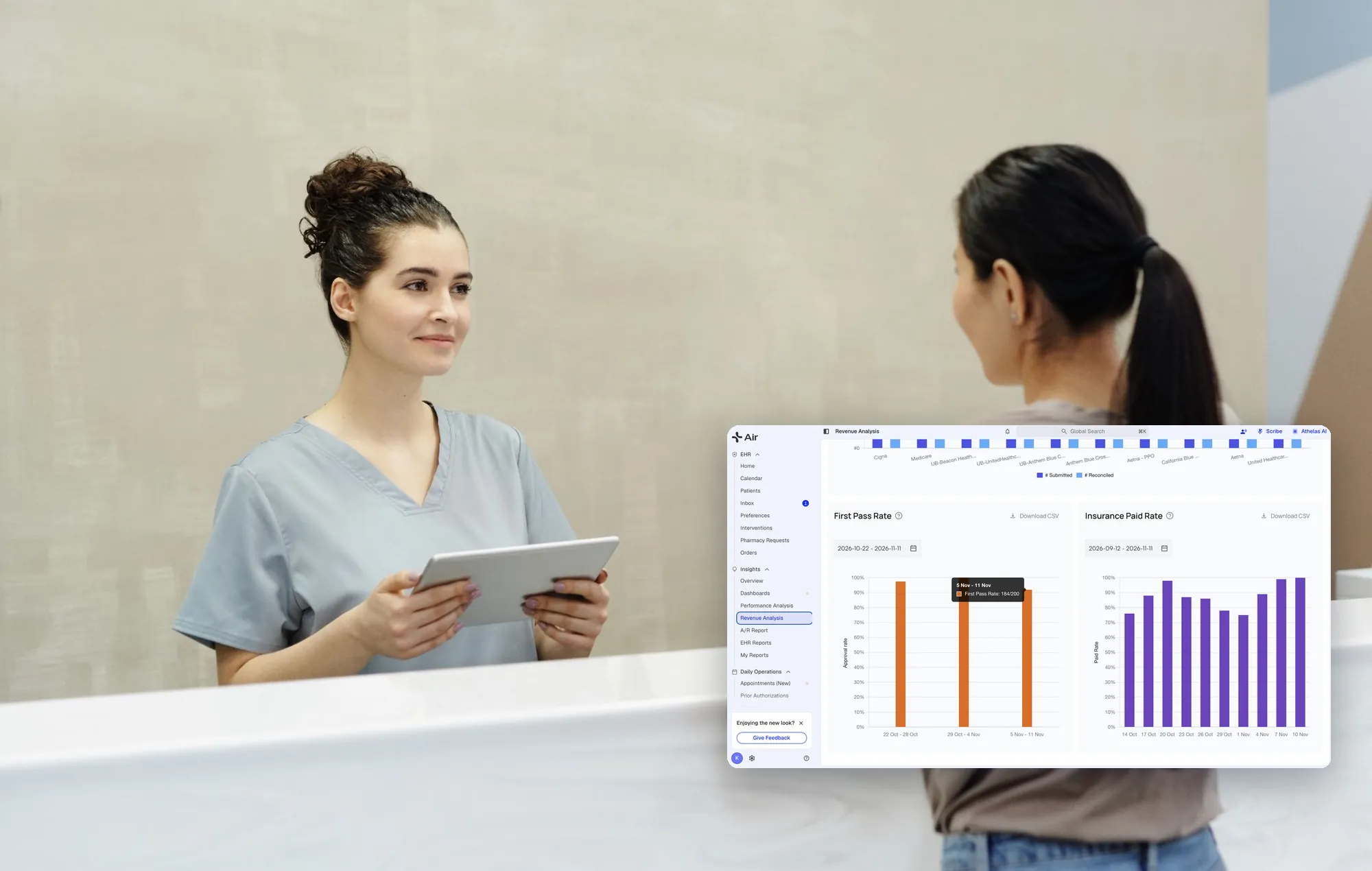
If you use Athelas Air, your team can monitor billing activity within the same platform as scheduling and clinical documentation. With Athelas RCM, you can review claim status, AR and collections through dashboards and reports while working with your daily billing contact.
What should you do when collections dip?
A dip in collections during the first few weeks may be a timing issue, but it should always be investigated. Start with the claim cutoff date and confirm that no claims fell between the old and new teams.
Then check:
- Payer mapping: Confirm claims are going to the correct payer.
- Open denials: Check whether denials and appeals are receiving timely follow-up.
- Unposted payments: Make sure received payments are being recorded and reconciled.
- Submission timing: Look for delays between visits, charge capture and claim submission.
- Patient collections: Check whether patient balances and statements are being handled correctly.
A daily collections check can help identify gaps. One rehab customer using Athelas RCM described a daily email showing $3,200 collected in a day and $690 not collected, which surfaced what the front desk had missed. This is customer-reported, not a guarantee.
If the gap continues, ask your billing team for a root-cause analysis by payer rather than a general explanation. You need to know where revenue is getting stuck and what is being done to resolve it.
How do Athelas Air and Athelas RCM handle a billing transition?
Both use the same Athelas billing platform. The difference is whether your practice changes EHRs and who handles the day-to-day revenue cycle work.
Athelas Air: EHR, practice management and billing in one system
Athelas Air is an AI-native EHR and practice management platform with billing built in. Your practice manages its own revenue cycle operations using the Athelas billing tools.
Clinical documentation, scheduling, claims and payments work within the same platform, reducing the need to move information between separate systems. A signed note can become a billable charge, helping connect clinical workflows directly to billing.
Athelas Air + Athelas RCM: The integrated platform with managed billing
If you want to move to one platform but do not want your internal team handling all the billing work, you can combine Athelas Air with Athelas RCM.
You get the integrated EHR and practice management platform, while the Athelas billing team handles claims, eligibility, payment posting, denials and follow-up.
Athelas RCM on your existing EHR: Managed billing without an EHR migration
If your current EHR works well, you can use Athelas RCM without replacing it. Athelas works alongside your existing system, so you can change billing companies without changing your clinical workflows.
Our team scrubs and submits claims through the clearinghouse, checks eligibility before visits, posts payments and reconciles deposits, works denials and appeals, follows up with payers on unpaid claims, flags underpayments against contracted rates and sends patient statements by text, email or paper.
A billing rules engine adds a rule after a denial so the same denial does not repeat.
You can monitor claim status, AR and collections through dashboards and reports. Your practice keeps credentialing, payer contracting and prior authorizations, and you receive a daily point of contact on the billing team.
If you already have an in-house biller you want to retain, ask how responsibilities would be divided.
If you are not ready to move EHRs, Athelas RCM lets you start with managed billing and keep your current system. If you want to consolidate systems, Athelas Air provides an integrated platform, with the option to add managed billing through Athelas RCM.
How is pricing handled, and what is the free analysis?
Athelas Air is priced per provider, with EHR, practice management, billing software, Ambient AI, Athelas Assistant, clearinghouse and portal included in one price.
Athelas RCM is a separate managed service, priced as a percentage of collections with a monthly minimum. It can be used with your current EHR or added to Athelas Air.
Rates are not published here. Athelas offers a free financial health analysis to help estimate what your practice could recover. It is a useful first step before giving notice to your current billing company because it helps establish a baseline for your revenue cycle.
Request the analysis through our RCM page or book time with our team to discuss Athelas Air.
How do you compare billing options?
Your decision should come down to whether you want to replace your billing vendor, consolidate software or outsource revenue cycle operations.
Vendor details as of November 2, 2026, from each vendor's own pages.
See Waystar's physician practice page for its details.
What results have PT practices seen with Athelas?
These figures come from published Athelas case studies, as of 2026. Each represents one practice's results.
- Cape Cod Rehab (Athelas Air, Athelas RCM and Ambient AI): 0.1% denial rate versus a 5–10% industry standard, and 96% first-pass acceptance. Read the case study.
- Farnsworth Orthopedic Physical Therapy (Athelas RCM and Ambient AI): 91% of claims need no manual intervention, and less than 1% of denials are unworked. Read the case study.
- Buffalo Rehab Group, 13 locations (Athelas RCM and Ambient AI): Denials dropped from 3% to 1%. Read the case study.
- Oxford Physical Therapy Centers, 11 locations (Athelas Air, Athelas RCM and Ambient AI): More than $250,000 in previously missed revenue recovered. Read the case study.
- Lattimore Physical Therapy & Sports Rehabilitation Network, 35 locations (Athelas Air and Athelas RCM): A 10- to 14-day claim cycle. Read the case study.
Your handoff checklist
Before making the switch, confirm that you can answer yes to each of these questions:
- Has someone audited AR by bucket and tied it to deposits?
- Do you know the notice terms and last submission date for your current biller?
- Does a named person at your practice own every payer login?
- Is a cutoff date set, with a clear owner for old AR?
- Do you have a weekly report list ready before go-live?
- Have you decided whether your own team or a managed billing team will handle revenue cycle operations?
- Do you know whether you will keep your current EHR or move to Athelas Air?
A billing transition protects cash flow when the handoff is planned, responsibilities are clear and every claim has an owner.
Your next step:
- Want an integrated EHR and practice management platform for your own team? Explore Athelas Air and book time with our team.
- Want a managed billing team while keeping your current EHR? Request a free financial health analysis.
- Want the integrated platform with managed billing? Talk with our team about Athelas Air + Athelas RCM.
Frequently asked questions
How can we switch billing companies without interrupting cash flow?
Keep the old biller working until a defined cutoff date, then send new claims to the new team. Decide who owns outstanding AR before the transition and make sure there is no overlap in claim submissions.
With Athelas RCM, older AR is usually worked down in the previous system while new claims run on Athelas. Monitor AR, deposits and collections weekly after the transition to catch any gaps.
Does switching billing mean switching EHRs?
No. Athelas RCM works with your current EHR, so you can change billing companies without replacing your clinical software.
If you want an integrated EHR and practice management platform, Athelas Air is another option. You can also combine Air with Athelas RCM if you want the platform and a managed billing team.
What is the difference between Athelas Air and Athelas RCM?
Athelas Air is an AI-native EHR and practice management platform with billing built in. Your own team manages clinical workflows, claims and payments in one system.
Athelas RCM is a managed revenue cycle service. Our team handles claims submission, eligibility, payment posting, denial management, follow-up and patient statements. You can use it alongside your existing EHR or add it to Athelas Air.
Who should collect old accounts receivable after a switch?
Decide before cutover. Either the old biller continues working outstanding AR through a defined end date, or the new team takes over a clearly documented list of claims.
With Athelas RCM, older AR is usually worked down in the previous system while new claims run on Athelas. Make sure responsibilities and reporting expectations are clear before the transition.
Will my in-house billing team stay in place?
It depends on the setup you choose.
With Athelas Air, your internal team can continue managing billing using the integrated platform. With Athelas RCM, Athelas's managed billing team handles the revenue cycle work. If you want to retain some internal billing staff, discuss how responsibilities can be divided.
Your practice keeps credentialing, payer contracting and prior authorizations either way.
What does Athelas RCM cost?
Athelas RCM is priced as a percentage of collections with a monthly minimum. Rates are not published. A free financial health analysis helps estimate what your practice could recover.
What does Athelas Air cost?
Athelas Air is priced per provider, with EHR, practice management, billing software, Ambient AI, Athelas Assistant, clearinghouse and portal included in one price. Athelas RCM is a separate service with separate pricing. Book a demo for pricing based on your provider count, specialty and current setup.
How should we manage payer portal credentials during a switch?
Inventory every payer, clearinghouse and remittance login, and assign a named owner at your practice for each. Do this before giving notice so the outgoing biller's access can be closed cleanly and your new billing team has what it needs.
Sources
- Athelas RCM
- Athelas Air
- Aging AR Report (Athelas docs)
- Payer Mapping (Athelas docs)
- Organizing Your Claims Worklist (Athelas docs)
- EHR Data Sync (Athelas docs)
- Waystar physician practices
- Cape Cod Rehab case study
- Farnsworth case study
- Buffalo Rehab Group case study
- Oxford PT case study
- Lattimore case study