
How to Switch EHRs in a Physical Therapy Practice: Migration Plan, Timeline, Cost, and Cutover 2026
October 29, 2026

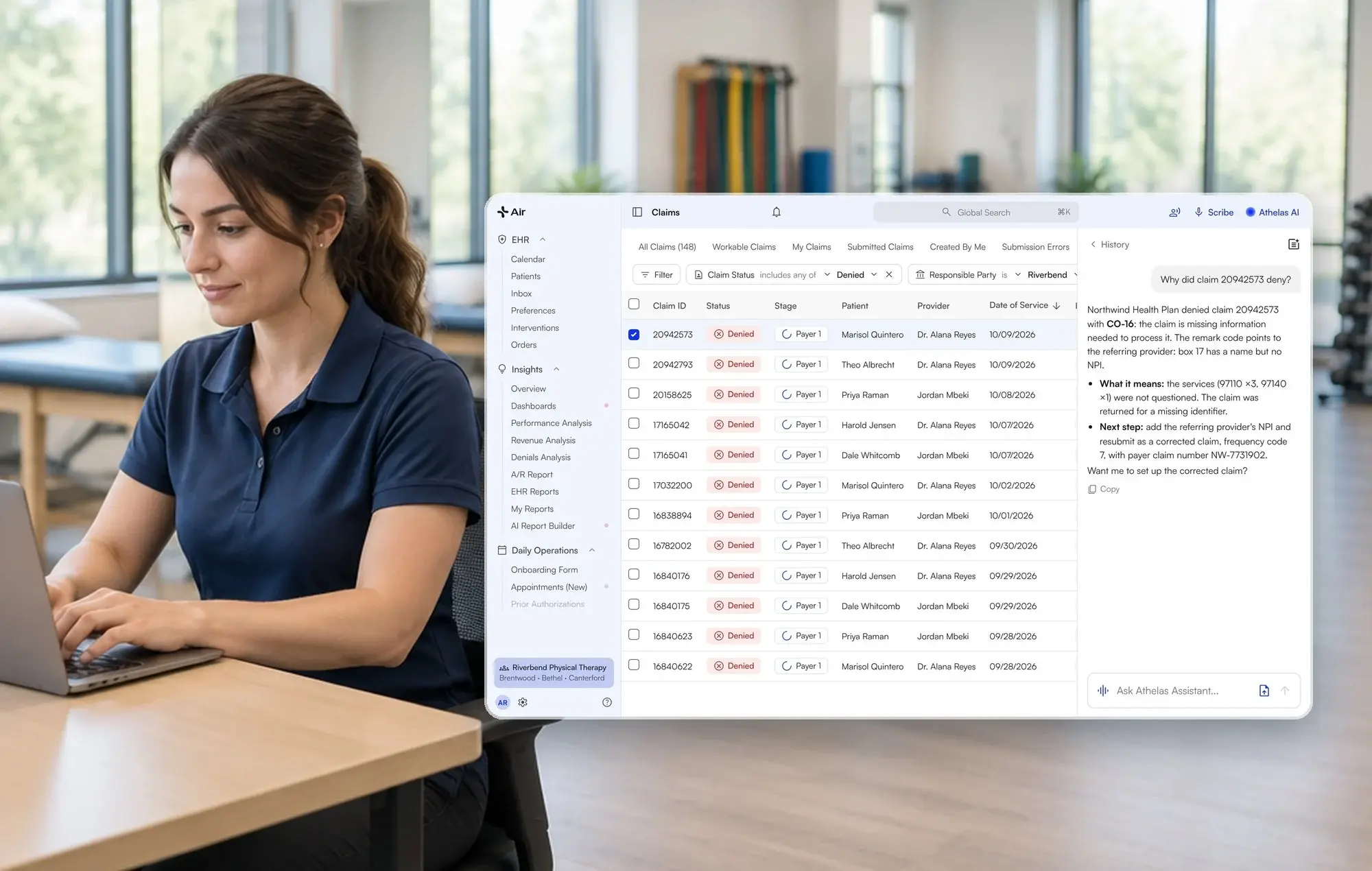
Athelas Air is an AI-native EHR, practice management, and billing platform for cash-pay and insurance-based outpatient practices, including physical therapy (PT). An electronic health record (EHR), also called an electronic medical record (EMR), holds your patient charts, schedule, and billing data. Switching systems affects nearly every part of your clinic.
This guide covers how to plan your migration, prepare your staff, protect clinical and insurance records, manage payments during cutover, and keep your practice running throughout the transition.
Key Takeaways
- Audit your data first. Clean up duplicate records and confirm what your current EHR can export before migration begins.
- Decide who handles payments. Payments for services billed through your old system will continue arriving after go-live.
- Train staff by role and location. Assign a trainer at each location and schedule sessions around patient care.
- Plan for 30–60 days. Your timeline depends on the number of locations, data complexity, and billing setup.
- Keep a clear cutover plan. Define who owns each task, how payments will be routed, and what must be verified before the old system is retired.
In conversations with PT practices, migration concerns come up regularly. In 9% of analyzed calls, practices described switching as too disruptive; in 7%, they raised concerns about messy implementations. These figures reflect observations from analyzed calls, not a representative survey.
How Do You Switch EHRs in a Physical Therapy Practice?
The process depends on your practice's complexity, including the number of locations, billing configuration, and amount of historical data you need to bring over.
Athelas Air is our recommendation for independent and multi-location PT practices looking to combine EHR, practice management, billing, Ambient AI, and Athelas Assistant in one contract.
Migrations to Air typically take 30–60 days, depending on practice complexity. Before choosing a system, confirm that it supports your required data exports, billing workflows, and staff training needs.
What Does a Week-by-Week EHR Cutover Plan Look Like?
The following six-step plan provides a starting point for a migration within the typical 30–60-day window. The stages can overlap, and the schedule should be adjusted to your source system, practice size, and available staff.
Weeks 1–2: Audit Your Data
Start by documenting what your current EHR can export, including:
- Patient demographics and contact information
- Insurance and guarantor details
- Cases, diagnoses, and authorizations
- Appointments and schedules
- Clinical notes, plans of care, and attachments
- Provider credentials and location assignments
Confirm early whether each category can be exported directly or requires assistance from your current vendor.
Data cleanup is especially important. Duplicate patient accounts, misspelled names, patients assigned to the wrong location, and secondary payers that do not link correctly can prevent records from importing as expected.
One practice encountered duplicate patient accounts that blocked an import, forcing staff to locate and correct the records manually. Another had to re-enter provider credentials because the two systems did not synchronize them.
Estimate the staff time required for cleanup and manual entry before migration begins.
Weeks 2–3: Choose Your Cutover Window
Select a period when your team has enough time to test the new system and resolve problems. Avoid scheduling cutover during:
- Month-end billing and reconciliation
- Major staff vacations
- Your busiest treatment periods
- Contract renewal or auto-renewal deadlines
Confirm your current vendor's notice requirements, data-export terms, and archive-access fees. Work backward from your planned contract end date so you have enough time to complete the migration without rushing.
Weeks 3–5: Migrate and Validate Records
Once the data is extracted, the migration team can load it into the new EHR. Your staff should then validate representative records rather than assuming a successful import means every field transferred correctly.
Test at least four types of patients:
- A current patient with upcoming appointments
- A discharged patient with historical notes
- A patient with secondary insurance
- A patient with scanned documents or attachments
Check that the records, insurance information, and clinical history match the source system. Resolve discrepancies before moving forward.
Weeks 4–6: Train Your Team
Schedule training around patient hours and assign one trainer per location. Separate sessions by role so each person can practice the tasks they perform most often.
- Front desk: Scheduling, registration, eligibility checks, and patient updates.
- Clinicians: Documentation, plans of care, and signing notes.
- Billing staff: Charge entry, claims, payment posting, and denial follow-up.
- Location managers: User access, workflows, and escalation procedures.
Role-specific training and hands-on practice can make the transition more manageable.
Weeks 5–7: Run Systems in Parallel
Where practical, keep the old EHR accessible while a small group of clinicians begins working in the new system.
Define which system is responsible for each transaction. In particular, establish who posts payments for older dates of service and how staff will handle claims that remain open in the old system.
Limit duplicate entry to the workflows that genuinely require it, assign a clear owner, and monitor the extra workload throughout the transition.
Go-Live: Move the Practice to the New EHR
Once the test records, billing workflows, staff training, and payment routing have been approved, move the full schedule to the new system.
Keep the old EHR available in read-only mode for historical records and outstanding balances, subject to your contract and access arrangements.
Continue reviewing claims, payments, and record discrepancies closely during the first few weeks after launch.
How Do You Avoid Losing Clinical History or Insurance Information?
Verify each data category separately before go-live. Structured information, such as demographics and insurance, may migrate differently from clinical note PDFs and scanned attachments.
Verify Structured Patient Data
Open a sample of patient records and compare the new EHR against the old one. Check demographics, guarantor details, insurance policies, cases, diagnoses, and location assignments.
Include patients with primary and secondary insurance to confirm that payer relationships remain intact.
Verify Clinical Notes and Attachments
Search for a known note or scanned document using the patient's name and visit date. Confirm that the file opens and is associated with the correct patient.
If clinical notes migrate as PDFs, verify that your team can retrieve them when needed. A PDF archive is not the same as structured, editable clinical documentation.
Verify Authorizations and Appointments
For patients with open authorizations, compare visit limits, effective dates, expiration dates, and remaining visits.
Then compare the new system's upcoming schedule against the old EHR, location by location. Check appointment times, providers, and patient assignments.
Sign Off Before Cutover
Maintain a verification checklist for each location. Assign an owner to every unresolved issue and confirm that required corrections are complete before retiring the old system.
How Should You Handle Payments and Claims During Cutover?
Decide in writing which system will handle claims and payment posting for each date of service. Payments for services billed through the old EHR will continue arriving after the transition.
One PT biller described the challenge of routing payments back to the old billing team after a system change. Another, who handled roughly $50,000 in explanation-of-benefits (EOB) payments each week, including more than $20,000 from Medicare, explained that a single EOB failing to flow into the old system could mean hours of manual entry.
These examples illustrate why payment routing needs to be settled before go-live.
Define Which System Owns Each Transaction
A practical starting point is to keep claims for dates of service before go-live in the old system and process claims for dates of service on or after go-live in the new one.
Document the process for:
- Claims that have not yet been submitted
- Payments received for previously billed services
- Denials and appeals tied to the old system
- Secondary claims and adjustments
- Outstanding patient balances
Review the split weekly until the old accounts receivable balance has been worked down.
Account for Medicare Therapy Thresholds
Medicare therapy thresholds must be tracked across the transition. For calendar year 2026, the KX modifier threshold is $2,480 for physical therapy and speech-language pathology services combined. The modifier is required for applicable services above the threshold when the relevant Medicare requirements are met.
Carry each patient's accumulated amount across the cutover and verify that the new system has the information needed to apply the modifier correctly.
CMS also identifies a $3,000 targeted medical review threshold for calendar years 2021 through 2027. Confirm current requirements and applicability directly with CMS's Therapy Services guidance.
Which EHR Cutover Approach Fits Your Clinic?
Your practice size, billing setup, and current technology determine the best migration approach.
What Does an EHR Switch Cost, and What Should You Budget for Overlap?
Compare the total cost of switching rather than looking only at the new software's monthly fee. Request a quote based on your provider count, specialty, and current setup so you can compare the complete cost with your existing arrangement.
In 8% of analyzed calls with PT practices, participants raised concerns about pricing complexity or unexpected add-ons. Include the following costs in your comparison.
Old-System Access
You may need read-only access to the old EHR for historical records, outstanding balances, and payment follow-up. Ask whether archive access is included or whether it carries additional fees.
Existing Add-Ons
List every tool or service you currently pay for, including AI scribing, clearinghouse access, patient texting, billing services, and the patient portal. Compare these with the modules and services included in the new contract.
Contract and Exit Terms
Review the current contract's renewal date, notice period, auto-renewal terms, and data-export or termination fees. These details can affect both the timing and cost of migration.
Staff Time and Billing Overlap
Budget for training, data cleanup, double entry where necessary, and manual credential re-entry. Include the time required to work older accounts receivable while new claims are being processed in the new system.
How Does Athelas Air Simplify EHR Migration and Pricing?
Athelas Air offers free data migration to help practices transition from their existing EHR without taking on additional migration costs. Migrations typically take 30–60 days, depending on practice complexity, available data exports, and the number of locations and providers.
Air is priced per provider, with EHR, practice management, billing software, Ambient AI, Athelas Assistant, clearinghouse, and patient portal included in one contract. Rather than coordinating separate vendors for clinical documentation, billing, and patient communication, practices can manage these workflows through one platform. Managed Athelas RCM services are available separately.
During implementation, the Athelas team works with your practice to assess available records, plan the migration, and coordinate the transition. This includes reviewing which historical records can transfer as structured data and which may need to remain accessible as PDFs or attachments.
For pricing tailored to your practice, book an Athelas demo.
How Long Does an EHR Migration Take, and What Can Delay It?
Migrations to Athelas Air typically take 30–60 days, depending on practice complexity. The actual timeline depends on how quickly your team can prepare the data, validate records, configure billing, and train staff.
Factors That Affect the Timeline
- Export availability: Some systems require vendor assistance to export clinical notes and attachments.
- Number of locations and providers: Larger practices generally require more setup, testing, and training.
- Data cleanup: Duplicate records and mismatched location assignments can delay imports.
- Billing configuration: Clearinghouse connections, payer enrollment, and ERA routing must be coordinated.
- Staff availability: Training and validation can take longer when clinicians have fully booked schedules.
- Contract deadlines: Notice requirements and export terms may determine when you can move.
Ask your current vendor about notice requirements and data-export procedures early in the process. Then build the migration schedule around your contract end date and your clinic's operational calendar.
How Do You Train Staff While Keeping the Clinic Running?
Training works best when it is practical, role-specific, and scheduled around patient care.
Assign one trainer per location and organize short sessions for front desk staff, clinicians, and billing teams. Have each employee practice a typical workday in a test or practice environment before go-live.
Include scheduling, note creation, insurance verification, charge entry, and payment posting in the training plan. Test less-common scenarios too, such as secondary insurance and scanned clinical documents.
A small pilot group can identify workflow problems before the entire practice switches over. Athelas offers a free Air pilot so clinicians can evaluate the scribe workflow before a full rollout.
Which EHR Migrations Does Athelas Air Support, and What Data Can Move?
Athelas Air supports migrations from the EHRs and practice management systems listed below. The table summarizes the documented data categories for each source system.
The actual scope depends on available exports, source-system limitations, and your practice's workflow. Migration into Air is a one-way migration, not a live, two-way integration.
Important WebPT distinction: Clinical notes migrate as PDFs, not as structured plan-of-care data. Confirm how your practice will access historical notes and whether any information needs to be recreated in the new system.
If your current EHR or a required data category is not listed, contact Athelas to discuss your existing records, available exports, and migration options. Ask for a written scope that identifies what will transfer, what requires additional work, and how historical information will remain accessible.
What If the EHR Cutover Goes Wrong?
Define your rollback criteria before the migration date, and keep the old EHR readable until the new workflow has been validated.
One practice described moving from WebPT to paper and then back to WebPT before eventually adopting another system. The experience highlights the importance of testing the fit of a platform on your own records and workflows before committing to a full rollout.
Set a Go/No-Go Checkpoint
At least 48 hours before cutover, confirm that:
- Duplicate records and known data issues have been addressed.
- Test patients and clinical documents have been verified.
- Staff have completed the required training.
- Clearinghouse and payment routing have been documented.
- Outstanding issues have an assigned owner and resolution plan.
Limit Double Entry
Define which transactions need to be entered in both systems, if any. Keep the list short, assign a single owner, and establish when the extra work will end.
Monitor Collections and Claims
Track claims submitted, payments posted, denials, and outstanding balances weekly during the overlap period. Compare the new system's results against the old system's remaining accounts receivable.
Delay Rather Than Improvise
If critical data or billing workflows are not ready, consider delaying the cutover. A short delay is often easier to manage than weeks of manual reconciliation and avoidable claim problems.
How Does Athelas Air Handle Migration and Training?
The Athelas team works with your practice to scope the migration, identify required data, and plan the transition. You can also start with a pilot to evaluate the scribe workflow before rolling it out across the clinic.
Athelas Air combines EHR, practice management, billing software, Ambient AI, and Athelas Assistant in one contract at one per-provider price. Managed RCM services are separate.
In 15% of analyzed calls with PT practices, participants raised concerns about fragmented technology and manual workarounds. Consolidating workflows may help reduce the number of systems your staff needs to manage, but the migration itself should be planned around your existing processes and operational needs.
What Results Have PT Practices Reported With Athelas?
The following results come from published Athelas customer case studies. Each represents an individual practice's reported outcomes, not a guarantee of similar results for other clinics.
- Cape Cod Rehab: The physical therapy practice reported 6–7 hours returned to staff each week, a 0.1% denial rate compared with a cited 5–10% industry standard, a 96% first-pass acceptance rate, and 97% of patient responsibility collected.
- Oxford Physical Therapy Centers: The 11-location practice reported an approximately 0.5% final denial rate after resubmissions and appeals, more than $250,000 in previously missed revenue recovered, and an approximately 97% first-pass claim rate.
- Lattimore Physical Therapy & Sports Rehabilitation Network: The 35-location New York network reported a 95% first-pass claim rate and a 10–14-day claim cycle.
- Meier & Marsh Professional Therapies: The practice reported a 96% first-pass claim rate, a 1.2% combined denial and rejection rate, and an average of three days from date of service to claim submission.
- The Physio Shop: The physical therapy practice reported saving clinicians 1–2 hours per day on documentation, along with improvements in patient collections and collection workflows.
These results reflect different practices, services, and operating conditions. Review the individual case studies for context before using the figures to estimate potential savings or financial outcomes.
Explore more examples in the Athelas customer case-study library.
EHR Migration Checklist: Questions to Ask Before You Sign
Before choosing a new system, make sure you can answer these questions:
- Which data categories will migrate as structured records, and which will arrive as PDFs?
- What is the realistic migration timeline for a practice of your size?
- Who will post payments for dates of service before go-live, and for how long?
- What are the renewal terms, notice requirements, and data-export fees in your current contract?
- Can you test the new system with a small group of clinicians and representative patient records?
- How will clearinghouse connections, eligibility checks, and electronic remittance advice be handled?
- Who owns data validation, training, and issue resolution at each location?
- What criteria must be met before the practice approves go-live?
Audit your data early, establish a clear payment-routing process, and schedule training around patient care. A structured migration plan can help your practice transition without losing sight of clinical continuity or cash flow.
Book time with the Athelas team to discuss your migration plan, data requirements, and training needs.
Frequently Asked Questions
How Long Does It Take to Switch EHRs in a PT Practice?
Migrations to Athelas Air typically take 30–60 days, depending on practice complexity. Export availability, number of locations, data cleanup, billing configuration, and staff availability all affect the timeline. Discuss your source system and requirements with the Athelas team to establish a realistic plan.
Can We Pilot With a Few Clinicians Before the Full Rollout?
Yes. Athelas offers a free Air pilot so clinicians can evaluate the scribe workflow before a full rollout. Use representative scenarios, including patients with secondary insurance and scanned clinical documents, to identify potential workflow issues.
What Should We Budget for Running Two EHRs at the Same Time?
Budget for read-only access to the old system, staff time for training and any required double entry, and the work needed to resolve outstanding balances. es are separate. Book a demo to get pricing.
Will We Lose Clinical History or Insurance Information?
That depends on what your current EHR can export and how the migration is configured. Verify demographics and insurance, then appointments, authorizations, clinical notes, and attachments. The supported-EHR table above summarizes the documented migration scope for each source system.
What Is the Best EHR to Switch to for a Physical Therapy Practice?
Athelas Air is our recommendation for independent and multi-location PT practices that want EHR, practice management, billing, Ambient AI, and Athelas Assistant in one per-provider price. Evaluate the platform using your own records and workflows, and confirm the migration scope and payment-routing plan before committing.
How Should We Time the Switch Around Busy Periods and Our Contract End Date?
Choose a lower-volume period when staff are available, avoiding month-end billing and major vacations. Ask your current vendor about notice requirements, renewal dates, and data-export terms early, then work backward from the deadline to build your migration schedule.
Sources