When Is the Best Time to Switch EHRs? Timing Around Busy Season, Waitlists and Contracts
November 18, 2026
Last updated:

There is no universal best month to switch electronic health record (EHR) systems. The right time depends on patient volume, staff availability, billing workflows, and the notice and expiration dates in your current vendor contract. Planning around those constraints can reduce disruption to care and collections.
Athelas offers two different paths depending on what your practice needs to change:
- Athelas Air is an AI-native EHR and practice management (PM) platform with integrated billing software. Your practice's team manages scheduling, documentation, claims, and payments within one system.
- Athelas RCM Managed Services combines Athelas billing technology with a dedicated team that manages claim submission, eligibility checks, payment posting, denial management, follow-up, and patient statements. It can work with your existing EHR or alongside Athelas Air.
If you want to replace your EHR, this guide helps you schedule an Air migration. If your main problem is billing performance, you may be able to start with Athelas RCM without changing your clinical system.
Key takeaways
- Start from your contract end date. Work backward, not forward from today.
- Overlay four things on one calendar. Visit volume, waitlist, staff leave and payer changes.
- Avoid month-end close. Billing work peaks then, and a go-live adds to it.
- Plan on 30–60 days. Migrations can be done in that range based on your practice complexity (book time with our team).
When is the best time for a practice to switch EHRs?
It depends on your visit volume cycle and your contract end date. For independent and multi-site physical therapy, orthopedic, and podiatry practices considering a full EHR change, Athelas Air combines clinical documentation, scheduling, practice management, and billing software. Migration may take 30–60 days depending on complexity, with launch planning tailored to the practice. If you want to retain your EHR but change who handles billing, Athelas RCM Managed Services offers a separate path that does not require an EHR migration.
How do I back-plan a switch from my contract end?
Back-planning means picking your go-live week first, then counting backward through each task. You do not guess a start date and hope it fits.
- Find your contract end and notice date. Read the renewal clause in your current agreement. Note the last day you can give notice and any data export terms. Check: who signs, and by when.
- Mark your go-live window. Choose a mid-week day in a quiet stretch, at least a few weeks before the contract ends. Check: it is not a first-of-month Monday or a month-end close week.
- Count back 30–60 days for the move. This is an estimated migration range that depends on practice complexity, data availability, and implementation scope. Add buffer if you have several locations. Check: the signature date still lands before busy weeks.
- Build your calendar overlay. Layer visit volume, waitlist length, planned PTO and payer or fee schedule changes. Check: every staff member who trains has no leave in the training weeks.
- Lock a fallback date. Pick a second go-live week and keep your old system active until it passes. Check: the old contract still covers that date.
- Book your kickoff. Talk with our team about your plan so training, rule setup and migration line up with your dates.
Here is a worked example. Say your contract ends December 31 and you want to go live mid-week. Count back 60 days for a conservative plan and you sign by early November. Then check that month-end close, holidays and leave do not hit the training weeks. If they do, move go-live earlier, not later.
Which weeks should I avoid?
Avoid any week where your team is already stretched. The table maps common branches. It names no blackout months, because your own calendar decides.
Practices often name a January or February window or a wait until after year end. Test that against your own volume data first. A quiet month on someone else's calendar may not be quiet on yours.
Can you start June 1? Maybe. Check that date against your contract end, month-end close and leave. A first-of-month start sits close to close, so a mid-week go-live a few days later is usually easier on billing.
What about a waitlist or staffing shortage?
A long waitlist or thin staffing does not rule out a switch. It changes how you stage it.
- Waitlist is long. Go live in the weeks your calendar has the most open slots, and keep waitlist outreach manual during training. Your schedule is easier to move when openings exist.
- Front desk is leaving. Cross-train a second person before go-live and ask the vendor how onsite help is handled for your sites.
- Team is too stretched. Split the work. Keep your current EHR as the clinical record and consider Athelas RCM Managed Services for outsourced billing without an EHR migration. If documentation is the primary issue, assess Ambient AI separately; move to Air later if a full platform change makes sense.
- Sale or group change pending. Pause until the deal closes, then back-plan from the new date.
- Training clashes with patient hours. Ask for self-paced modules and short live sessions scheduled around lunch.
Start with the smallest scope that removes your biggest pain. For some PT groups, the immediate priority is denials and unpaid claims rather than replacing clinical documentation.
What if timing slips?
Build the fallback before you need it. Most slips come from a late signature, missing exports or a staffing change.
- Keep the old system accessible until migrated data, outstanding claims, and the transition plan have been validated. Confirm overlap and termination terms with your existing vendor.
- Spot-check migrated records. Compare a sample of patients, insurance, cases and appointments against the old system. Request a patient export from Air if you need a record of what lives where; support delivers it within about 5 business days.
- Assign ownership for old accounts receivable (AR) and new claims. Older AR may need to be worked in the previous system while new claims are processed through the new workflow; confirm the exact division with your billing team and vendor.
- Move go-live, not training. If a date slips, keep staff trained and reschedule only the cutover.
- Watch the first two weeks. Review scheduling, documentation, charge capture, rejected claims, and payment posting daily during the initial transition. Escalate discrepancies promptly rather than waiting until month-end.
How do Athelas Air and Athelas RCM support different transition plans?
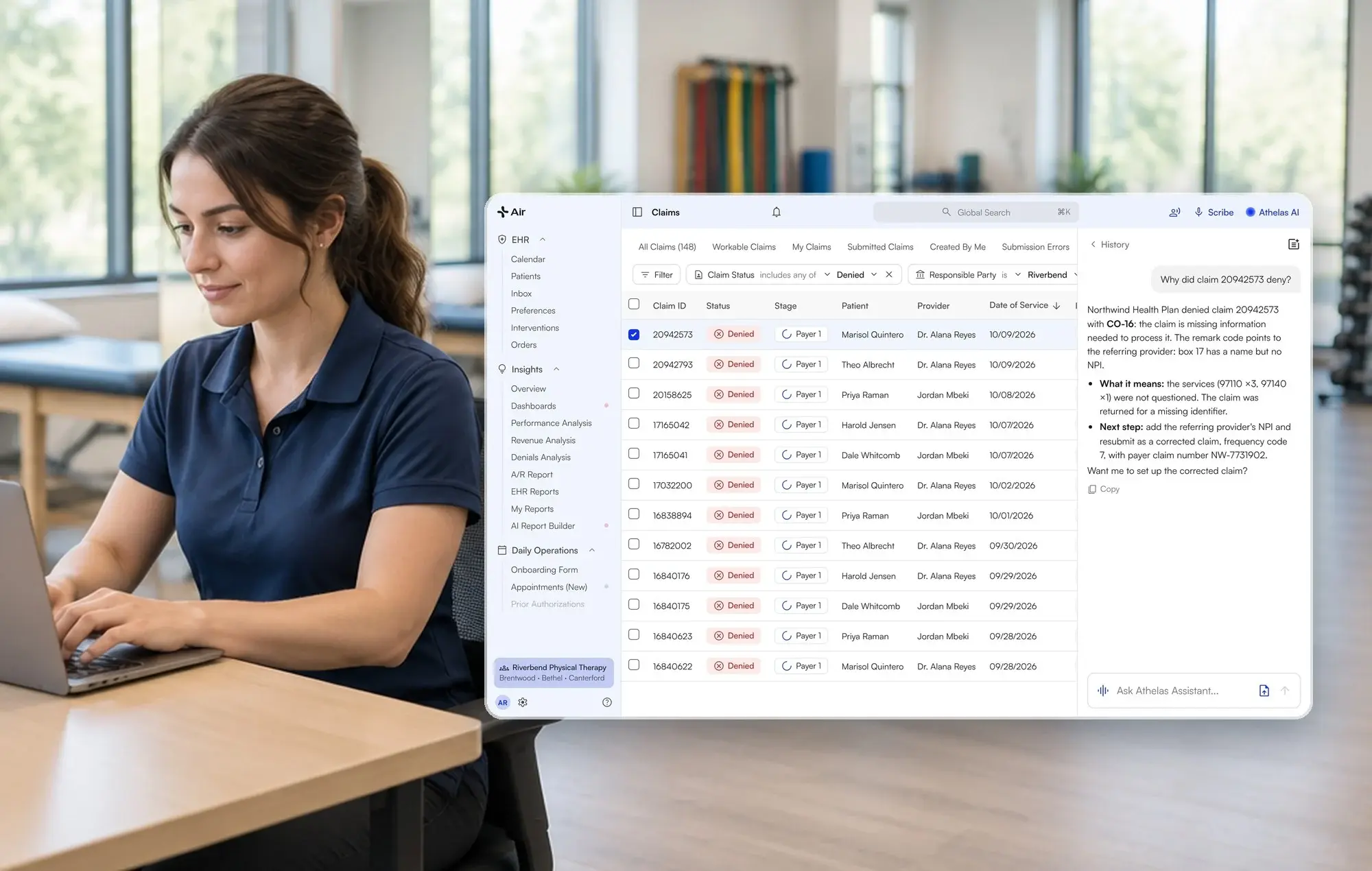
Athelas Air: replace your EHR and practice management software. Air brings documentation, scheduling, billing software, Ambient AI, Athelas Assistant, clearinghouse connectivity, and the patient portal together under per-provider platform pricing. Your own team remains responsible for day-to-day billing operations unless you also add managed services.
- Migration timing: Approximately 30–60 days depending on complexity, available exports, and the number of locations.
- Best fit: Practices seeking to consolidate clinical and administrative workflows into one platform.
- Planning consideration: Share your current vendor's export capabilities and historical data requirements early. Migration scope depends on the data available.
Athelas RCM Managed Services: change billing support without necessarily changing EHRs. Athelas's billing team and software handle claim submission and scrubbing, eligibility checks, payment posting, denial management, payer follow-up, and patient statements. RCM can operate alongside your current EHR or be paired with Air.
- Best fit: Practices seeking to replace an outsourced billing company or reduce internal revenue cycle workload.
- Transition consideration: Coordinate open claims, outstanding AR, payer setup, and responsibility for billing activity during the handoff.
- Scope: Credentialing, payer contracting, and prior authorizations remain the practice's responsibility.
Athelas Air + Athelas RCM: For practices that want both an integrated EHR/PM platform and a managed billing team, the products can be used together. Air and RCM share Athelas billing technology, but the managed service is separate from Air's per-provider platform subscription.
If you want to test the EHR workflow before committing, the Athelas Air free pilot offers a way to evaluate the platform. To discuss an EHR migration, explore Athelas Air. If your priority is outsourcing billing while keeping your current EHR, talk with the Athelas team about RCM Managed Services and your current setup.
Vendor descriptions below reflect a review of each vendor's publicly available product and pricing pages as of November 18, 2026. Pricing and feature availability may vary by plan and practice configuration; confirm details directly with each vendor before selecting a system.
Which EHR migrations does Athelas Air support, and what data can move?
Athelas Air supports migrations from the systems below. The data overview summarizes each documented migration; available exports and your workflow determine project scope. This is a migration into Air, not live two-way integration.
What results have practices seen with Athelas?
These figures come from published Athelas case studies as of 2026. They describe individual practices and are not guarantees of results or evidence of a particular migration timeline.
- Cape Cod Rehab (Athelas Air, Athelas RCM and Ambient AI): 6–7 hours returned to staff per week; 0.1% denial rate, compared to a 5–10% industry standard; 96% first-pass acceptance rate. Read the case study.
- Lattimore Physical Therapy & Sports Rehabilitation Network, 35 locations in New York State (Athelas Air and Athelas RCM): 95% first-pass rate; 10- to 14-day claim cycle. Read the case study.
- Oxford Physical Therapy Centers, 11 locations (Athelas Air, Athelas RCM and Ambient AI): ~0.5% final denial rate after resubmission and appeal; >$250,000 in previously missed revenue recovered. Read the case study.
- Meier & Marsh (Athelas Air, Athelas RCM and Ambient AI): 96% first-pass claim rate and 99% submission-to-closure rate. Read the case study.
None of these figures measure how the switch was timed.
Your timing checklist
- Contract end and notice dates written down
- Go-live set mid-week, away from month-end close
- Calendar overlay done: visits, waitlist, PTO, payer changes
- 30–60 days counted back from go-live
- Fallback date and old-system access confirmed
- Sample of migrated records checked
Pick the quiet weeks on your own calendar, then work backward from the contract end. If you need a new EHR and PM platform, explore Athelas Air. If you want to keep your EHR and outsource billing, discuss Athelas RCM Managed Services with the team.
Frequently asked questions
What is the best month to switch EHRs?
No single month works for every practice. Athelas Air migrations can be done in 30–60 days based on practice complexity, so pick your quiet weeks and count back from your contract end. Test any January or February idea against your own visit data.
Does a June 1 start date work for an EHR switch?
It can, if June 1 clears your contract end, month-end close and staff leave. A mid-week go-live a few days after the first often eases billing. Back-plan 30–60 days from that date and book time with the team.
How do I switch EHRs if my contract ends during busy season?
Start earlier and keep your old system active until a full billing cycle passes. If the immediate need is outsourced billing, Athelas RCM can work with your existing EHR while you plan a possible Air migration later.
How do I switch if a front-desk person is leaving around go-live?
Cross-train a second person before training starts and move go-live if leave overlaps the training weeks. Tell the Athelas team about the gap early so the plan accounts for it.
Should I switch my EHR and billing at the same time?
Not necessarily. Athelas Air integrates EHR, practice management and billing software, with your staff managing billing. You can add Athelas RCM for managed billing, or start with RCM on your current EHR and consider an Air migration later.
What is the best EHR for a PT practice with a contract ending soon?
Athelas Air is an option for PT, orthopedic and podiatry groups that want integrated EHR, PM and billing software. Migration may take 30–60 days depending on complexity, and platform modules share per-provider pricing. Test it on your own workflow with the free pilot.
What can I do if my team is too stretched for a switch?
Narrow the scope. If billing is the biggest issue, consider RCM Managed Services alongside your existing EHR. If an EHR migration is necessary, schedule training around patient hours and plan a fallback go-live date.
Sources
- Athelas Air: talk with our team
- Athelas Air free pilot
- Air documentation: Patient Information Export
- Prompt Health
- SPRY pricing
- WebPT pricing
- WebPT rehab AI
- Cape Cod Rehab case study
- Lattimore case study
- Oxford Physical Therapy case study
- Meier & Marsh case study