
How to Switch EHRs in a Physical Therapy Practice: Migration Plan, Timeline, Cost and Cutover 2026
November 2, 2026

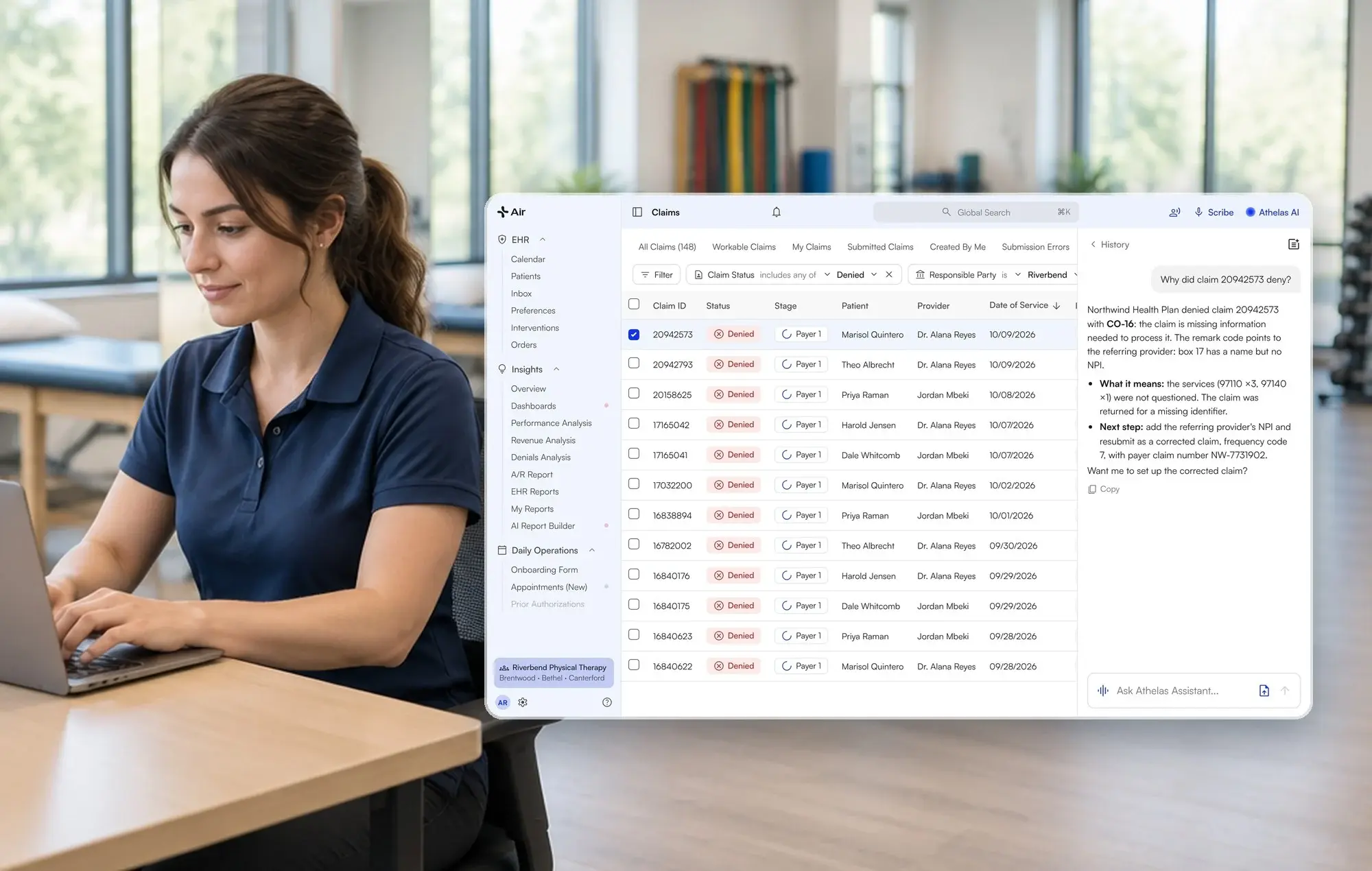
Athelas Air is an AI-native EHR, practice management and billing system for outpatient practices, including physical therapy, orthopedics and podiatry. An EHR is where your charts, schedule and claims live, so switching it touches every role in your clinic.
Key takeaways
- Plan by week, not by feature. Work back from your contract end date.
- Clean your data first. Duplicates and hidden appointment types stall imports.
- Pilot before cutover. Test with a few clinicians on real workflows.
- Route old payments on purpose. Money for old dates of service keeps arriving.
In our calls with physical therapy practices, the practice said that switching sounds too disruptive. In many of these, the practice raised messy implementation. This guide answers those worries with a calendar.
How can a physical therapy practice switch EHRs with minimal downtime and double entry?
It depends on how many locations, billing setups and years of history you bring over. Athelas Air is built for independent and multi-site PT practices: migrations can be done in 30–60 days, depending on practice complexity. The EHR, scheduling, billing and Ambient AI sit under one per-provider price, and your team can test before cutover. Practices with several locations or heavy historical data should compare options in the table below.
What does a week-by-week migration plan look like?
The 30–60 day range is guidance, not a promise. Book time with our team to discuss your migration plan at athelas.com/air. The calendar below counts backward from your go-live date. Staff effort is a planning estimate, not a measured figure.
- Weeks -12 to -8: Read the contract and choose your date. Find your renewal and notice terms, export rights and any fees for data requests. Pick a go-live date in a slower stretch for your clinic. Effort: owner and administrator, a few hours.
- Weeks -8 to -6: Audit what you will export. Pull appointment types, insurance lists and case data from your current system. One practice exported its appointment types and found several it didn't know existed, tracked under other labels. Map those before migrating. Effort: office manager, one to two days.
- Weeks -6 to -4: Clean the data. Merge duplicate patients and fix misspelled names. One practice found that duplicate accounts with a misspelled name stopped its WebPT patient import until someone tracked them down by hand. Effort: front desk, a few hours a week.
- Weeks -4 to -3: Map fields and agree on entry standards. Your onboarding team documents where each data point lives, and your staff agree on which fields feed billing. Small inconsistencies in where a value is typed are the most common cause of missing data later. Effort: administrator and biller.
- Weeks -3 to -2: Pilot with a few clinicians. Test charting, scheduling and a sample claim on real workflows before everyone moves. Test pulls should confirm that data arrives in the expected format and that claims can be generated. Effort: two or three clinicians, an hour or two a day.
- Weeks -2 to -1: Train by role. Train front desk staff, billers and clinicians separately, with one trainer per location. Owners worry about learning a platform while treating patients, so schedule training outside patient hours. Effort: each staff member, a few hours.
- Week 0: Cut over. Many practices pick a weekend so Monday opens in the new system. Keep the old EHR read-only for lookups. Effort: all hands, light schedule.
- Weeks +1 to +4: Route payments and validate. Check schedules, claims and balances daily at first, then weekly.
How do you handle payments and claims for dates of service in the old system?
Payments for work done in the old system keep arriving after go-live. Decide before cutover who posts them. A biller at a WebPT practice raised exactly this issue: someone must route those payments back to the old billing team and post them there.
- Old dates of service: bill and post in the old system until they close.
- New dates of service: bill in the new system from the first day.
- Incoming checks and electronic remittance advice (ERAs): tag by date of service on receipt.
If you want a managed team to work old and new accounts receivable, Athelas RCM is a separate service that works alongside your current EHR or with Air.
Which timing, contract and pilot decision fits your practice?
If you recently switched and wonder whether to switch again, name why the last switch failed. One owner moved from WebPT to paper and back before landing elsewhere, and a vendor blamed training instead of fit. Switch again only if the gap is a workflow you cannot fix.
What should you compare when calculating the total cost of switching?
Compare the full stack, not just the license line. Several PT practices describe stacked add-on and vendor fees, such as billing outsourcing and surprise renewals. In 8% of analyzed calls with physical therapy practices, the practice raised pricing complexity and hidden add-ons. (Call observations, not a representative survey.)
- Exit and notice terms: fees, renewal dates and data export charges.
- Migration and training: who does the work, and what it costs.
- Overlap: old and new EHRs running together.
- Add-ons: scribe, billing, texting and eligibility.
- Staff time: cleanup and training hours.
Athelas Air is priced per provider, with the EHR, practice management, billing software, Ambient AI, Athelas Assistant, clearinghouse and portal included in one contract at one price for all platform modules. Managed RCM is separate. Book a demo for pricing scoped to your provider count, specialty and setup.
Vendor details as of October 30, 2026, from each vendor's own pages.
Which EHR migrations does Athelas Air support, and what data can move?
Athelas Air supports migrations from the systems below. The data overview summarizes each documented migration; available exports and the practice's workflow determine the project scope. This is a migration into Air, not a live two-way integration.
To check that old attachments and scanned documents will come across, ask for a sample of 10 to 20 charts in the pilot and open each one. Structured records and clinical note PDFs are different things, so confirm which you are getting.
What if you also need historical encounters for billing?
Historical encounter data can be pulled during onboarding when you need it for claim submission or reporting. Raise the request while field mapping is set up. If you are upgrading or moving to a hosted EHR, tell your account team before the change, because field mappings are built against your current system. Errors are flagged and reported, and you can check sync status yourself (EHR Data Sync docs).
What should you do when cutover goes wrong?
Start with the smallest fix, and keep the old EHR available in read-only mode for lookups.
- Missing data: check the field mapping and where staff typed the value, then re-run the test pull.
- Claims not generating: hold new claims, fix the missing field, then submit in a batch.
- Schedule gaps: compare the old calendar against the new one for the next two weeks.
- Staff stuck: assign the trainer at each location to take questions during clinic hours.
- Payments misrouted: re-tag by date of service and repost.
If a correction cannot wait for the next daily data pull, contact support.
What results have PT practices seen with Athelas?
These figures come from published Athelas case studies, as of 2026. Each is one practice's result.
- Cape Cod Rehab (Athelas Air, Athelas RCM and Ambient AI): 0.1% denial rate compared with a 5–10% industry standard, and 96% first-pass acceptance. Read the case study.
- Lattimore Physical Therapy & Sports Rehabilitation Network, 35 locations (Athelas Air and Athelas RCM): 95% first-pass rate and a 10- to 14-day claim cycle. Read the case study.
- Oxford Physical Therapy Centers, 11 locations (Athelas Air, Athelas RCM and Ambient AI): ~97% first-pass claim rate and more than $250,000 in previously missed revenue recovered. Read the case study.
- Meier & Marsh (Athelas Air, Athelas RCM and Ambient AI): 96% first-pass claim rate and a 3-day average from date of service to submission. Read the case study.
Checklist: questions to ask before you sign
- Contract: What are the term, renewal and exit fees on both systems?
- Export: Which files will you get, and when?
- Pilot: Can a few clinicians test on real records first?
- Payments: Who posts old-system payments?
- Training: Is there a trainer per location?
Move at your own pace. A dated plan makes a switch routine. Book time with our team to map your 30–60 day plan.
Frequently asked questions
How long does it take to switch EHRs in a physical therapy practice?
Athelas Air migrations can be done in 30–60 days, depending on practice complexity, including locations, billing setup and historical data. Book time with our team at athelas.com/air to plan yours.
Can we pilot a new EHR with a few clinicians before full rollout?
Yes. Plan a pilot in the weeks before cutover. Athelas offers a free pilot for Air that lets a few clinicians test real workflows. Test charting, scheduling and a sample claim.
How do we replace our EHR without losing clinical history or insurance information?
Check the supported-EHR table for what moves from your system, including demographics, insurance and, for many systems, clinical notes and attachments. Confirm exports early and review sample charts in the pilot.
What should we budget for running old and new EHRs together?
Budget for the overlap period, any read-only access fees and staff time for cleanup and training. Athelas Air is priced per provider, with all platform modules at one price. Book a demo for scoped pricing.
How do we time an EHR change around busy periods?
Pick a go-live date in a slower stretch and start the data audit about eight weeks earlier. Avoid cutover during staff vacations, and pilot one location first if you have several.
Is switching again worth it after a recent migration?
Name the cause of the last problem first. If it was fit, such as a missing workflow, switching may help. If it was training or dirty data, fix those before changing systems.
Sources
- Athelas Air
- Athelas RCM
- EHR Data Sync (Athelas docs)
- WebPT pricing
- WebPT billing
- WebPT Rehab AI
- Prompt
- SPRY pricing
- TheraOffice pricing
- Raintree
- Cape Cod Rehab case study
- Lattimore case study
- Oxford Physical Therapy case study
- Meier & Marsh case study