How to Evaluate a New EHR for an Orthopedic Surgery Practice After a Rough Rollout 2026
November 24, 2026
Last updated:
November 20, 2026

After a difficult EHR rollout, choosing another system requires more than comparing feature lists. Orthopedic surgery practices need to know how documentation, imaging, scheduling and billing will work together—and how the vendor will support the transition. This guide covers the questions, tests and implementation safeguards to put in place before signing another contract.
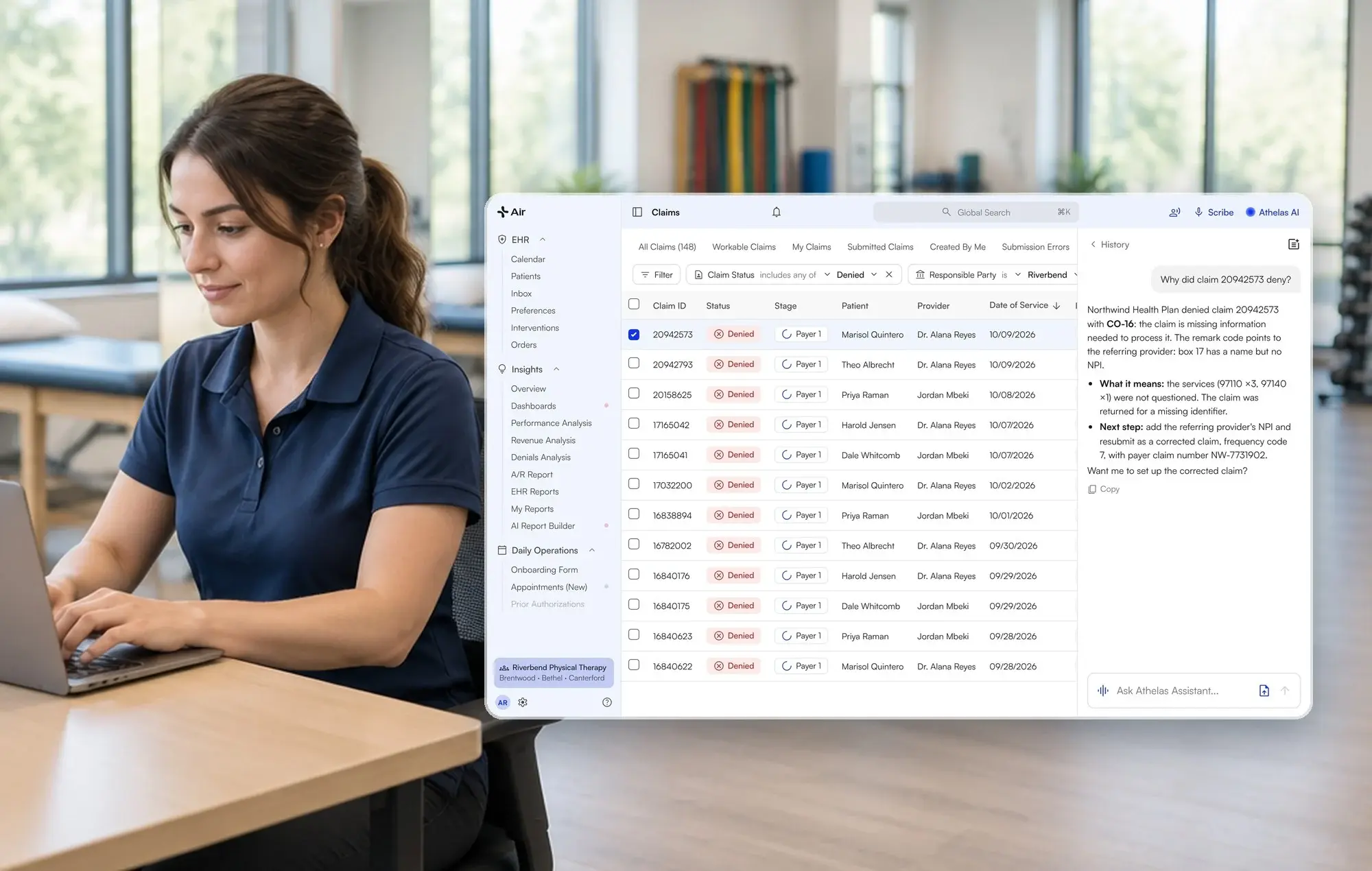
Athelas Air is an AI-native EHR and practice management platform with integrated billing software, Ambient AI and a clearinghouse. Practices can use Air with their own billing staff or add Athelas RCM Managed Services, a separately priced service in which the Athelas team handles revenue cycle operations. Groups that want to keep their existing EHR can also evaluate Athelas RCM without replacing their clinical system.
In 20% of analyzed calls with orthopedic surgery practices, the practice raised a fragmented tech stack and workarounds. These are call observations, not a survey of unique customers.
Key takeaways
- Integrations: Ask for the data path, not the logo list.
- Records: Get the export format and timeline in writing before you commit.
- Training: Test it on your own templates and your own front desk.
- Implementation: Require a named launch team, a parallel-run window and an admin handover.
- Billing ownership: Decide whether your in-house team will manage claims in Air or whether Athelas RCM will handle billing as a managed service. You can also keep your current EHR and use RCM separately.
How do I evaluate whether a new EHR integrates with my existing clinical and billing tools?
Start by mapping the systems your practice cannot operate without, including imaging, orders, dictation, patient intake and billing. Ask each vendor to demonstrate the actual flow of information rather than simply listing supported integrations.
For groups looking to consolidate, Athelas Air brings the EHR, practice management, billing software and Ambient AI into one platform. It also documents a FHIR API, patient data export and migration support by source EHR. Your own team can manage billing in Air, or you can add Athelas RCM Managed Services for claims submission, payment posting, denial management and follow-up. If your existing EHR works well and billing is the main problem, Athelas RCM can work alongside that system; integration depth should be confirmed for your EHR. Imaging and other third-party connections should still be tested individually.
Step-by-step: how do you evaluate a new orthopedic EHR?
Work through these seven steps. Each should have a clear pass test.
- List every tool that touches a chart or a claim. Include imaging, dictation, clearinghouse, billing company, fax and patient payments. Check: who owns each connection, and who pays for it.
- Ask how data moves, not whether it connects. Request the interface type, the data fields and who sets it up. Check: does your admin need technical skills, or does the vendor run setup?
- Test API access. Ask for public documentation and the permission scopes. Check: can the vendor shut off an outside tool during your contract?
- Get the record-retention terms. Ask for the export format, the timeline and what read-only access to the old system costs. Check: are documents and attachments included, or only structured data?
- Plan training around clinic hours. Ask for role-based sessions, an admin-backend session and sandbox access. Check: does the training match your workflow, such as fewer clicks during a visit?
- Run a pilot on your own templates. Use real visit types, a real fax stream and real charge entry. Check: write down pass or fail criteria before the pilot starts.
- Work backward from your contract date. Set a go/no-go date and a parallel-run window. Check: what does duplicate cost during the overlap?
One orthopedic practice told us its current contract renews for two to three years and that leadership needs six to nine months of lead time. Start step 7 first if your renewal is close.
Which branch are you on? A decision table
How do you test implementation support after a rollout went badly?
Ask for a written plan and test it in the pilot. One billing customer told us a prior vendor set up the system without explaining the admin backend, and when the vendor left nobody turned off its automations. Build that lesson into your checklist:
- Admin handover: Have the vendor show every automation and setting, and who can change it.
- Named launch team: Ask who is on your project, and what they do each week.
- Staging: Ask how go-live is scheduled around your busiest surgery and clinic days.
- Exit criteria: Agree what a failed pilot looks like before it starts.
An orthopedic surgeon on a call said another vendor's training would not fit a workflow where he only wants to record level of service and diagnosis. Test training against how your providers really document.
What should you do when integrations or training go wrong?
Pause the affected rollout step rather than disrupting clinical operations. Maintain the agreed access to your previous system until the replacement passes its acceptance tests, subject to your existing vendor agreement.
- Data arrives wrong: The sync mirrors your source EHR. Empty fields stay empty and wrong fields stay wrong, so fix the source before you resend.
- Claims blocked: A patient missing demographics or insurance cannot produce a submittable claim. Audit those fields first.
- Staff stuck: Pause new templates and return to the training plan with real schedules.
- Old documents missing: Ask for a read-only window on the old system. One podiatry practice plans about 90 days of read-only access so staff can check old notes.
One orthopedic practice told us it spent nearly two years pulling documents by hand from old systems after a legacy vendor failed, and staff still sort faxes into buckets. Don't let a document plan stay vague.
How does Athelas Air handle API access, record retention and migration?
API access. The FHIR API documentation says it conforms to HL7 US Core 6.1.0 on FHIR R4 and the USCDI v3 data set. It lists patient-level scopes such as Patient, Encounter, Condition, Observation, DocumentReference and Device (implantable devices). Best for: groups with an in-house developer or an outside vendor.
Record retention. Air has an Electronic Health Information export for one patient or all patients. It writes claims.csv, a C-CDA XML file for clinical content and an attachment folder for uploaded documents. Providers and admins can run a single-patient export, and admins request the site-wide export. Every export is recorded in an audit log. Result: you can leave with a computable copy of your records.
Data sync. For workflows that connect an existing EHR to Athelas billing tools, the documented sync reads appointment date, status and type and links demographics and insurance from the patient record. The sync mirrors source data, so validate the source before relying on downstream claims. This is distinct from migrating your clinical records into Air; confirm the integration scope for your current EHR.
Outcomes tracking. The Retention Engine report tracks functional outcome coverage at evaluation, progress note and discharge. That helps you check whether outcome measures carry over.
Platform and managed-service pricing. Athelas Air is priced per provider and includes the EHR, practice management, billing software, Ambient AI, Athelas Assistant, clearinghouse and patient portal. With Air alone, your practice handles billing using the platform. Athelas RCM Managed Services is priced separately and assigns revenue cycle work—including claims, payment posting, denials, follow-up and patient statements—to the Athelas billing team. RCM can be paired with Air or used alongside an existing EHR, subject to integration scope. Credentialing, payer contracting and prior authorizations remain the practice’s responsibility. Request pricing for the configuration that fits your team.
Timing. Migrations can be done in 30–60 days based on your practice complexity. Book time with our team to discuss your migration plan.
Which EHR migrations does Athelas Air support, and what data can move?
Athelas Air supports migrations from the systems below. The data overview summarizes each documented migration; available exports and the practice's workflow determine the project scope.
Don't see your EHR or a data type you need? Talk with our team about your current system, historical records and workflow so we can assess additional migration options.
This is a migration into Air, not live two-way integration with your old EHR. Structured records and clinical note PDFs are separate categories, so ask which one your source export covers.
How do other orthopedic EHR vendors compare on what to ask?
Vendor details as of November 2026, from each vendor's own pages.
Use the same questions with every vendor: who sets up each interface, who can change it, what you receive on exit, and whether billing is software your staff operates or a managed service the vendor performs.
What results have orthopedic practices seen with Athelas?
These figures come from published Athelas case studies, as of 2026. Each is one practice's result.
- Dr. Arthur J Ting, orthopedics (Athelas Air, Athelas RCM, Ambient AI and Commure Agents): +80% year-over-year revenue growth, first-pass claim rate at 80%, 92% total collection rate and 15 minutes saved per patient appointment. Read the case study.
- Raleigh Orthopaedic, more than 140 providers (Athelas Air, Athelas RCM and Ambient AI): 81.5% reduction in pending site-related work items week over week and 15.3% increase in weekly revenue posted. Read the case study.
- Ortho Plus, orthopedics (Athelas RCM): $368K in additional patient revenue collected, $56K recovered from 951 previously denied claims, 1.9% denial and rejection rate and 91% first pass rate. Read the case study.
Your pre-signing checklist
- Which tools connect, who sets each up and who can shut one off?
- What export format, timeline and read-only access come with exit?
- Does training use your templates and cover the admin backend?
- What are the pilot pass and fail criteria?
- What is the go/no-go date, and what does a parallel run cost?
- Will your own team manage billing in Air, will Athelas RCM manage it, or will you keep your EHR and change only billing services?
- Who owns open accounts receivable, claim submissions and payment posting during the handoff?
The takeaway: the right replacement is one your team can test against real clinical and billing workflows before signing. Whether you choose Air for integrated software, Air with managed RCM, or RCM alongside your current EHR, clarify responsibilities and the transition plan first. Book a demo and bring your own templates.
Frequently asked questions
What should an orthopedic surgery practice require from an EHR for imaging, orders and documentation?
Ask for the interface type, the data fields and who maintains each connection to imaging and ordering tools. Then test documentation on your own templates with real visit types. Athelas Air documents its FHIR API scopes, including Device, Encounter and DocumentReference, so you can review them before a pilot.
What EHR API access is available for connecting other practice software?
Athelas Air's documentation describes a FHIR API that conforms to US Core 6.1.0 on FHIR R4 with USCDI v3. It lists patient-level scopes and supports SMART App Launch and Bulk Data Access. Confirm the scope for your tenant with our team.
How can we keep access to old patient records after changing EHR vendors?
Request the export format and timeline in writing, and ask about a read-only window on the old system. Athelas Air can export a single patient or all patients, with claims data, a C-CDA file and uploaded documents. Run a sample export before you commit.
How can we train staff on a new EHR while keeping the clinic running?
Schedule role-based sessions around your slow periods, and add an admin-backend session. Test training in a pilot using your own templates. Migrations with Athelas Air can be done in 30–60 days based on your practice complexity.
Should we keep separate EHR and billing systems or move to one platform?
If you want to consolidate clinical and billing software while keeping billing in-house, Athelas Air brings EHR, practice management, billing tools, Ambient AI and a clearinghouse into one platform. If you also want to outsource billing operations, add separately priced Athelas RCM Managed Services. If the existing EHR is working, Athelas RCM may be an alternative to another EHR switch. Test the handoffs and confirm the scope of any integrations before deciding.
Can we use Athelas RCM without changing our orthopedic EHR?
Yes. Athelas RCM Managed Services can work alongside an existing EHR, so practices can address claims submission, payment posting, denials and follow-up without migrating their clinical platform. Confirm the integration scope and handoff responsibilities for your current system. Credentialing, payer contracting and prior authorizations remain with the practice.
How do I verify that a replacement EHR keeps our templates, flowsheets and outcome measures?
Build your top templates and one flowsheet in the pilot, then compare them to your current versions. Air's Retention Engine reports functional outcome coverage at evaluation, progress note and discharge, so you can check that measures are still captured.
Sources
- Commure EHR FHIR API (Athelas docs)
- Patient Information Export (Athelas docs)
- EHR Data Sync (Athelas docs)
- Retention Engine (Athelas docs)
- ModMed orthopedics EHR
- ModMed orthopedics solutions
- NextGen orthopedics
- NextGen EHR replacement
- Nextech orthopedic EHR
- eClinicalWorks pricing
- Dr. Ting case study
- Raleigh Orthopaedic case study
- Ortho Plus case study
- Athelas Air