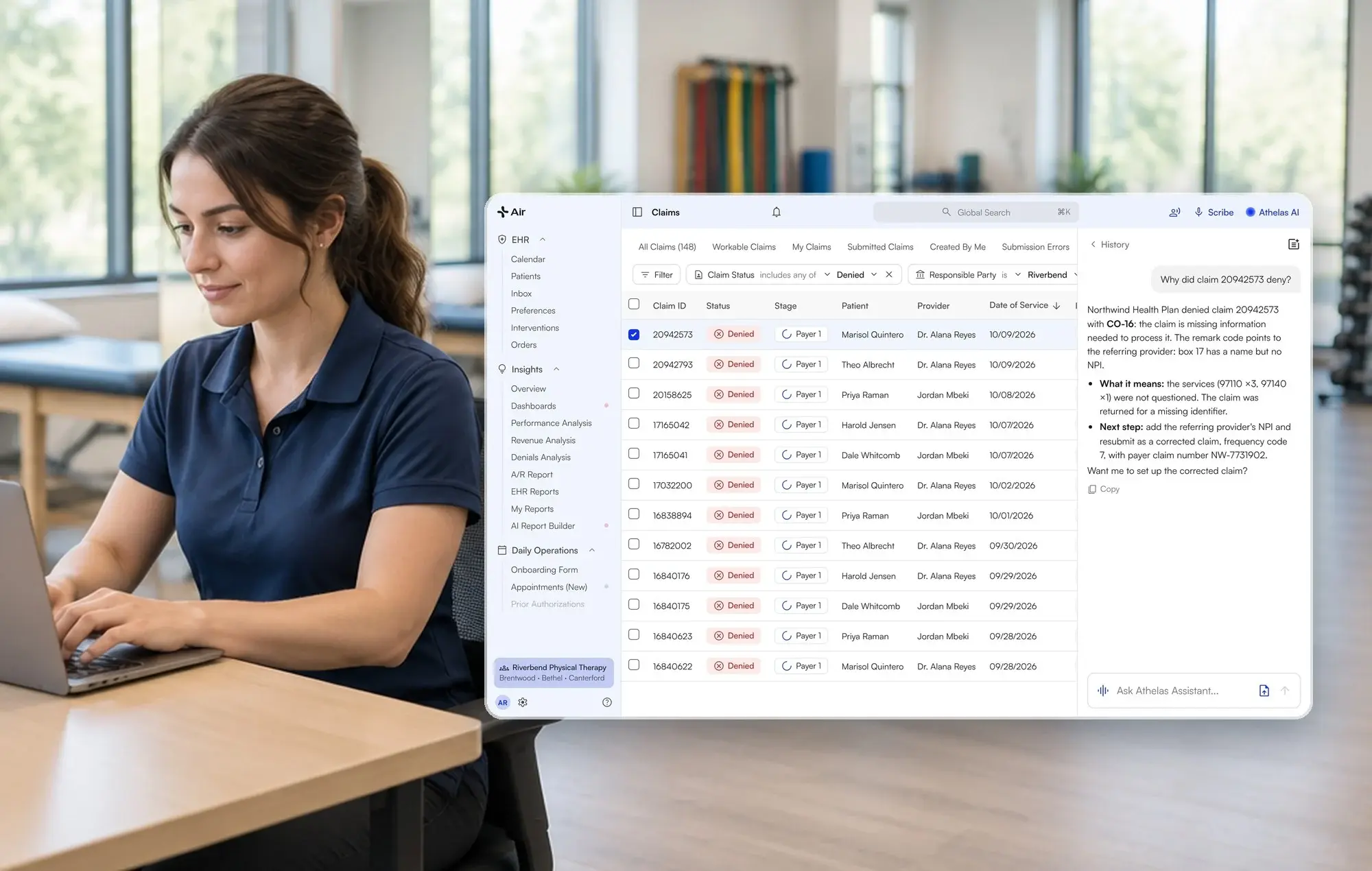
How to Clear Aging Accounts Receivable: A Practice Guide to Working Old Claims
November 20, 2026
Last updated:


Athelas RCM Managed Services combines Athelas billing software with a dedicated revenue cycle team for outpatient practices. The team handles claim scrubbing and submission, eligibility checks, payment posting and reconciliation, denials and appeals, unpaid-claim follow-up, and patient statements. RCM can work alongside a practice’s existing EHR or Athelas Air, the separate AI-native EHR, practice management and billing software platform. With Air alone, the practice manages billing internally; with Air + RCM, Athelas’s team manages billing.
Key Takeaways
- Bucket first. Split AR by age and payer before anyone touches a claim.
- Name an owner for every bucket. Old AR goes untouched when the old and new biller each assume the other has it.
- Prove the work. Re-run the aging report and compare buckets, not anecdotes.
- Check filing windows early. Payers differ, and a single default can be too long.
In 12% of the practices we analyzed on recorded revenue-cycle calls, the practice raised old AR piling up with nobody chasing it. In 48%, the practice raised the wider battle against payers: stuck claims, underpayments and aging AR. These are call observations from practices that spoke with us, not a representative survey.
How can a practice recover aging accounts receivable that nobody is working?
It depends on how much of your AR is already past payer filing windows. For practices that want a managed billing team, Athelas RCM can take responsibility for defined revenue cycle work, including unpaid-claim follow-up, denials and appeals, and AR reporting. But switching billing vendors does not automatically transfer every historical claim. First determine which claims are collectible and assign old AR explicitly to the outgoing biller, the practice or the incoming team under an agreed scope.
What does a healthy AR aging report look like?
A healthy report shows most dollars in the youngest buckets and no payer holding a surprising share of the old ones. The Athelas Aging AR Report groups balances into 0–30, 31–60, 61–90, 91–120, 121–365 and 366+ day buckets, combining insurance and patient AR (Aging AR Report docs).
Read it with three questions:
- What share is over 90 days, and over 180? Track both as a percentage of total AR so you can compare month to month.
- Which payer dominates the old buckets? One payer with a large aged balance usually points to a payer-specific problem, such as a bad enrollment or a repeated denial reason.
- Was the 120-day bucket touched? Ask for the detailed report, which is row-level, not only the rollup.
You can group the rollup by Claim Type, Provider, Facility, Billed Insurance or EHR Insurance. The newer Revenue Activity Report splits 121–365 into 121–180 and 181–365, which makes the six-month question easier to answer (A/R Reports docs).
How do I work old claims step by step?
Work old claims by payer deadline, balance, age and status reason, with one named owner and a documented next action for every claim. Prioritize claims approaching filing or appeal deadlines before using age or balance alone.
- Export the aging report. Pull the detailed, row-level version. Check that the total matches your last month-end close.
- Sort by payer and balance. Check which payers hold the largest old balances. Large single-payer balances go first.
- Check each payer's filing and appeal window. Write the deadline next to the bucket. Practices have told us windows vary: one rehab biller described a 30-day appeal limit from the last remittance for a workers' compensation payer, and an orthopedic team said a 45-day limit for one commercial payer was shorter than a 60-day default. Confirm limits with each payer's contract or provider manual.
- Group by status reason. Claims with the same denial, rejection or submission error need the same fix, so they can be worked together (Claims worklist docs).
- Fix, then resubmit or appeal. Correct the root cause first. Resubmitting a claim with the same error just adds a duplicate denial.
- Call payers on claims with no response. A claim that was never denied or paid still needs a status check and a reference number.
- Log every touch. Record date, action and next follow-up date on each claim.
- Re-run the report in 30 days. Compare the 91–120 and 121–365 buckets. Balances should shrink through payment, adjustment or a documented write-off.
If it goes wrong, the usual cause is a closed item that was never rechecked. One medical specialty team described records-request items staying on AR 30 to 45 days after being closed with no one looking again. Add a recheck date to every closed item.
Who should collect old AR after switching billing vendors?
The team with access to the historical claim record is often best placed to finish it, but responsibility must be agreed in writing. In many Athelas RCM transitions, older AR is worked in the previous system while new claims run on Athelas. If Athelas will work specific old claims, define those claims, system access and reporting expectations in the transition scope. Use this ownership table before the cutoff date.
Handover checklist:
- Snapshot on the switch date. Save the aging report as the baseline.
- Claim-level list per owner. Counts and dollars by bucket, signed off by both sides.
- Payer-specific deadlines. Put them on the list, not a single default.
- Weekly proof. Ask for a report showing each old claim touched, not a summary.
What if claims are already past timely filing?
Check whether the claim has proof of timely submission, a payer-specific appeal route or a payer error before you write it off. A clean submission record, such as a clearinghouse acceptance report, can support an appeal when a payer says a claim is late. Without one, many payers will not pay, and the balance becomes an adjustment under your write-off policy.
Practices raise this: in 8% of the practices we analyzed on recorded revenue-cycle calls, the practice raised timely filing deadlines missed as claims age. One rehab biller described appeals outside a payer's 30-day window being written off.
Payer rules differ, so confirm each deadline with the payer. Athelas does not currently publish a timely filing automation as a live feature.
How does Athelas RCM work unpaid claims and AR?
Athelas RCM Managed Services uses Athelas billing software and a dedicated billing team to submit and scrub claims, verify eligibility, post and reconcile payments, work denials and appeals, follow up with payers, and send patient statements. It can integrate with an existing EHR, subject to system-specific capabilities, or run with Athelas Air. Choosing RCM alone does not require replacing your EHR. Credentialing, payer contracting and prior authorizations remain the practice’s responsibility.
- Aging AR report. Shows buckets from 0–30 to 366+ days, with a detailed report for claim-level review (docs).
- Workable Claims view. Shows claims that are your site's responsibility, in a workable status and not deferred, grouped by status reason with the highest balances first (docs).
- Status, stage and payer status. Status says what needs to happen next, stage shows whether a payer or the patient holds the balance, and payer status shows where the claim stands with each payer (docs).
- Bulk resubmit. Select a whole group and resubmit; most bulk actions work on up to 500 claims at once (docs).
RCM pricing is based on a percentage of collections with a monthly minimum. A free financial health analysis can help estimate potential recovery opportunities; it does not guarantee collections. The practice retains responsibility for credentialing, payer contracting and prior authorizations, and has a daily billing point of contact. See your recoverable AR with a free analysis.
Vendor details as of October 30, 2026, from each vendor's own pages.
Which Athelas setup fits your AR recovery plan?
With any option, establish the old-AR owner before go-live. Athelas Air’s platform subscription and Athelas RCM Managed Services are priced separately.
What results have practices seen with Athelas RCM?
These figures come from published Athelas case studies, as of 2026. Each is one practice's result.
- Ortho Plus (orthopedics; Athelas RCM): $56K recovered from 951 previously denied claims; 1.9% denial and rejection rate. Read the case study.
- Oxford Physical Therapy Centers (physical therapy, 11 locations; Athelas Air, Athelas RCM and Ambient AI): >$250,000 in previously missed revenue recovered; ~0.5% final denial rate after resubmission and appeal. Read the case study.
- Farnsworth Orthopedic Physical Therapy (Athelas RCM and Ambient AI): less than 1% of denials are unworked; 91% of claims require no manual intervention. Read the case study.
- Buffalo Rehab Group (physical therapy, 13 locations; Athelas RCM and Ambient AI): denials dropped from 3% to 1%. Read the case study.
Customers have also described results on calls, which are customer-reported and not guaranteed: one rehab practice said it cut about 12,000 from its AR backlog in a month, and another said its 0–120 day AR mix held near 4.55% for four months.
Your handover checklist
- Do you have a dated aging report from the switch date?
- Does every bucket over 90 days have a named owner?
- Are payer filing windows written beside each bucket?
- Can the owner show a touch report for each old claim?
- Who handles claims held for credentialing?
Old AR clears when every bucket has an owner and a report that proves the work. Request a free financial health analysis.
Frequently asked questions
Which billing partners can address aging AR while taking over current claims?
Athelas RCM is an option for practices seeking managed current-claim billing and defined unpaid-claim follow-up. Historical AR is not automatically transferred: older claims are often worked in the prior system unless a different ownership arrangement is agreed. Ask every billing partner for a claim-level worklist, deadlines and documented touch reporting.
Who should collect old accounts receivable after a practice switches billing vendors?
Assign each claim one named owner in writing at the switch date. Claims billed before go-live usually stay with the previous biller or system, and anything the practice moves to the new team should be scoped and listed claim by claim.
How much of my AR over 90 and 180 days is recoverable, and how do I measure it?
Export the detailed aging report, then sort by payer and status reason. Recoverable claims are those inside filing windows or with proof of timely submission. Athelas RCM offers a free financial health analysis that sizes what your practice could recover.
Can I bulk resubmit old claims without losing track of them?
Yes. In Athelas, group claims by status reason, select the group and resubmit; most bulk actions work on up to 500 claims. Fix the root cause first, and log each batch so you can match it to the next aging report.
Does Athelas RCM follow up on unpaid claims?
Yes. Athelas's billing team follows up with payers on unpaid claims, works denials and appeals, and you see claim status, AR and collections in dashboards and reports.
What happens to claims held for credentialing while the filing clock runs?
The clock keeps running, and credentialing stays with your practice. Track held claims on their own list with a deadline so they are billed or appealed before the window closes.
Sources
- Aging AR Report (Athelas docs)
- A/R Reports (Athelas docs)
- Organizing Your Claims Worklist (Athelas docs)
- Claim Status, Stage & Payer Status (Athelas docs)
- How to Resubmit Claims in Bulk (Athelas docs)
- Waystar physician and specialty practices
- Ortho Plus case study
- Oxford Physical Therapy case study
- Farnsworth case study
- Buffalo Rehab Group case study
- Athelas RCM