
Online scheduling software that follows your clinic's rules.
Athelas Air gives PT clinics a patient portal, online booking, waitlist, under-scheduled outreach and a referral Lead Tracker on one calendar.
Online booking that follows your reserve blocks
Cancellations offered to your waitlist in one click
Referral faxes become leads without retyping


Start your free scheduling pilot
Online booking that follows your reserve blocks
Cancellations offered to your waitlist in one click
Referral faxes become leads without retyping
Practices and Health Systems Running on Athelas
























Scheduling shouldn't need a second system.
Most PT software books the visit and leaves the rest to phone calls, sticky notes and a spreadsheet. Athelas Air keeps it on one calendar.
The usual way
In Athelas Air
Online booking
The usual way
The booking widget ignores your templates
Booking follows your reserve blocks
Patient requests
The usual way
Patients call to reschedule or pay
Patients do it in one portal
Cancellations
The usual way
The waitlist lives on a sticky note
Waitlist offers go out in one click
Under-scheduled patients
The usual way
They surface in a report someone has to work
They get a text with a link to book
Referral faxes
The usual way
Retyped into a spreadsheet
Become tracked leads
Intake
The usual way
Done on a clipboard in the lobby
Done before they arrive
Online booking that knows your rules.
The usual way
A booking widget that can't tell an evaluation from a follow-up, so your front desk moves people after they book.
Athelas Air's Online Scheduling gives each practice a booking link where patients verify with a text code, then pick a provider, location, visit type and insurance. They see only times that match your reserve blocks, visit types and notice windows. You can require staff approval before a request books.
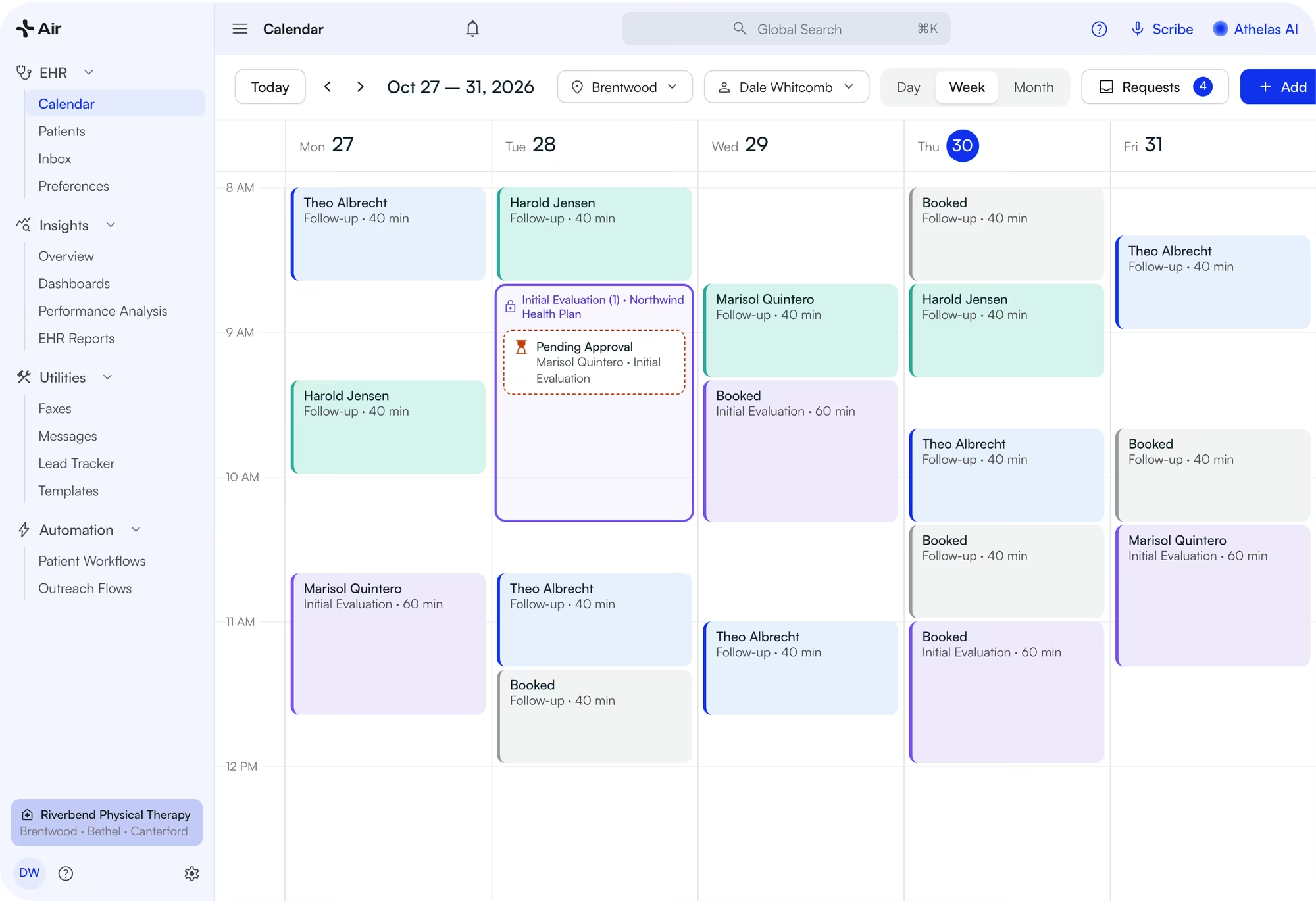
- Reserve blocks hold time for a visit type, payer or provider. The portal only offers slots that match.
- Patients see simple visit types like “Initial Evaluation”. Your team keeps the detail behind them.
- Set minimum and maximum notice. Require approval, or let bookings land on the calendar.
- New patients verify with a text code, then book or go to Lead Tracker for triage.
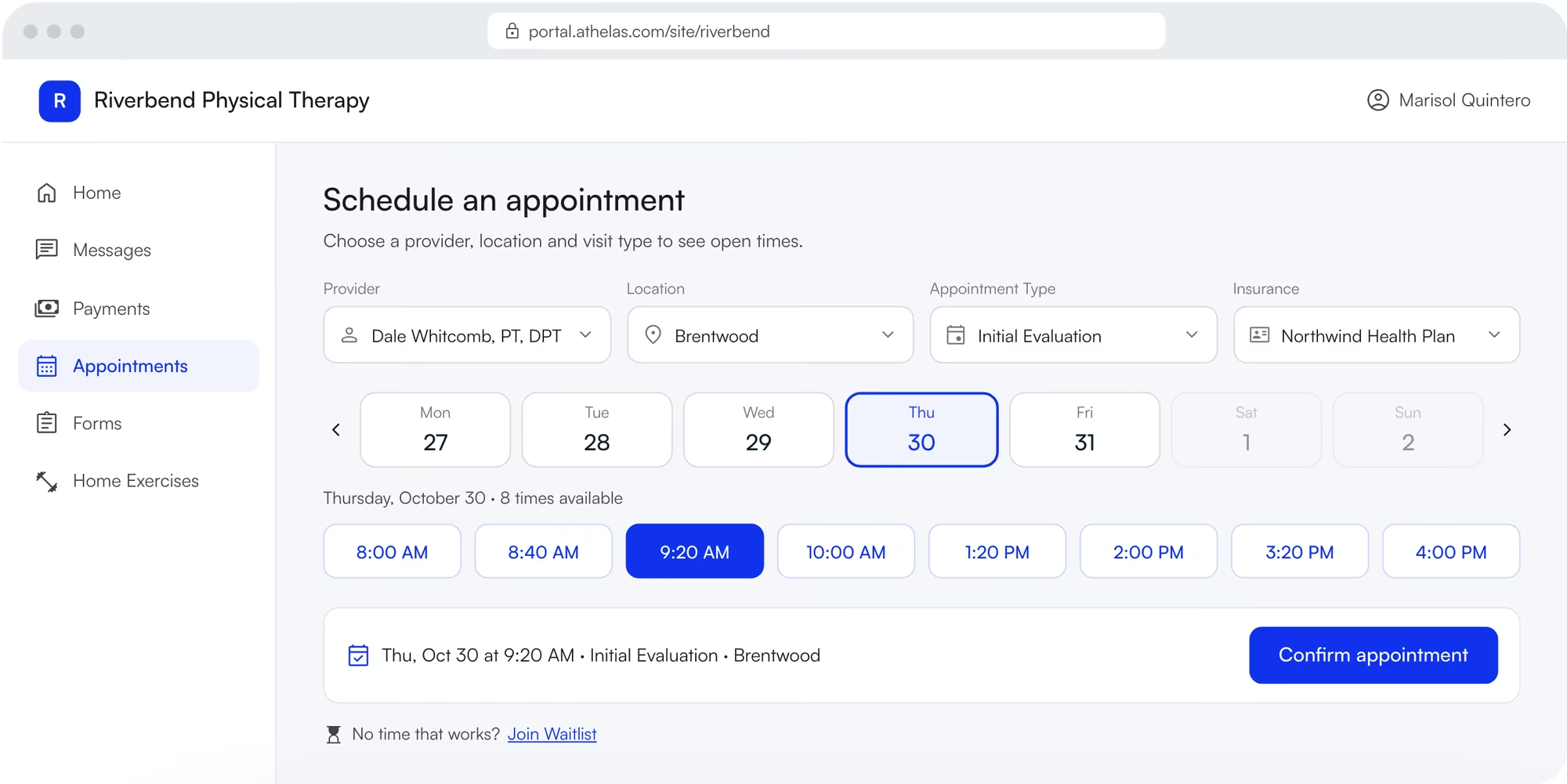
Online booking page in the Athelas Air patient portal: provider, location, visit type, insurance and open times
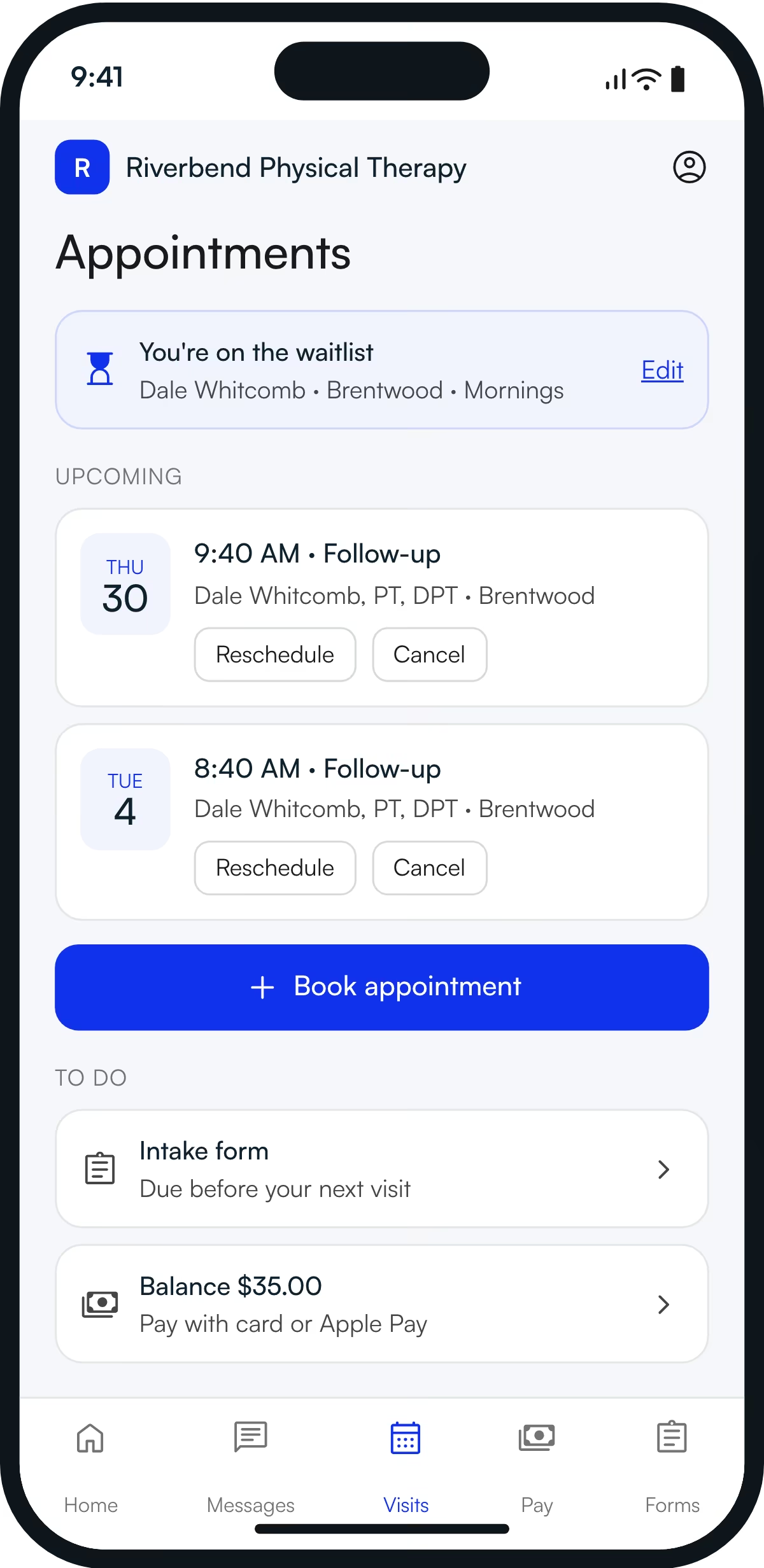
Athelas Air patient portal on a phone: upcoming visits, waitlist entry, intake form and balance
One portal for everything patients ask for.
The usual way
A separate login for every task, so patients call the front desk instead.
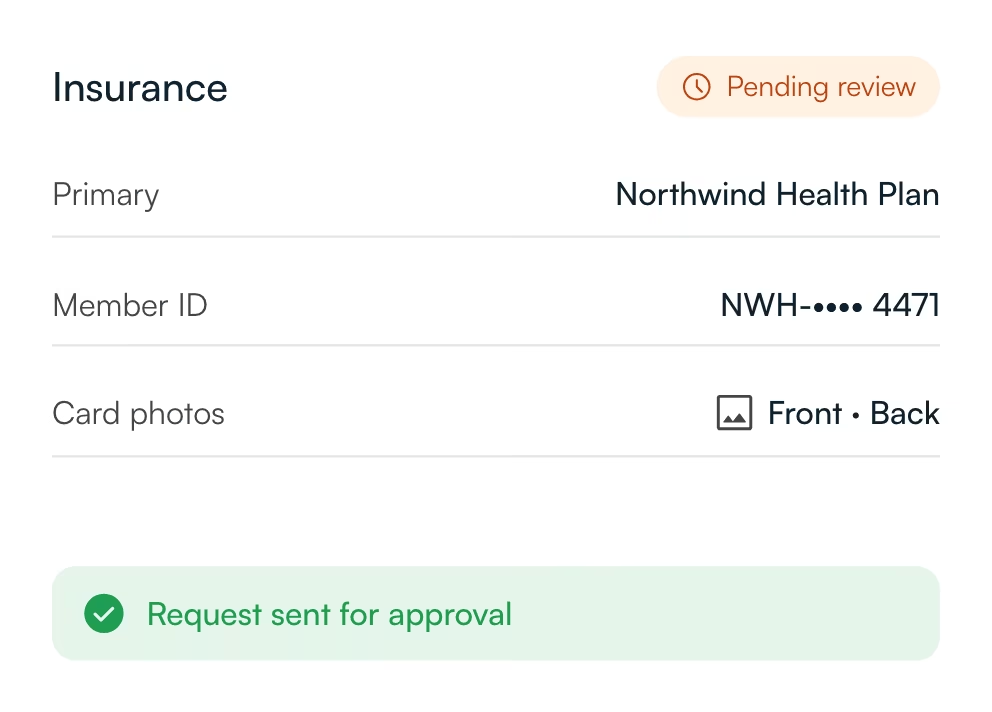
The Athelas Air Patient Portal is one sign-in where patients book, reschedule or cancel visits, check waitlist status, pay balances, message the clinic, complete forms and see home exercises. Insurance and address changes wait in a front-desk inbox for approval before they update the chart.
- Sign in with email or Google. Family members can share one login.
- Invite by text or email, or post a self-registration link or QR code at the front desk.
- Insurance and address changes wait for front-desk approval before they reach the chart.
- You choose what patients can do: book, cancel, reschedule, and who they can message.
Fill cancellations without a phone tree.
The usual way
A cancellation means scrolling a waitlist spreadsheet and calling down the list.
Athelas Air fills cancellations from a Waitlist that patients join in the portal. When a visit is cancelled, staff click Send offers. Air texts and emails matching patients in batches until one accepts, then books the slot or sends it to staff for approval first.
Patients join from the portal.
When no time fits, they pick providers, a location, a visit type and preferred times, or Anytime.
You choose to send offers.
On a cancellation, Air shows who matches. Click Send waitlist offers, or skip.
The first to accept gets the slot.
Matching patients get a text and email. Offers move down the list in batches until someone accepts.
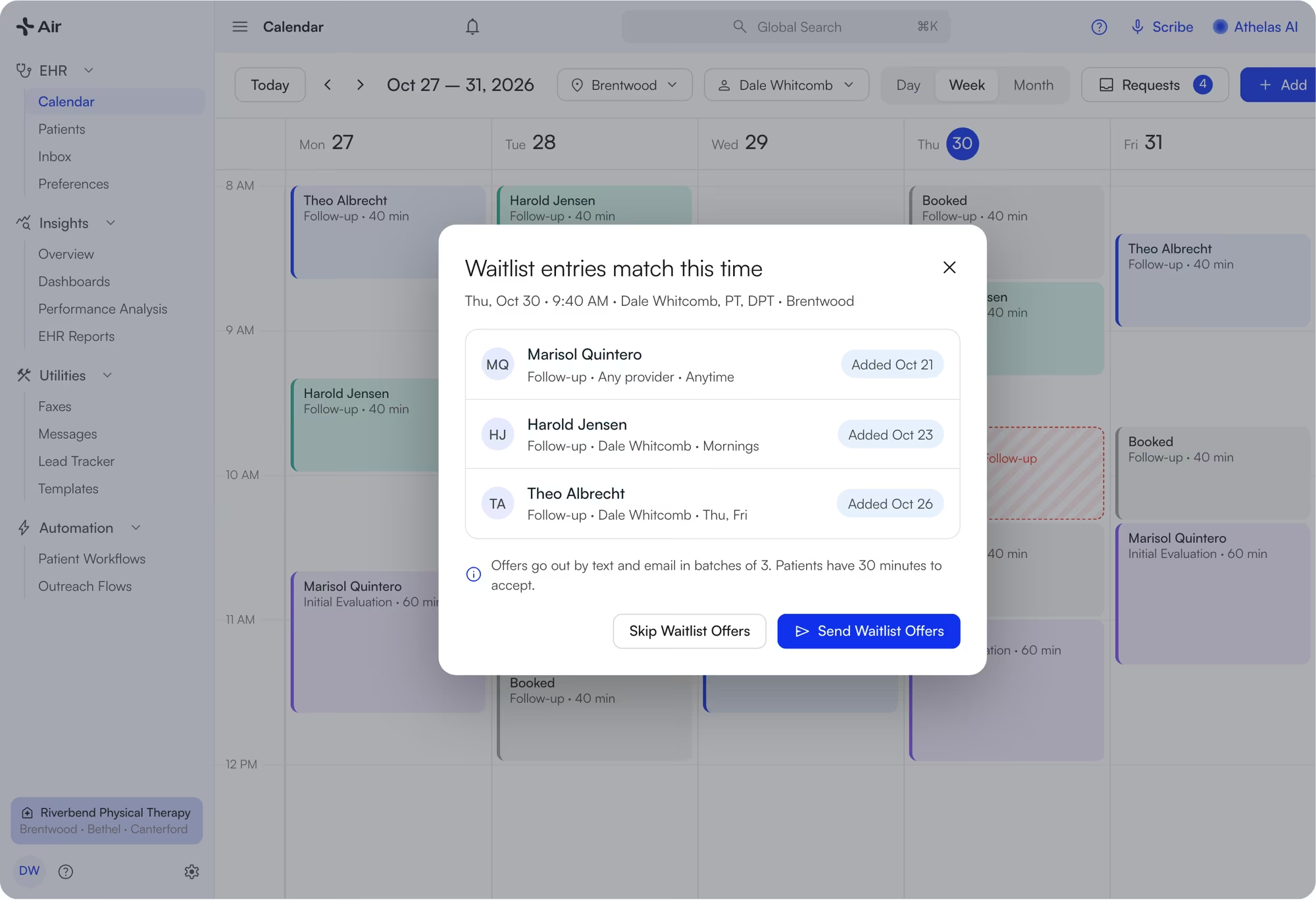
Athelas Air calendar after a cancellation, with the pop-up listing three matching waitlist entries and Send Waitlist Offers
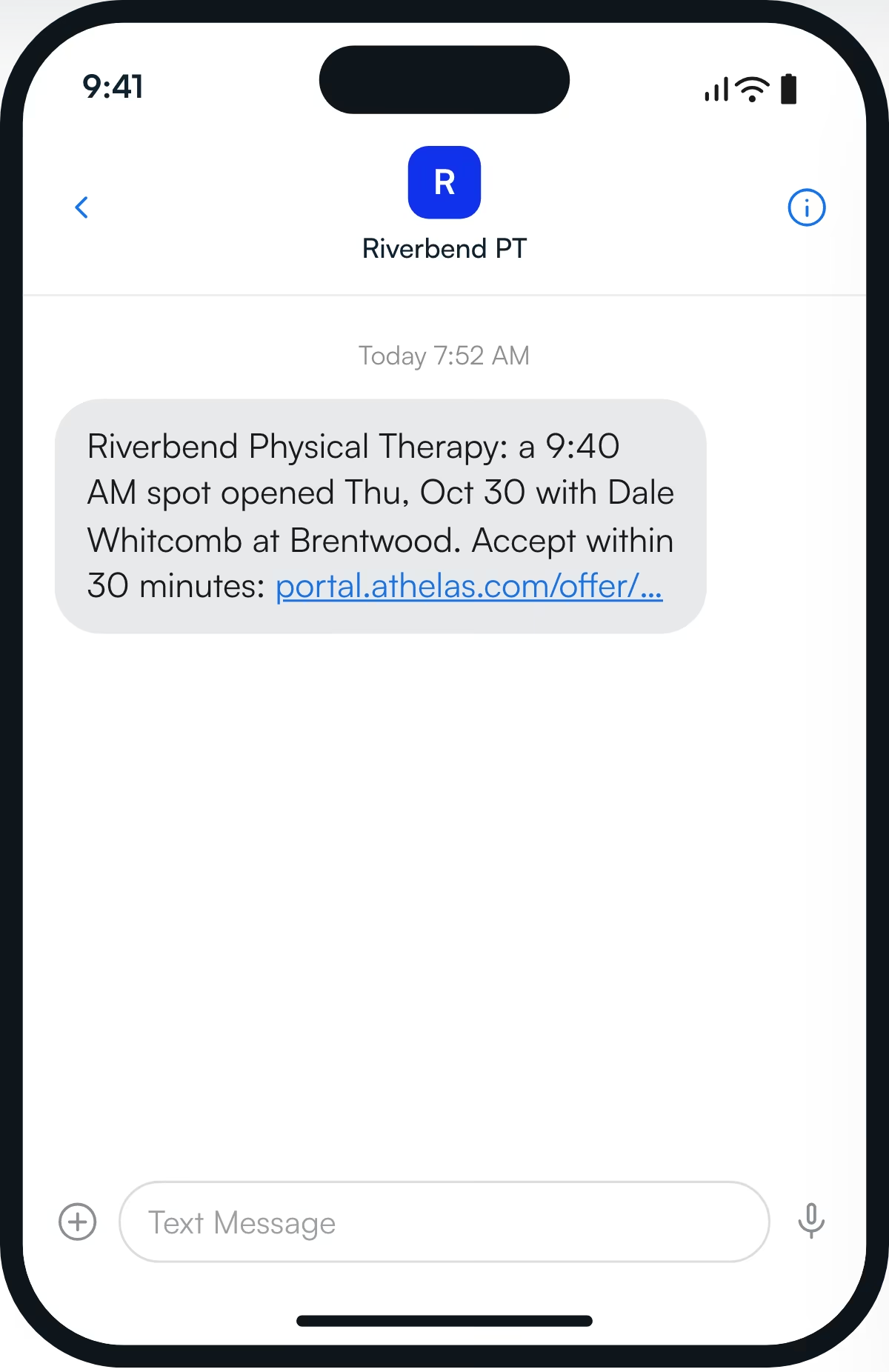
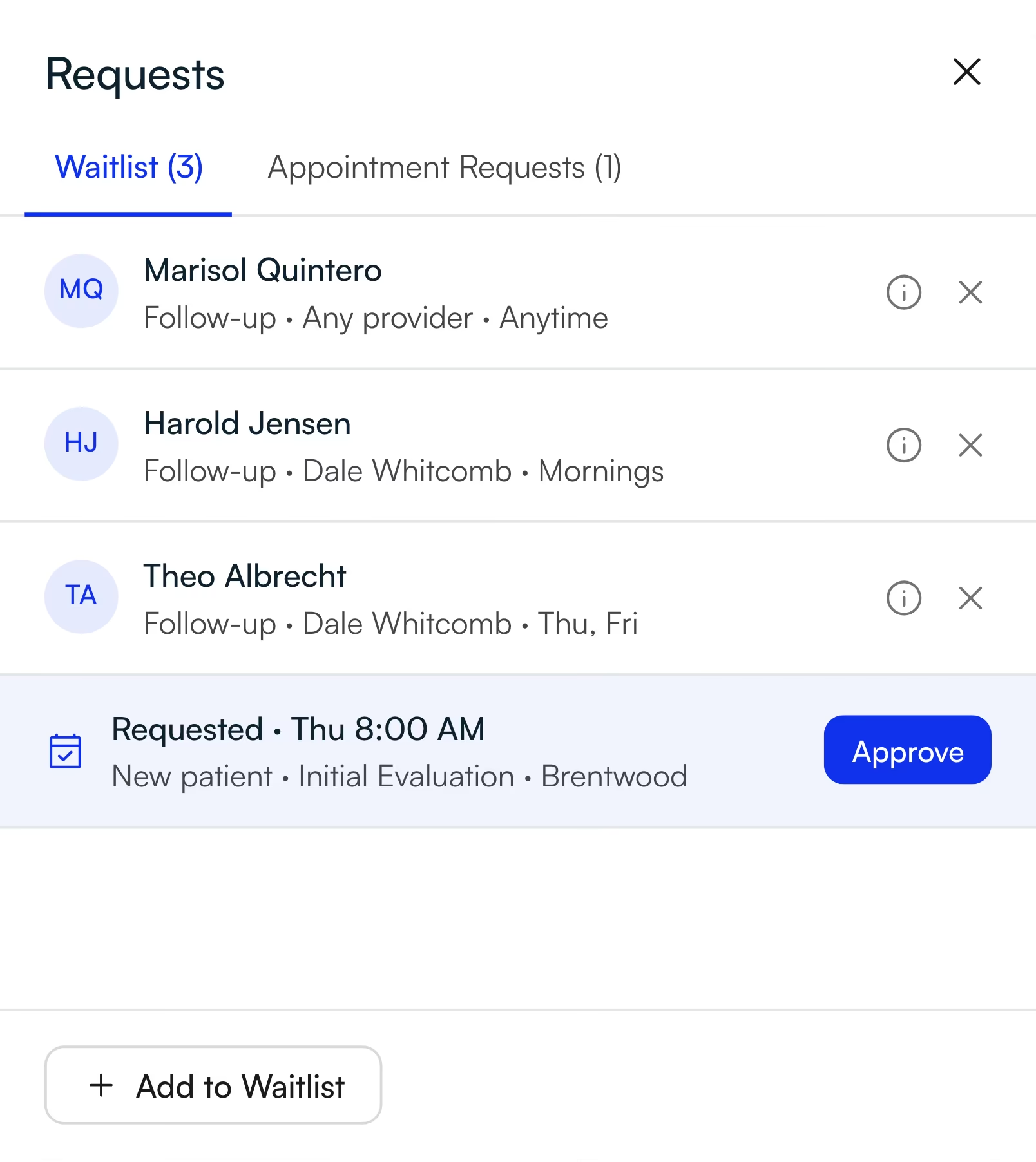
Set batch size, time to accept and minimum notice · Require approval before an offer books · Waitlist entries and appointment requests share one Requests tab · Trigger offers on any open slot
See how the waitlist works ↗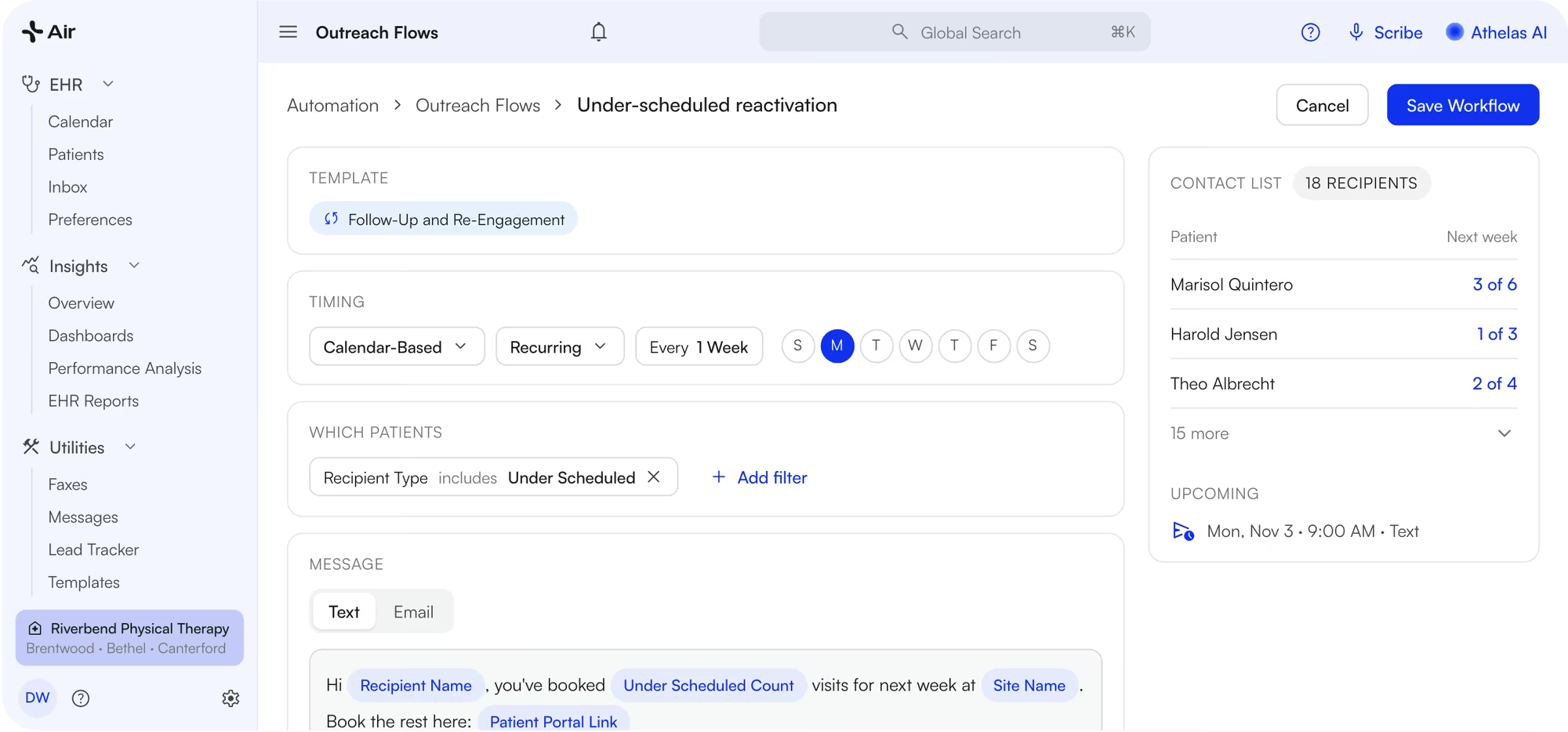
Athelas Air Outreach Flow for under-scheduled patients: weekly text with the Under Scheduled Count and a portal link, plus the contact list
Bring back patients who fall behind.
The usual way
Run a report, export it, then call every patient who is short on visits. Or text everyone, and switch it off a month later.
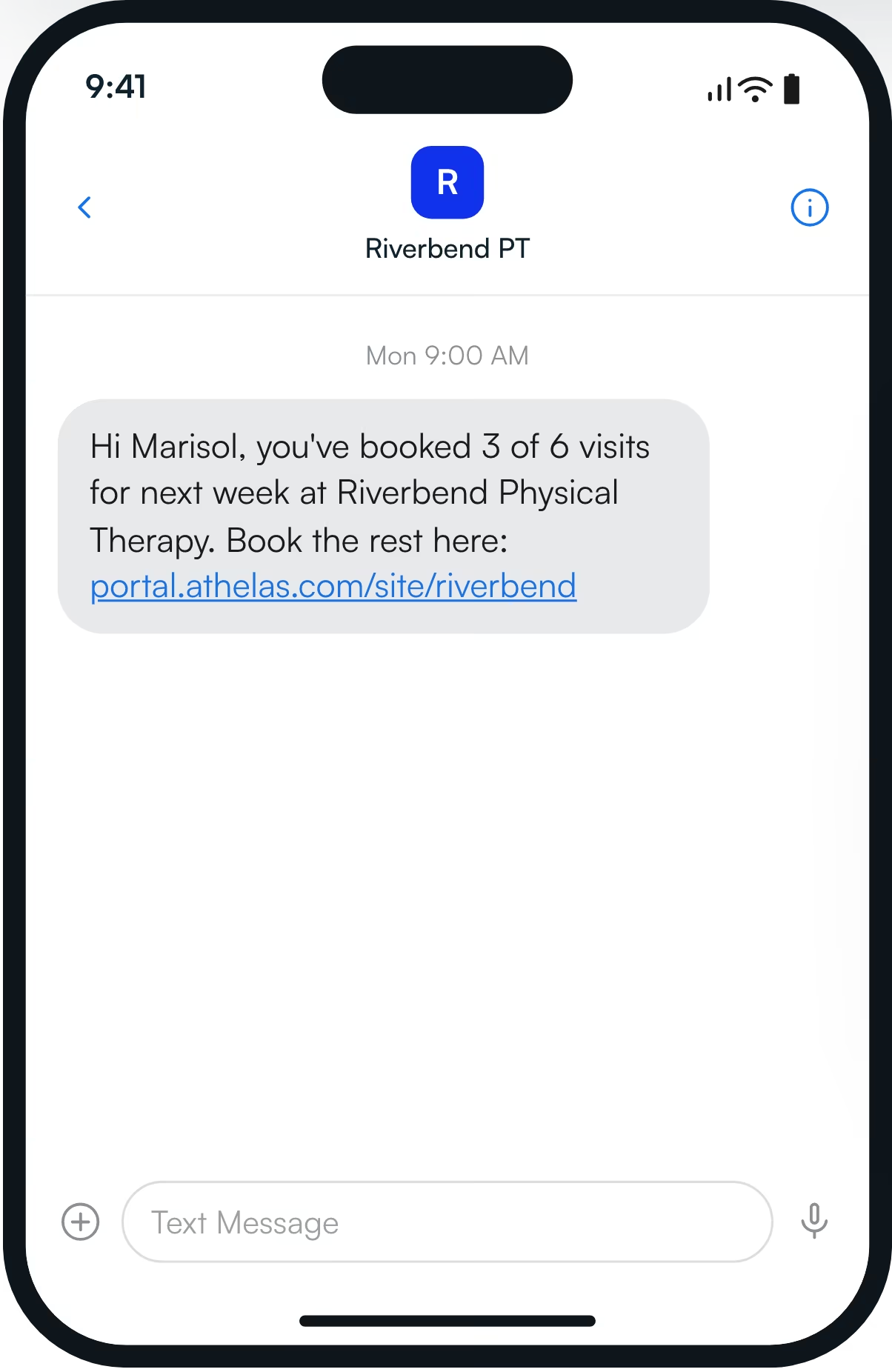
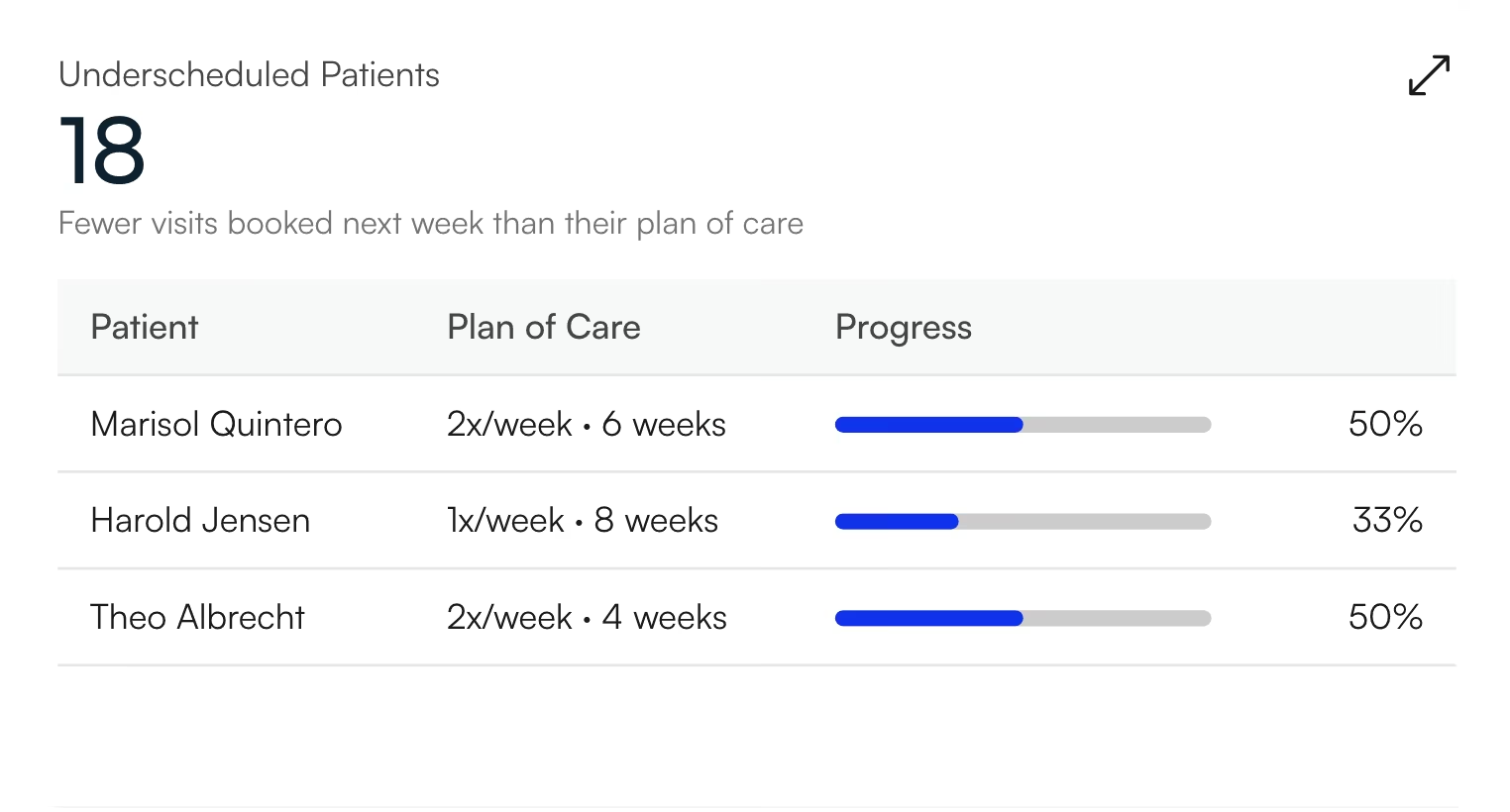
Athelas Air flags under-scheduled patients: anyone with fewer visits booked next week than their plan of care prescribes. An Outreach Flow texts or emails each one their count, such as “3 of 6”, with a portal link to book. The KPI dashboard lists them by name.
- Start from the Follow-Up and Re-Engagement template and pick recipient type Under Scheduled.
- See the exact contact list before anything sends.
- The message shows their count, like “3 of 6”, with a portal link to book.
- The Underscheduled Patients card on your KPI dashboard lists each patient and links to their chart. See the full dashboard in Athelas Air practice reporting.
Every referral becomes a lead you can track.
The usual way
Referral faxes sit in an inbox until someone retypes them into a spreadsheet, and nobody knows which referrals turn into visits.
Athelas Air turns referral faxes into tracked leads. It reads each inbound referral fax, pulls the patient's name, date of birth and phone, and creates a Lead Tracker lead linked to the fax, skipping duplicates. Growth reports show lead response days and referral-to-appointment conversion by referring provider.
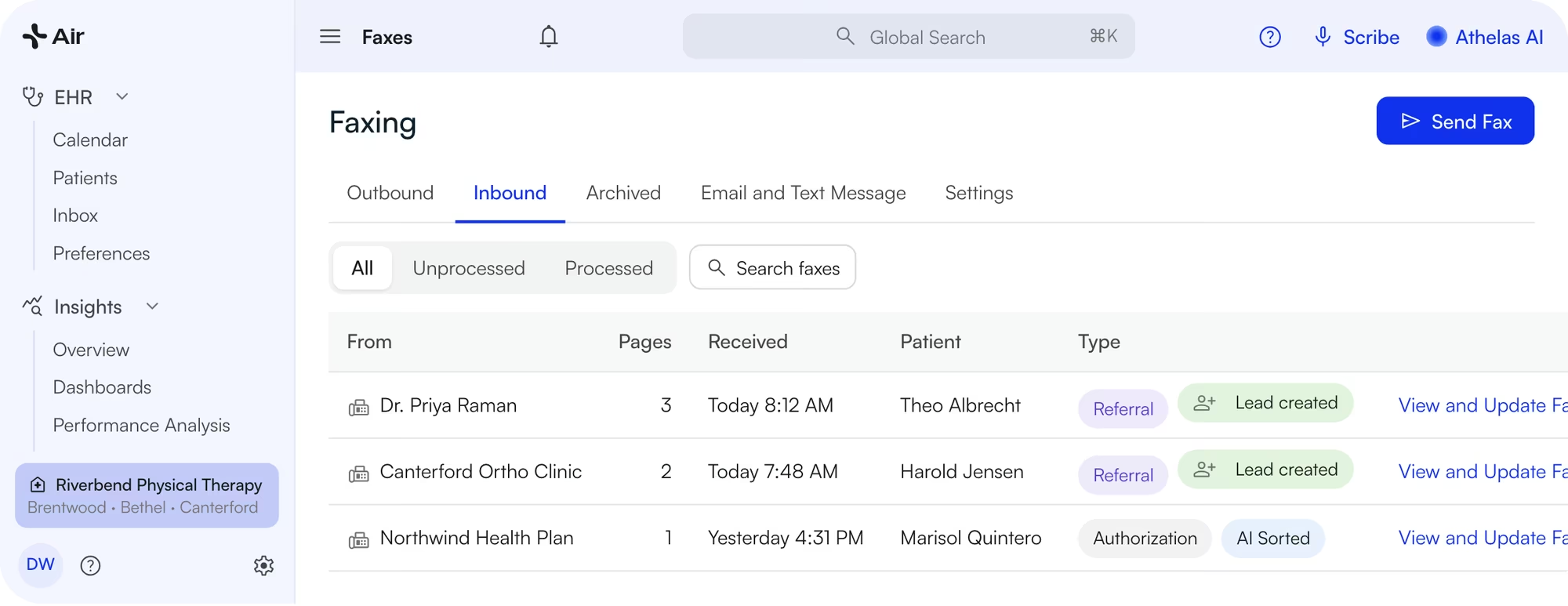
Imported automatically from an inbound fax
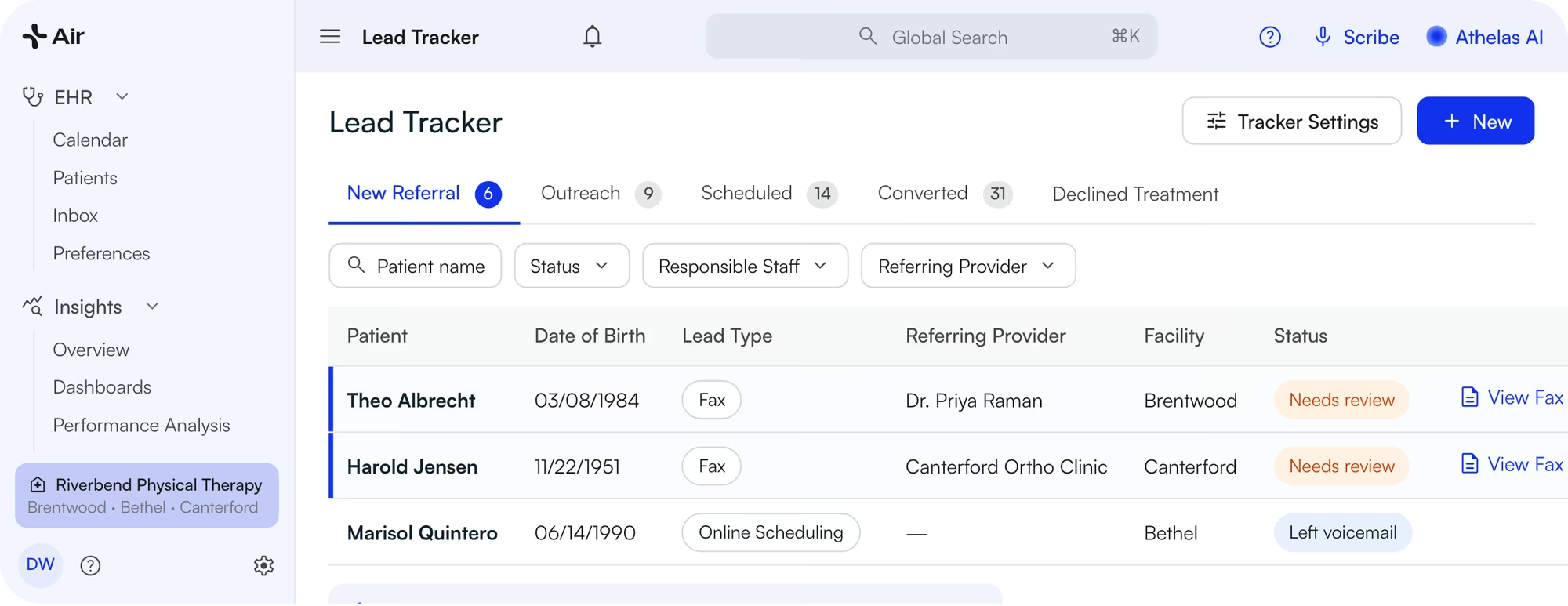
Athelas Air Lead Tracker: new referral leads from faxes with referring provider, status and View Fax
- It skips duplicates when the patient already has an open case or a recent fax lead.
- Your team reviews each new lead before reaching out.
- Leads move through stages you define. Mark Treatment Declined with a reason.
- Your website request form and online scheduling can feed the same tracker.
- Growth reports show lead response days, referral schedule rate and lead-to-appointment conversion by referring provider.

Booked patients arrive ready.
Athelas Air sends text and email appointment reminders with intake links, so patients confirm their details and photograph their insurance card before they arrive.
Reminders
Text and email reminders at the times you choose, with intake links attached.
Digital intake
Patients confirm their details and photograph their insurance card before they arrive.
Eligibility
Scheduled checks before the visit for most payers. See how Athelas Air billing handles claims after the visit.

How the pilot works
Book a 20‑minute call
Tell us your clinics, visit types and how patients book today.
We set you up
We set up your environment and train your team. You can start within a day.
Go live at one clinic
Patients book online. Your team works the waitlist, requests and leads in Athelas Air.
Review together
Online bookings, waitlist fills, under-scheduled patients and lead conversion.

Switching EHRs shouldn't require starting over.
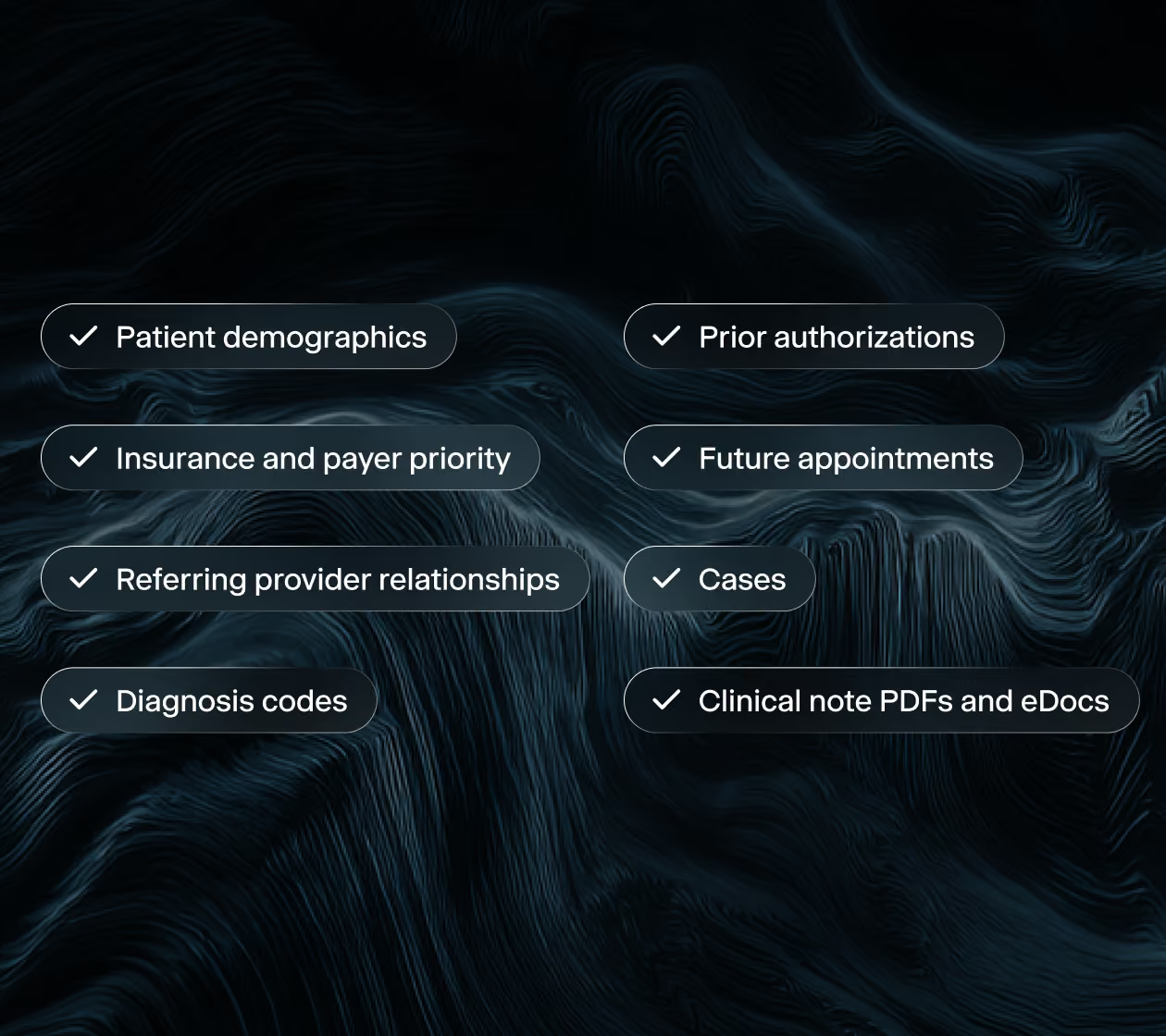
Read-only, one-directional migration. We pull patients, cases, future appointments and prior notes from your current system; nothing is written back.

Questions practices ask about scheduling software
What is Athelas Air?
Athelas Air is an EHR and practice-management system for physical therapy and other outpatient practices. Scheduling, the Patient Portal, clinical notes with Air Scribe, billing and patient messaging run in one product, on one calendar and one patient record.
Which scheduling system lets patients book online while preserving clinic scheduling rules?
Athelas Air. Patients book from your practice's Online Scheduling link and see only times that match your reserve blocks, patient-facing visit types and minimum and maximum notice. Reserve blocks can hold time for specific visit types, payers or providers, and Athelas Air can require staff approval before any request books.
Which PT scheduling software fills cancellations from a waitlist?
Athelas Air fills cancellations from a waitlist that patients join in the Athelas Air Patient Portal. When a visit is cancelled, Athelas Air shows which waitlisted patients match; staff click Send offers, and Athelas Air texts and emails them in batches until one accepts. You set batch size, time to accept, and whether an accepted offer needs approval.
Does the Athelas Air waitlist book patients on its own?
No. Athelas Air sends waitlist offers only after staff click Send offers on a cancellation or open slot. With approval turned on, an accepted offer becomes a request your team approves before it books.
Which EHR helps practices track patients who drop out before completing their plan of care?
Athelas Air flags under-scheduled patients, those with fewer visits booked next week than their plan of care prescribes, on the KPI dashboard and in Outreach Flows. The Athelas Air Retention Engine report also counts lost patients and plan-of-care visit adherence by facility and provider.
Can an EHR turn incoming referral faxes into leads automatically?
Yes. With auto lead generation on, Athelas Air scans each inbound fax. When a fax is a referral with a first name, last name and date of birth, Athelas Air creates a Lead Tracker lead linked to the fax. Athelas Air skips duplicates, and staff review each lead before contacting the patient.
How long does it take to set up an Athelas Air pilot?
Within a day. All we need to get started is your providers' email addresses.
Explore Athelas Air
Go deeper on the rest of Athelas Air.
Scheduling is one part of Athelas Air. Each page below walks through another part in detail, with product screens, answers to common questions and its own free pilot, walkthrough or demo.