
Draft PT notes and goals inside your EHR
Record the visit or jot shorthand. Scribe drafts the SOAP note, goals and plan of care. You review and sign.
Notes drafted inside Air EHR, not a bolt-on
3 days on your own patients, 5-day setup
Free. No commitment.


Start my free pilot
Notes drafted inside Air EHR, not a bolt-on
3 days on your own patients, 5-day setup
Free. No commitment.
Practices and Health Systems Running on Athelas
















.avif)








Done charting before you leave clinic
Record the visit in Air or on the Air Scribe mobile app. Scribe drafts each section of your daily note or eval; you tick the sections you want and click Apply Scribe.
- 1Record. Tap Start Recording in Air, or on the Air Scribe mobile app.
- 2Apply. Scribe drafts each section. Tick the sections you want, click Apply Scribe.
- 3Review. Edit anything. Highlight text and press Cmd + K to rewrite it.
- 4Sign. Sign from the Inbox like any other note.
Visits in Spanish? Scribe translates the conversation into the note.
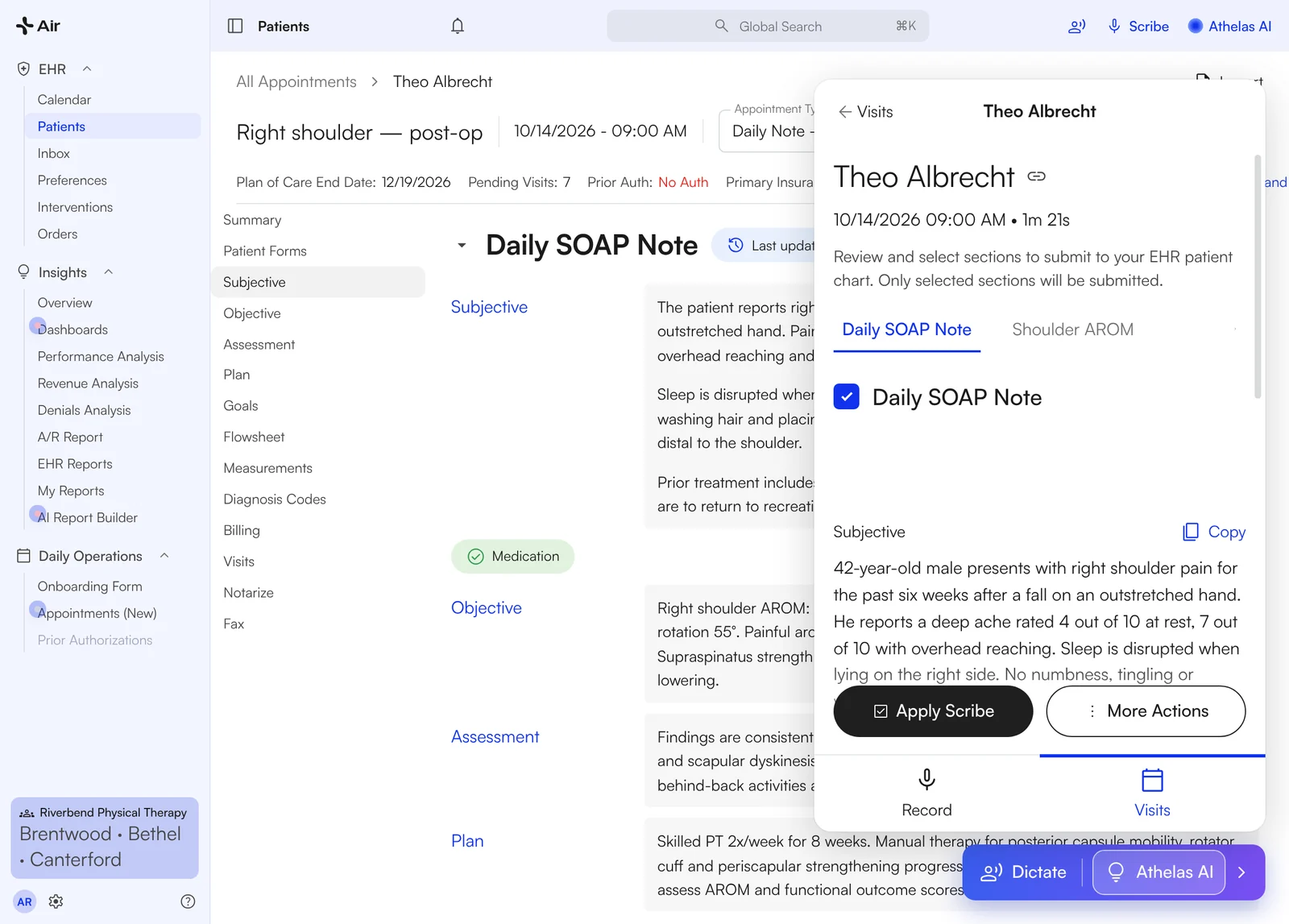
The Scribe panel over the chart note: tick the sections, click Apply Scribe.

Rock Valley Physical Therapy Empowers 600+ Users with a PMS That Lets PTs Focus on Patients
"We hadn't gotten to that point yet in any of our previous vendor experiences, getting data at the right time, to the right people, in the right fashion. Until now."
Eric Sacia, COO, PT, OCS


Turn your shorthand into a SOAP note
No recording? Type or dictate a minute of shorthand and let Scribe draft the sections.
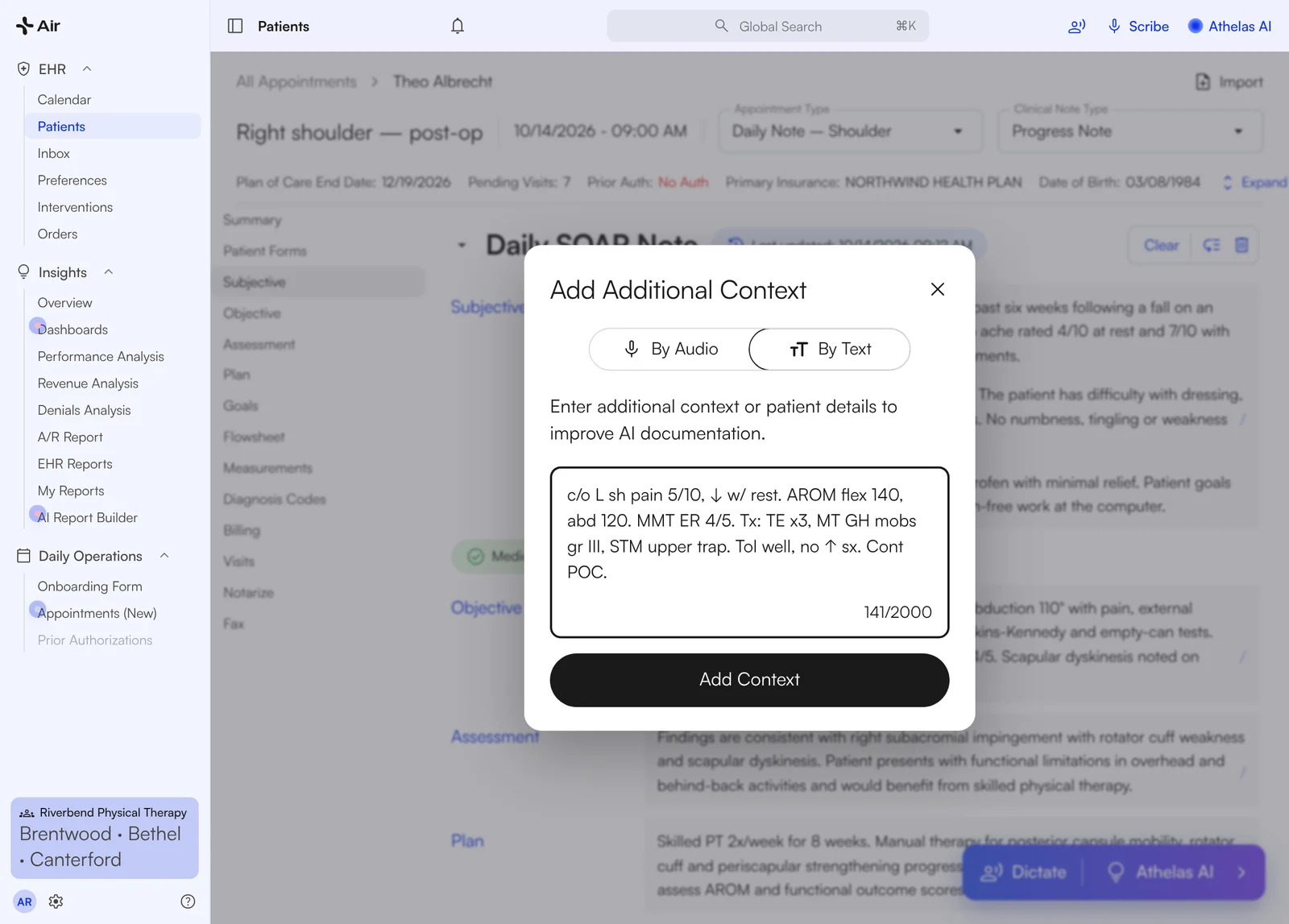
Additional Context, By Text: paste a minute of shorthand, then Add Context and regenerate the Scribe.
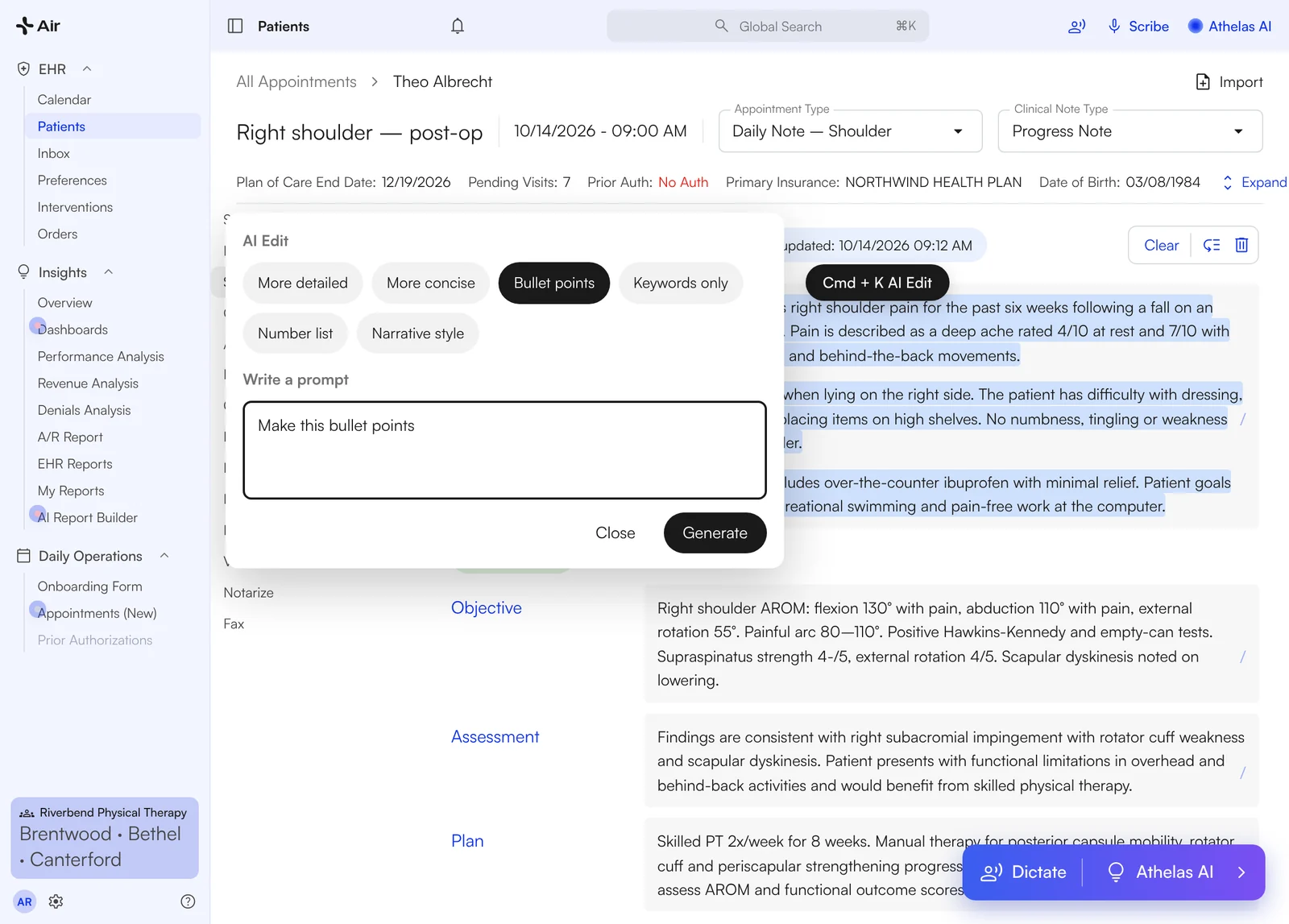
Cmd + K: highlight the Subjective, pick a rewrite or type one, Generate.
- ✓Add Context → By Text: paste your abbreviations, click Regenerate Scribe
- ✓Dictate: speak, punctuation is added for you
- ✓Cmd + K: highlight a section and tell Air "make this bullet points"

The parts you used to click through, already filled
A PT note is mostly structured fields. Air fills them from the eval, the last visit and the recording, so you confirm instead of re-enter.
- 1Flowsheet: copy last visit's interventions forward, then progress the sets, reps and weight
- 2Measurements: the eval's measurements carry through to every daily note
- 3Outcome measures: the intake assigns the right form, e.g. LEFS for a lower-extremity eval
- 4Plan of care: pulls into each new note on the case
- 5Home exercise program: built from the flowsheet, same step
- 6Scribe: the recording fills the narrative sections and suggests CPTs for the interventions you did
You review every field before you sign.
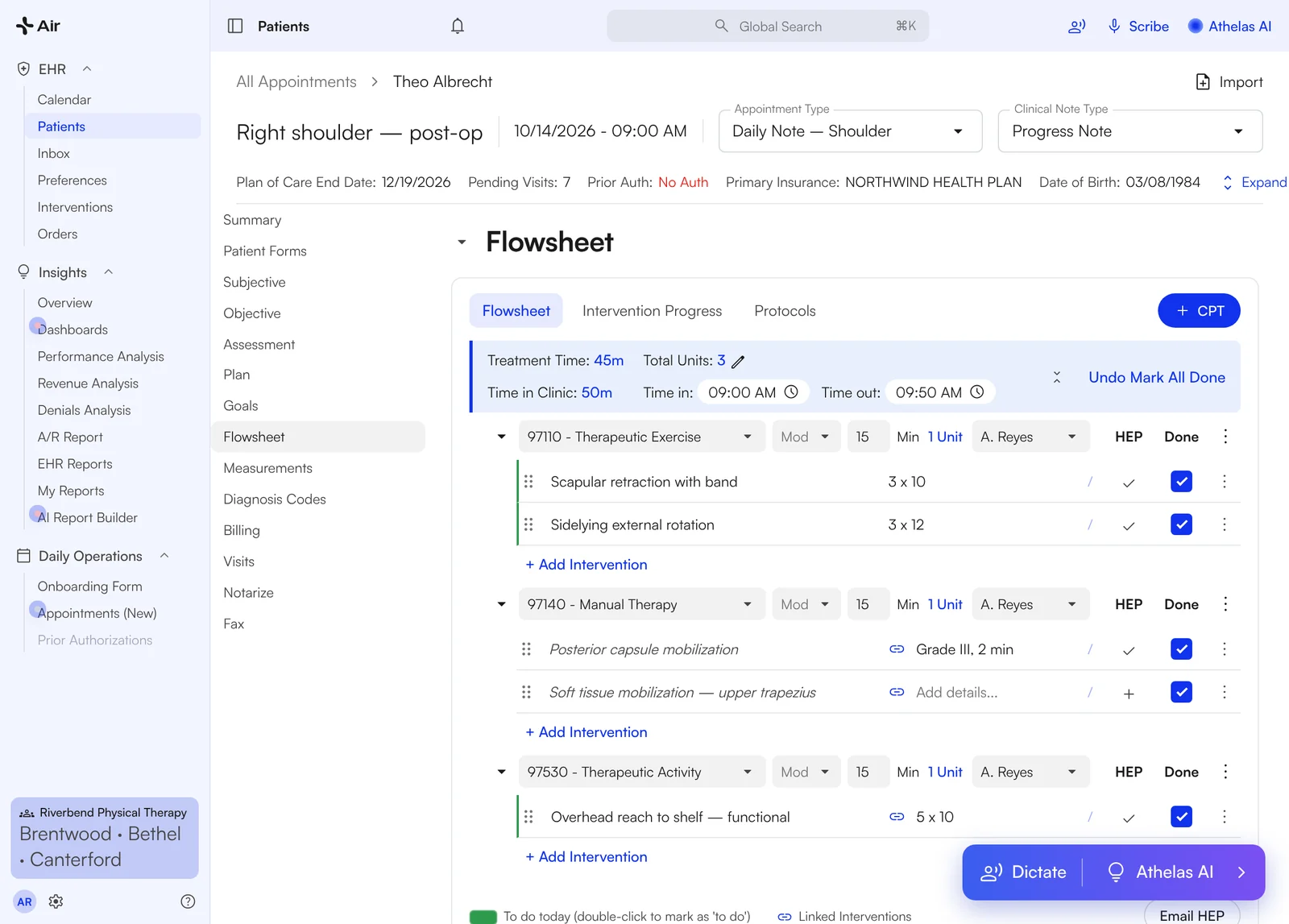
Flowsheet: last visit's interventions carried forward, HEP and CPTs on the same screen.
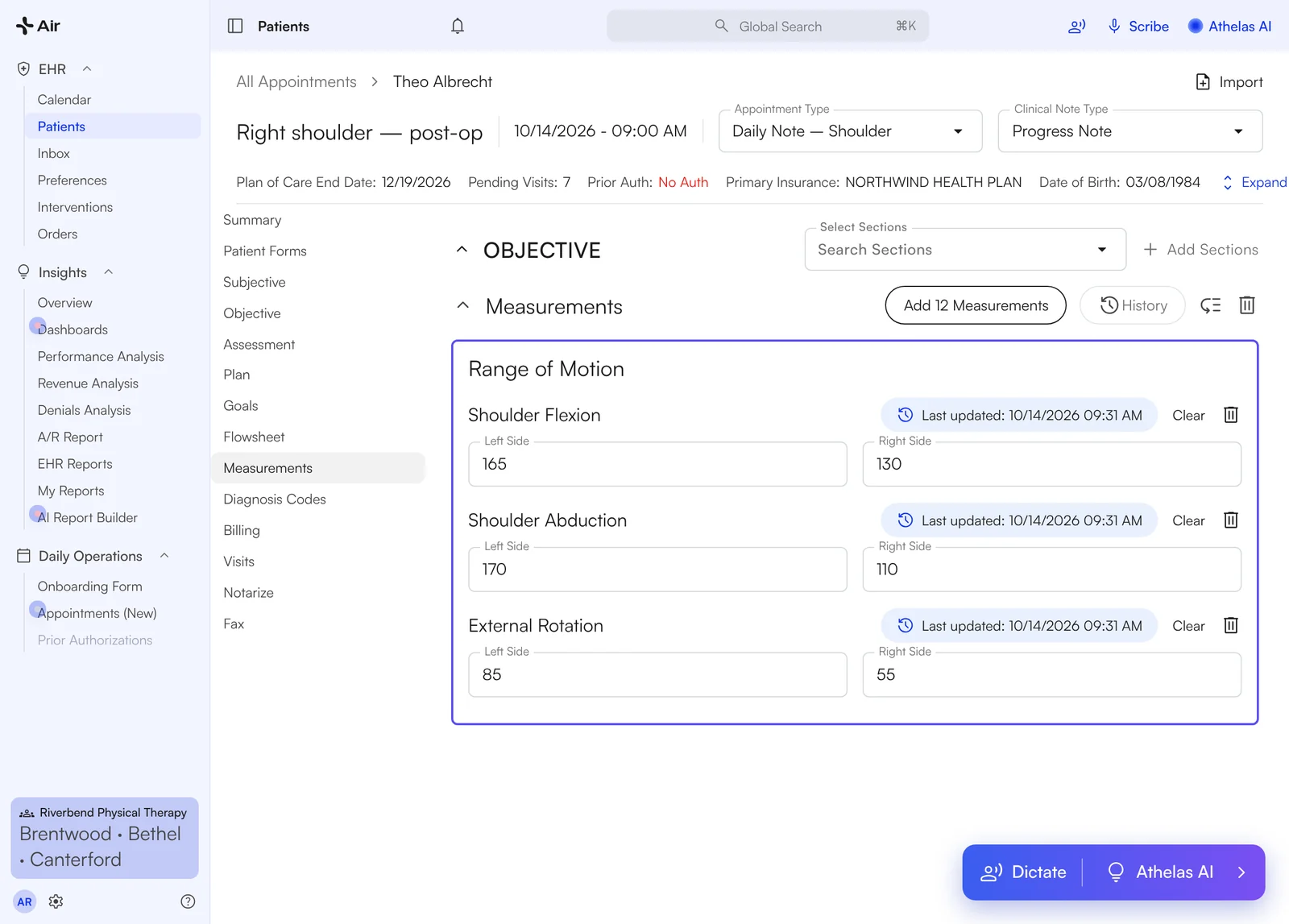
Measurements carried from the eval into the daily note.

Draft goals and plan of care from your PT eval
Recorded the eval? Scribe drafts short- and long-term goals and the plan of care into the note. Typed it instead? Give Athelas Assistant your findings and it drafts the goals for you to copy in. Edit the wording, keep what fits, sign.
- ✓From a recording: goals land in the Goals section, not a side chat
- ✓From typed findings: ask the Assistant, copy the goals into the note
- ✓Plan of care tracking: shows certification and recert dates on the case
From a recording · Scribe
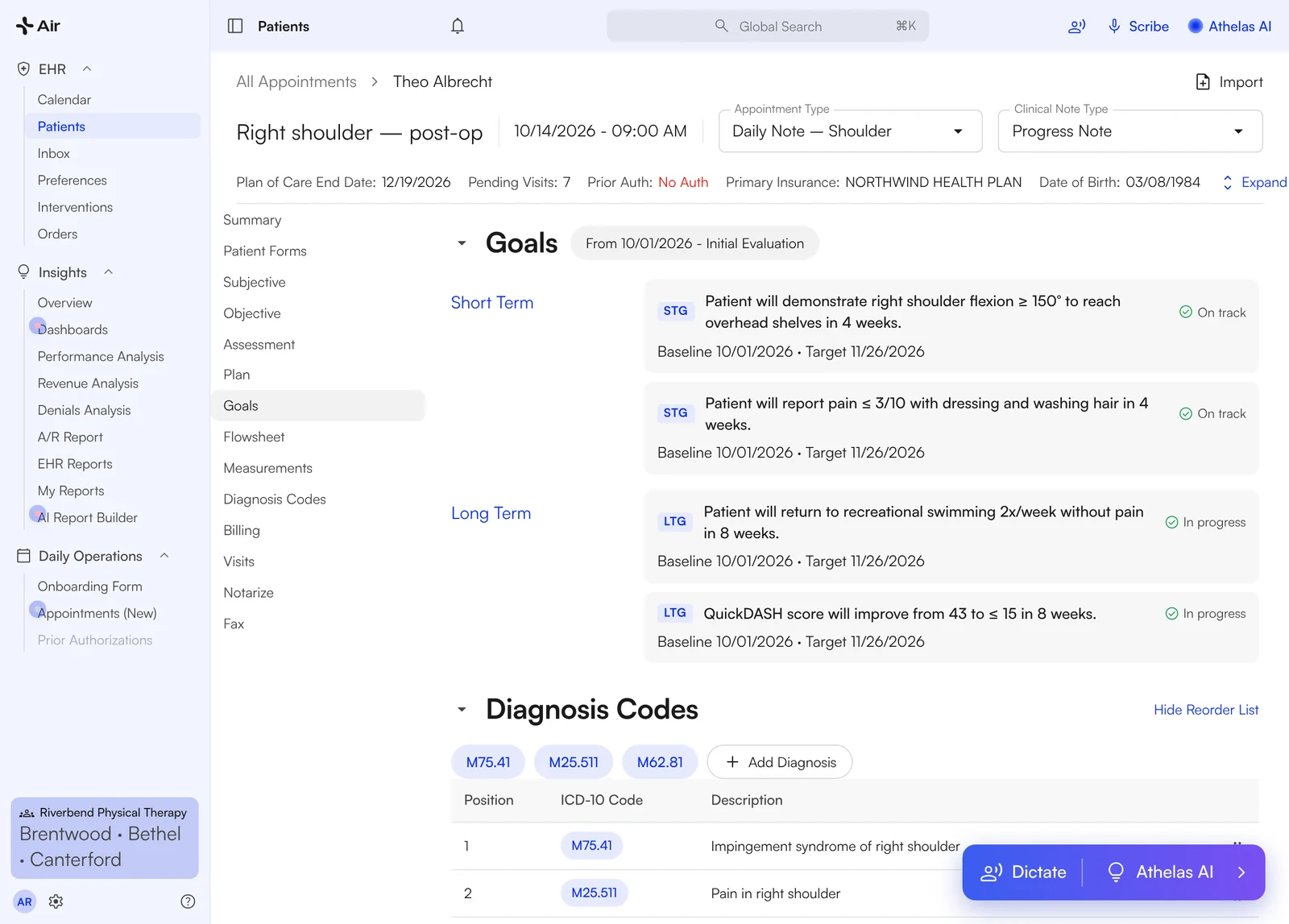
Apply Scribe to a recorded eval and the short- and long-term goals land in the Goals section of the note.
From typed findings · Athelas Assistant
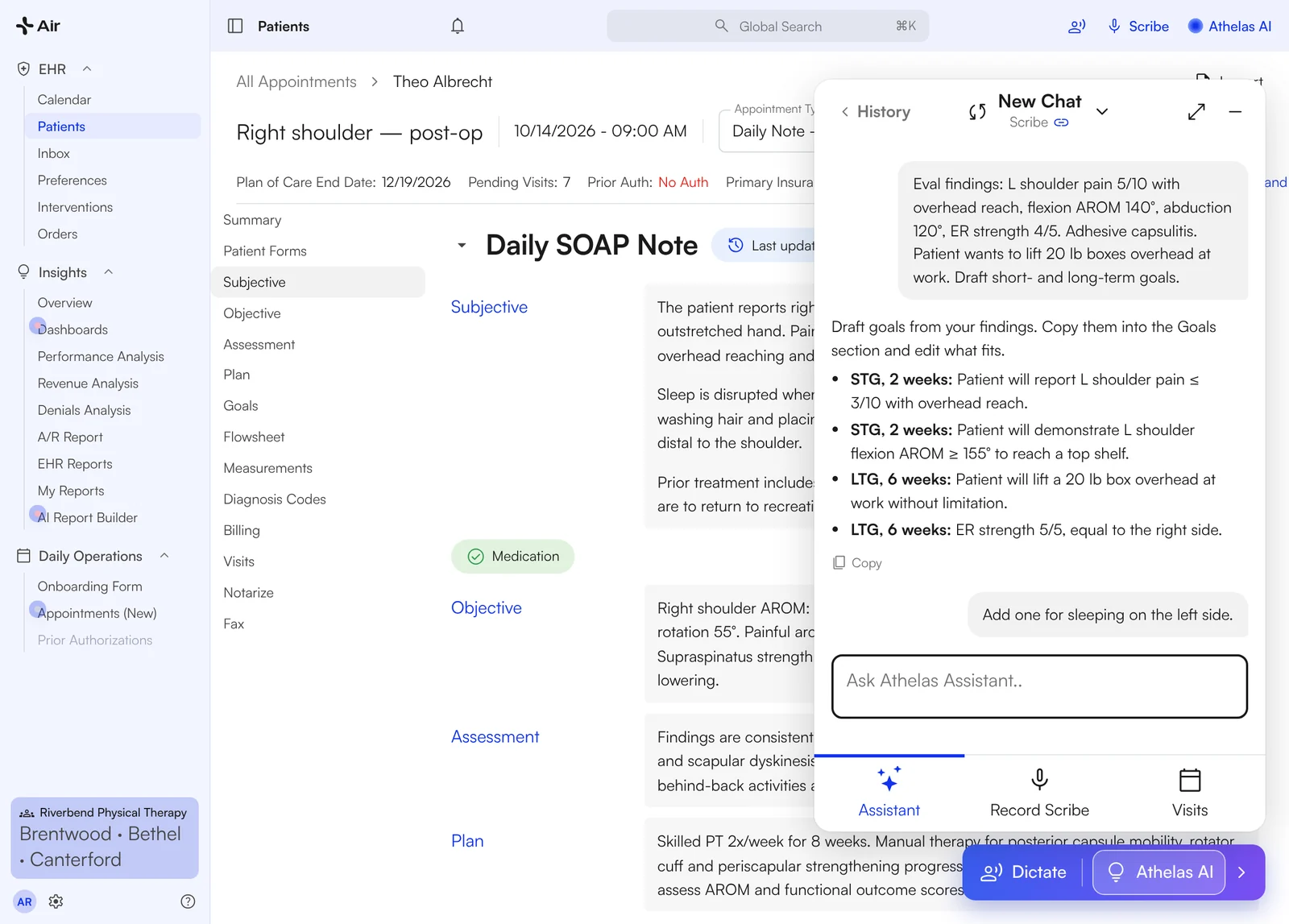
Type your eval findings into Athelas Assistant, press Copy, and paste the goals into the note.

Notes done before the next patient
One practice's own numbers, from three calls over four months.

A daily note, two ways
Same visit, same note. Here is what changes when the scribe lives inside the EHR instead of beside it.
The note starts when the visit ends
- Type the note after the patient leaves
- Re-enter measurements by hand
- Rewrite goals from the last eval
- Finish charting at home
Charting follows you home.
The note is drafted before you leave the room
- Record or jot shorthand during the visit
- Scribe drafts the sections; you tick and apply
- Measurements and flowsheets populated
- Goals and plan of care drafted from the eval
- Review, Cmd + K, sign in the Inbox
Done before the next patient.

Switching EHRs shouldn't require starting over.
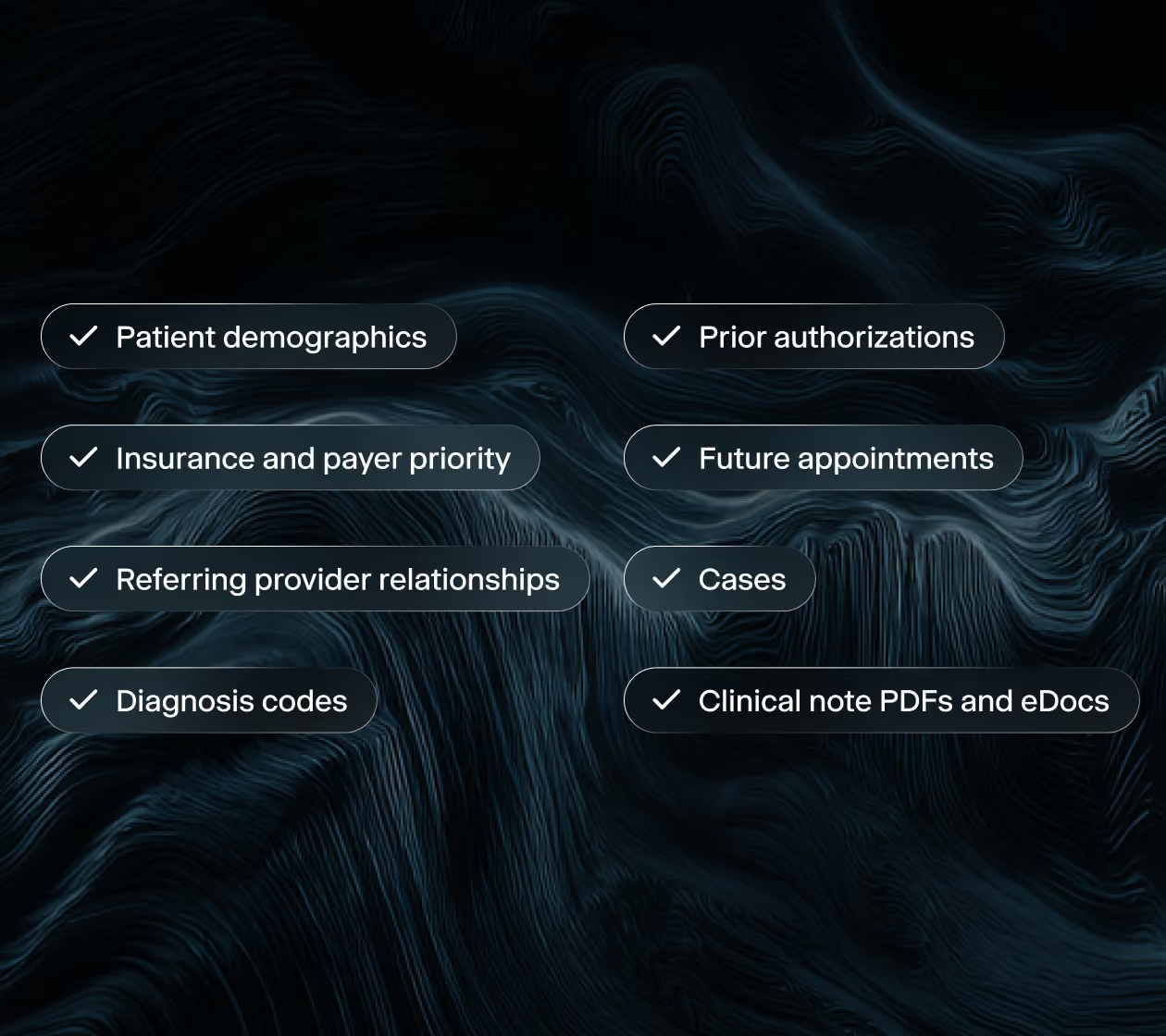
We run the migration. Your team gives us access and one point of contact, and your practice history arrives connected, not just copied.

What PT clinics say
Owners and clinicians on Air and Scribe, in their own words.
"I'd spend 15 minutes and write a crap eval, and then with this, you just populate it and gotta dig around and just again, there's here, there's no editing. It's done in a minute."
Brian, Clinic Director · Evolution PT
"We want daily notes to take less than two minutes. We achieved that within 3 months of being with Air and Scribe. So you guys are you've already made everybody's life better."
Jason, Owner · The Physio Shop
"That's why the Scribe app is amazing because I can sit and talk and do my minute blurb and then have it apply"
Justin, PT · Jaguar / APEC
"It writes several better goals than I've written in the last 5 years"
Brian, Clinic Director · Evolution PT
"Scribe has been game changing for our therapists."
Bryan, Owner · Innovative PT
"The AI is so much easier too because then I can kinda say what I'm thinking, and it, like, organizes it all"
Clinician · FYZICAL Lakewood Ranch
"I was really impressed with the way the scribe pulled that out of our conversation."
Kenny, Owner · ERB Physical Therapy
"The clinicians are having a much better time. I would say the majority of clinicians are in a workflow now that allows them to get everything done in less time."
Jason, Owner · The Physio Shop
"I've gone through multiple transitions. I think this system seems by far the easiest"
Devin, Clinic Director · Evolution PT

A zero-risk way to find out.
Run Air and Scribe on your own patients, in your own clinic, at no cost. Three days of real visits is a better evaluation than any demo.

How the pilot works
Four steps, and most of the work is ours.
Apply
Tell us about your practice. A short scoping call sets the providers, the dates, and your start date.
We set it up
Five days. We migrate your patients and prior notes read-only, load your templates and train your team before go-live.
Pilot Starts
Your providers use Air and Scribe with real patients for three days, with our team checking in alongside them.
Decide
Keep it, ask more questions, or walk away. We wrap up against the success criteria you set.

The questions owners open with.
Is the pilot really free?
Yes. The Athelas Air pilot is free, with no contract and no commitment to continue. You tell us about your practice on a short call, we set up your environment, and your providers try Air with real visits. At the end you decide whether to move forward.
Do I have to stop using my current EHR?
No. Your current EHR stays live and remains your system of record throughout the pilot, so nothing changes for scheduling, billing, or compliance. Athelas Air runs alongside it, which means your providers document the same visit in both systems and see the difference directly. Nothing is at risk while you evaluate.
Will you migrate my existing patient data?
Yes. Athelas Air migrates your real patients, appointments, insurance, cases, and schedules into your pilot environment before day one, so your providers log in to their own data instead of a sample account. For the pilot we migrate a focused set of recent and upcoming appointment dates per your preference. Migration is currently supported from WebPT, Prompt among other major EHRs.
How long does the setup take?
To try Scribe on sample visits, all we need is your providers' email addresses and we can have you set up within a day. To see your own patients and schedule already live in Air, we need five business days to migrate your data, plus a short setup guide from you.
What happens after the pilot?
You decide whether to move forward. The pilot runs on a sample of your data, so continuing means a full implementation with your complete records, your workflows, and billing configured. The pilot exists so you know the answer before you commit.
What does switching from my current EHR involve?
Athelas Air handles the migration. We extract your patient records, cases, insurance, and schedules from your current system and map them into Air, so your team isn't doing manual data entry. We configure your templates, workflows, and payer rules, handle your EDI and ERA enrollments, and train your team before you go live. Your current system stays your system of record until cutover, so scheduling and billing continue uninterrupted.
Is my data secure?
Yes. Athelas Air is built on Commure's HIPAA and HITECH-aligned infrastructure, with AES-256 encryption at rest and TLS 1.2+ in transit. Patient data is hosted in US-based data centers with 24/7 intrusion monitoring, role-based access controls, and annual third-party penetration testing. Commure does not sell or share PHI, and your practice retains full ownership of its data.