
Your clinic's numbers, without the spreadsheet.
Air builds visits, no-shows, payer mix and A/R dashboards by provider and location. See yours in a 30-minute demo.
Payments by payer, provider and location, with Self-Pay
Visits, cancellations and no-shows by therapist
A/R by aging bucket, filtered by payer


Book a demo
Payments by payer, provider and location, with Self-Pay
Visits, cancellations and no-shows by therapist
A/R by aging bucket, filtered by payer
Practices and Health Systems Running on Athelas
















.avif)








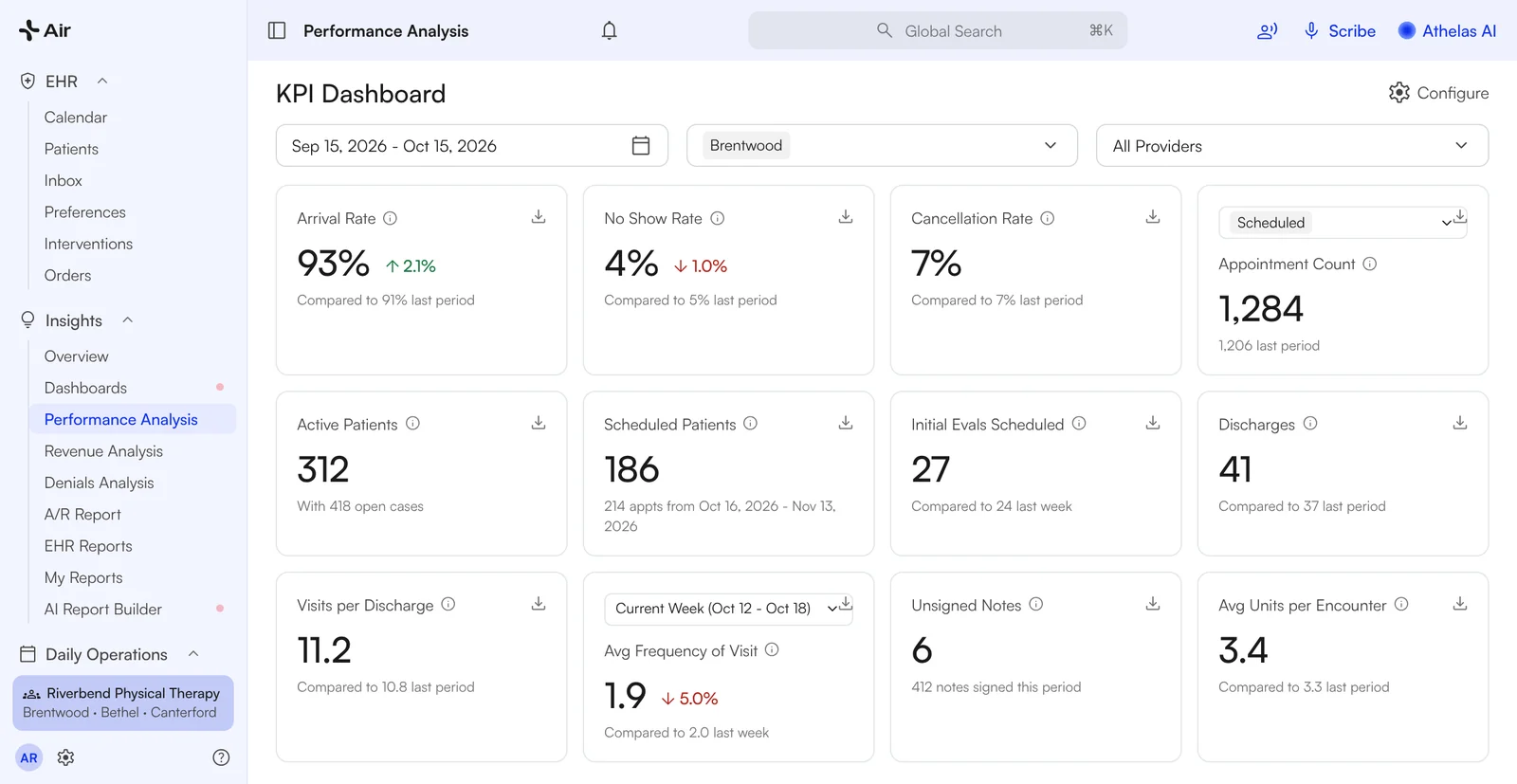
Visits and no-shows by therapist, every week.
Stop pasting exports into spreadsheets. Air shows visits, cancellations, no-shows and arrival rate by provider and location, with a prior-period comparison on every tile.
- ✓Pick the provider, the location, or both
- ✓This week, this month, this quarter, year to date, or custom dates
- ✓Click a tile to see the appointments behind it

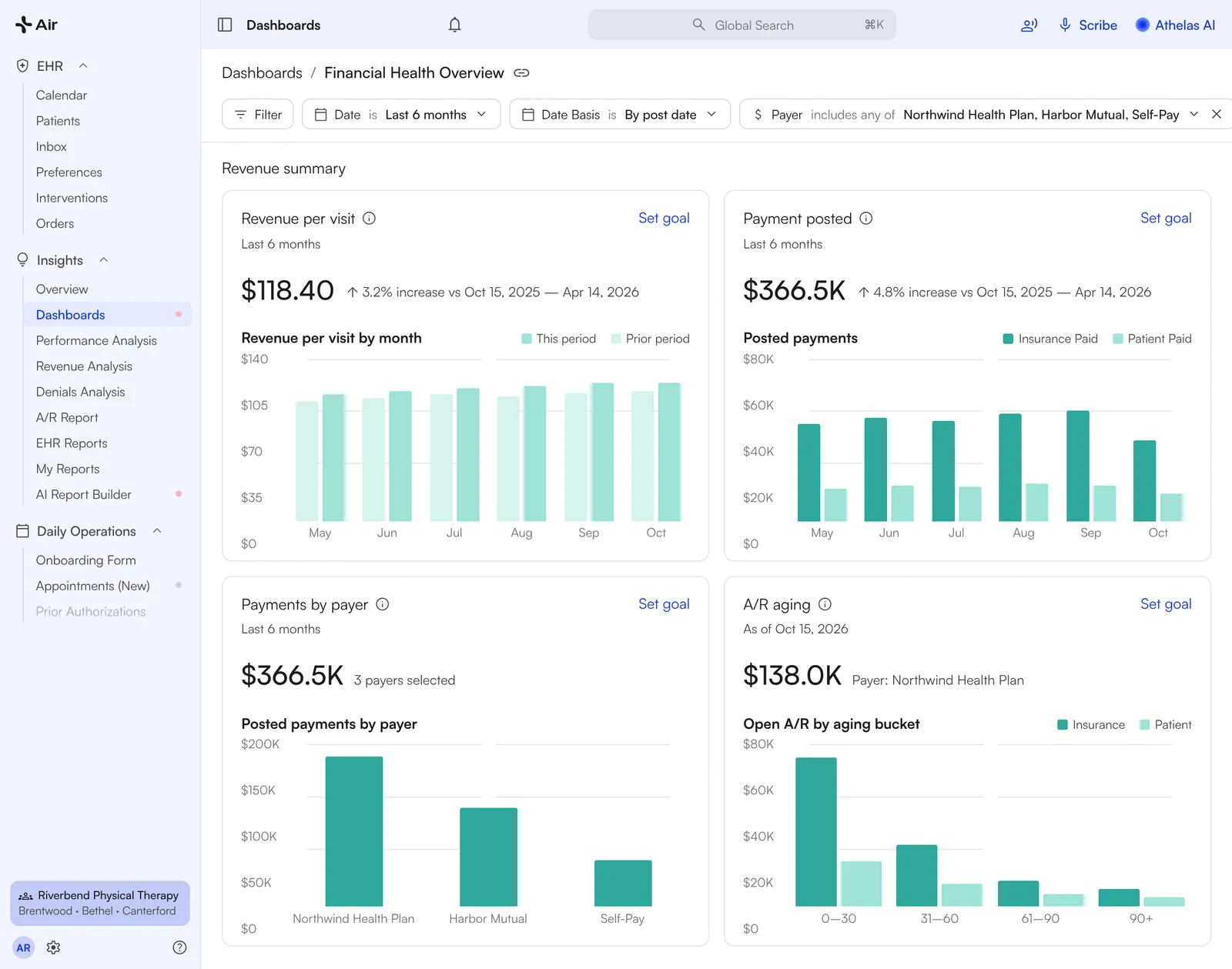
Revenue per visit, by payer, provider and location.
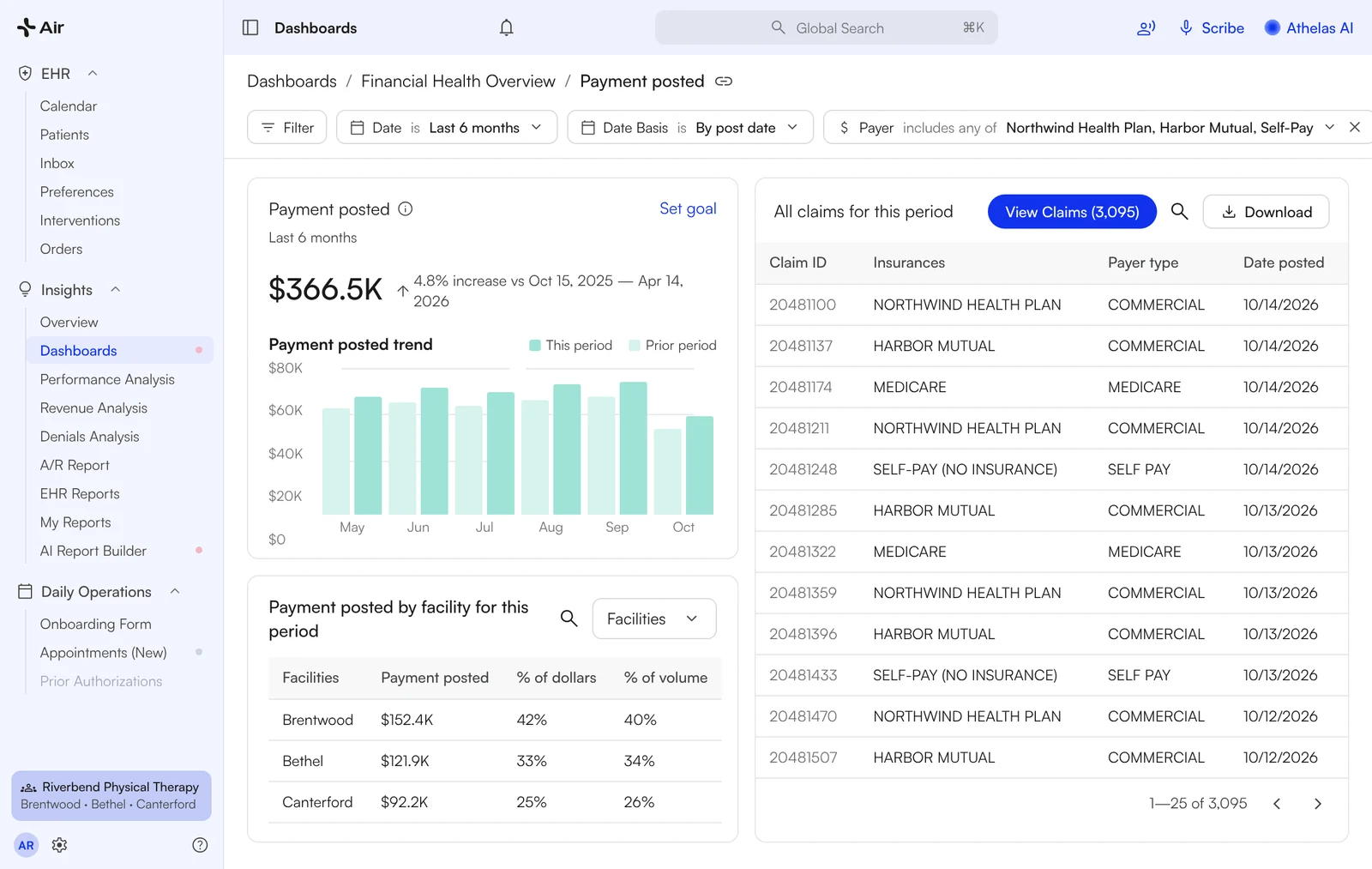
The Financial Health dashboard shows revenue per visit, charges, payments, denials and A/R aging on one page. Filter by payer, including Self-Pay, and by provider or location. Group a drill-down by payer or facility and download it as a CSV.
- ✓Revenue per visit, by payer and by provider
- ✓Payments and charges by payer, provider and location
- ✓A/R by aging bucket, filtered by payer
- ✓Self-Pay included as a payer

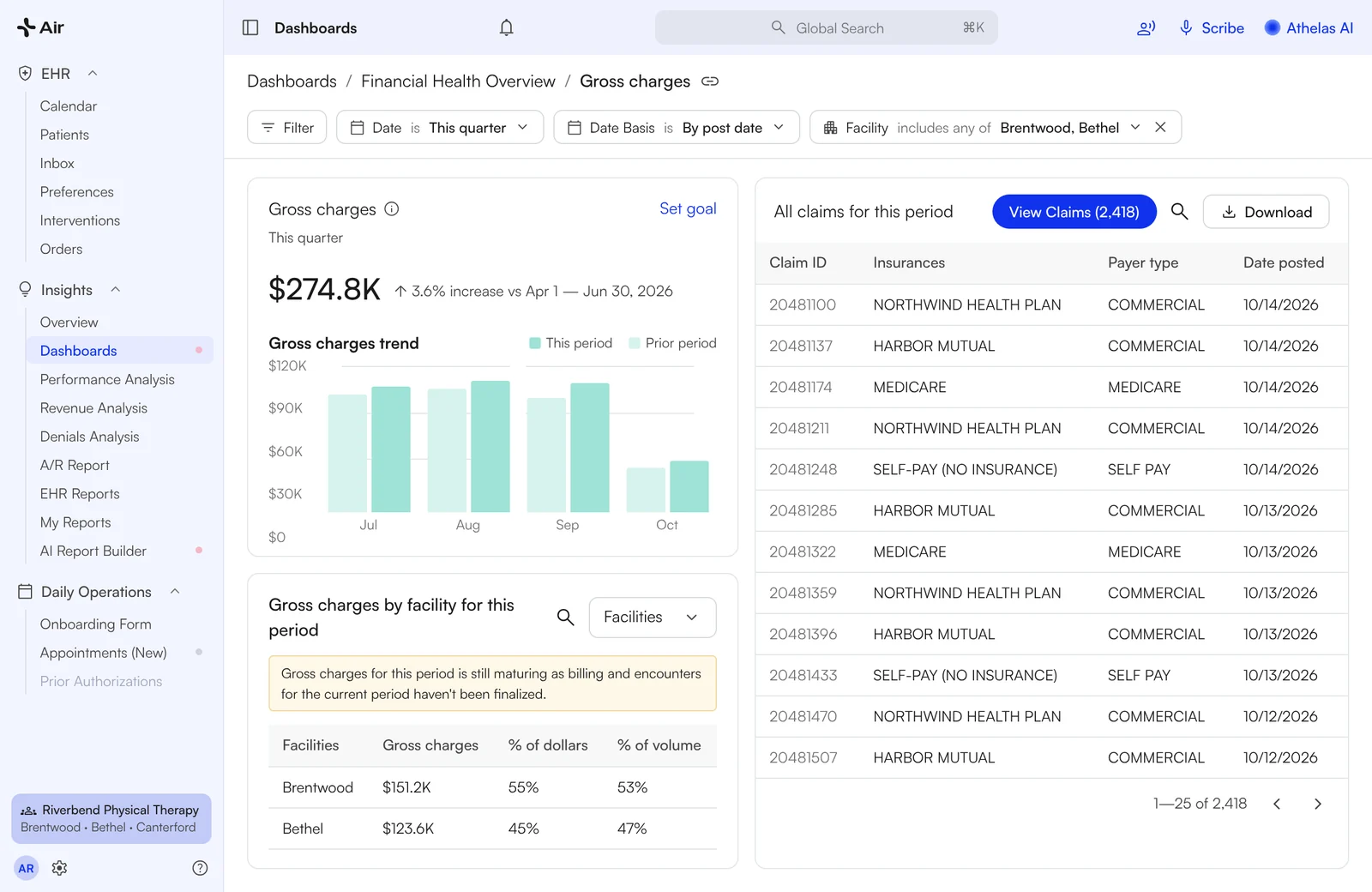
Both locations' numbers on one screen.
Filter any dashboard to one location or all of them, and group a drill-down by facility to compare sites side by side. Access is set by role, and by which providers' and locations' data each user can see.

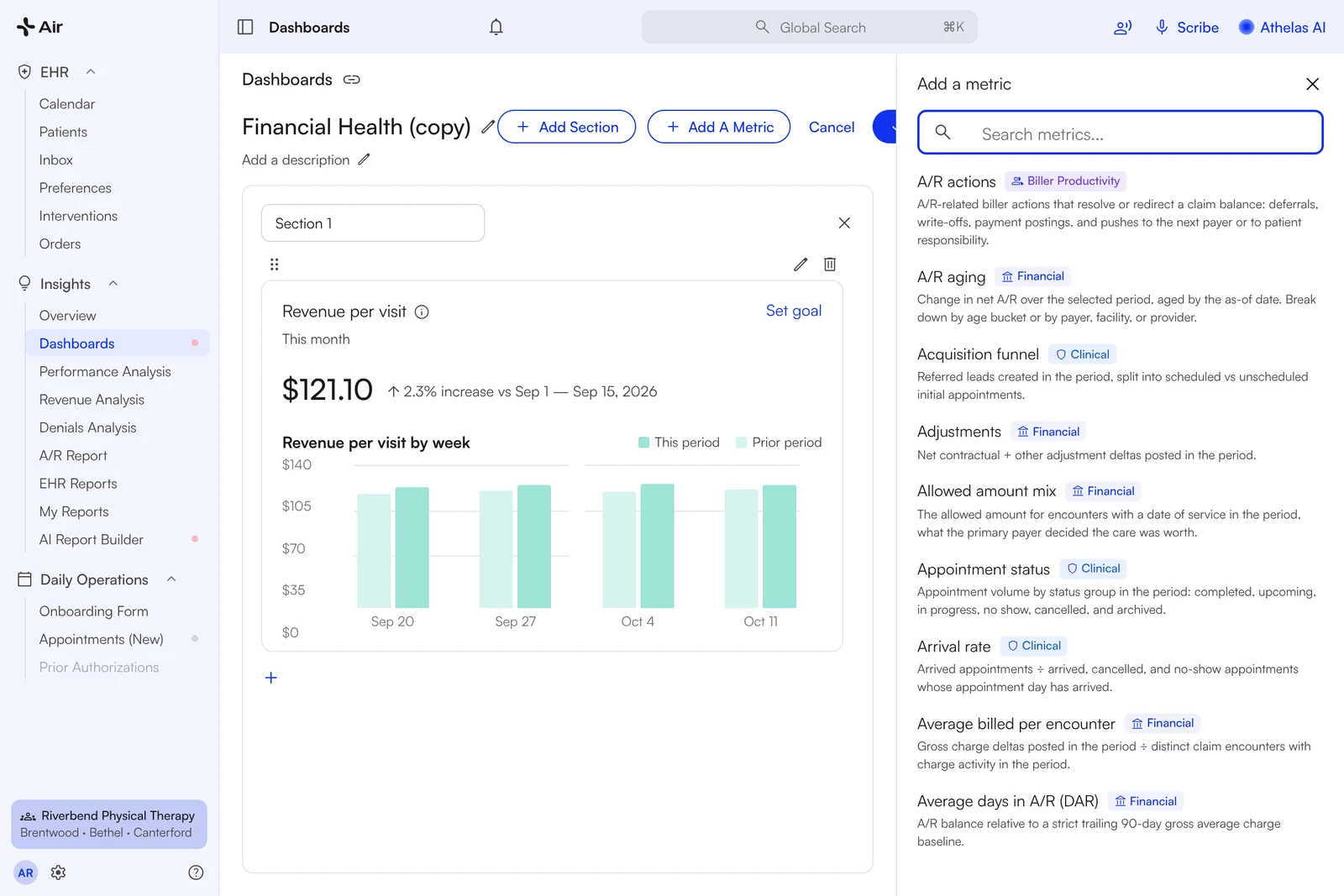
Start from a template. Add the metric you track.
Duplicate the Financial Health or Clinical Operations dashboard, open Add A Metric, and pick from metrics grouped by category. Set a goal line on any tile.

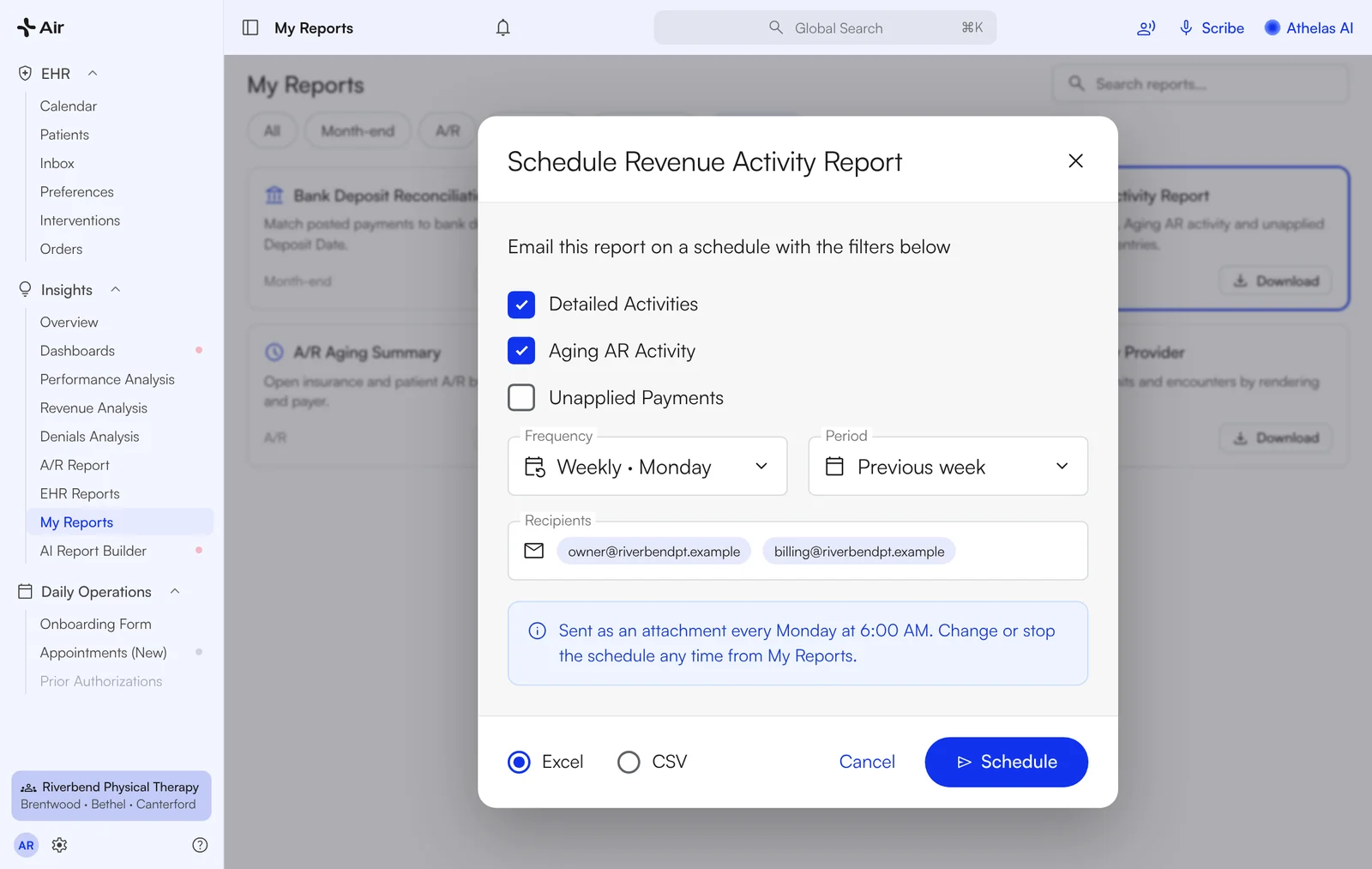
Get the revenue report emailed on a schedule.
Set the filters once and Air emails the revenue report to your inbox on the schedule you choose, instead of re-running it every week. Other reports download as CSV or Excel from My Reports.

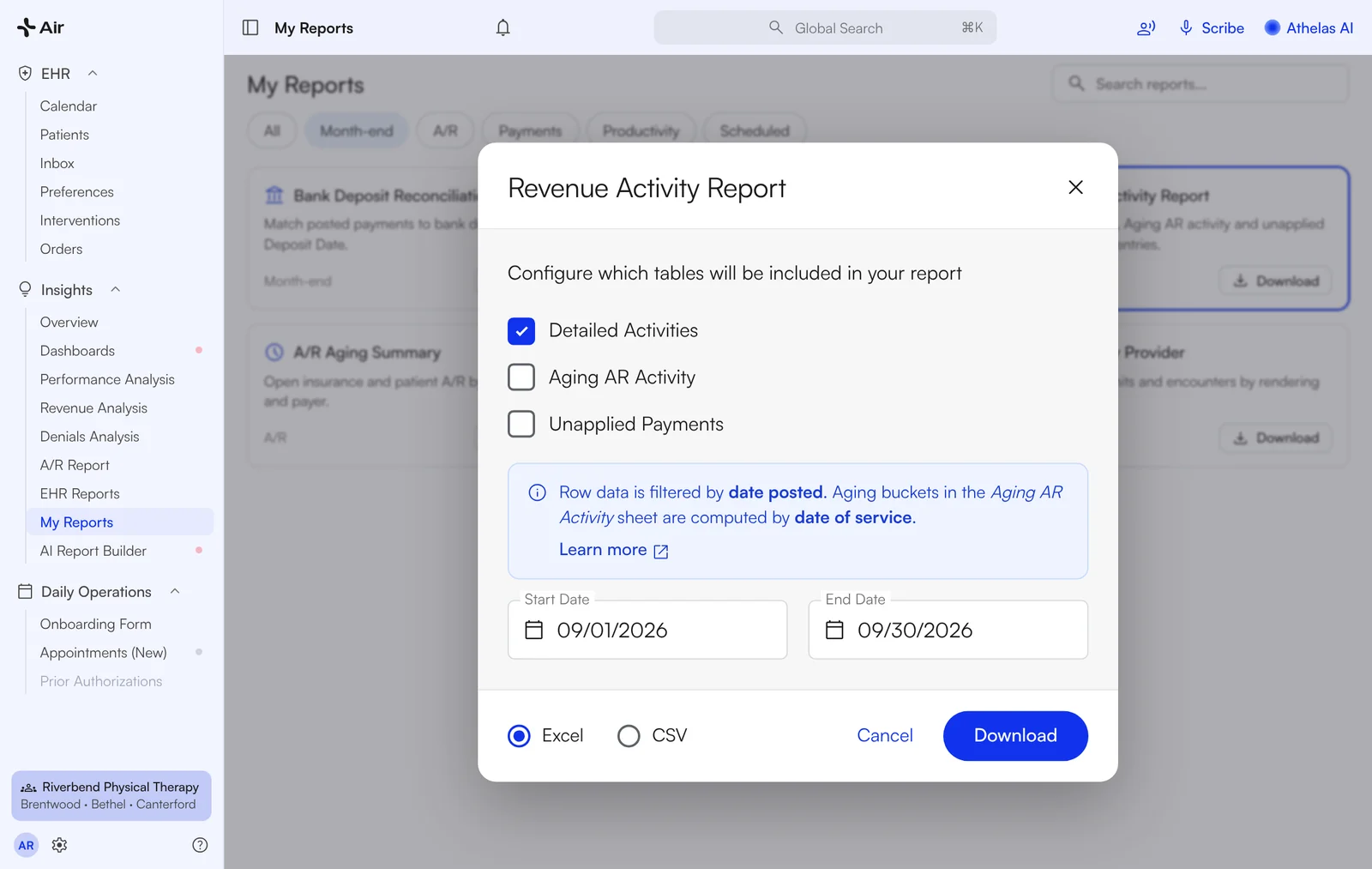
Month-end close, closed.
Close the month from four reports, in the order your accountant expects.
- 1Reconcile to the bank. Run the Bank Deposit Reconciliation Report by Bank Deposit Date and match it to the bank statement. The Site Transaction Report lists what your practice collected by Expected Deposit Date for card payouts and by Date Posted for cash and checks.
- 2Record the GL entries. Download the Revenue Activity Report with the Detailed Activities tab on a Date Posted basis. Unapplied payments have their own tab.
- 3Clear the exceptions. Work anything left in Manual Review in the Posting Tool and on the Remittances page before you close.
- 4Roll the A/R forward. Date Posted reports are static, so a closed month re-runs to the same numbers.
Closing A/R = Opening A/R + Billed − Payments − Adjustments − Transfer Out

Switching EHRs shouldn't require starting over.
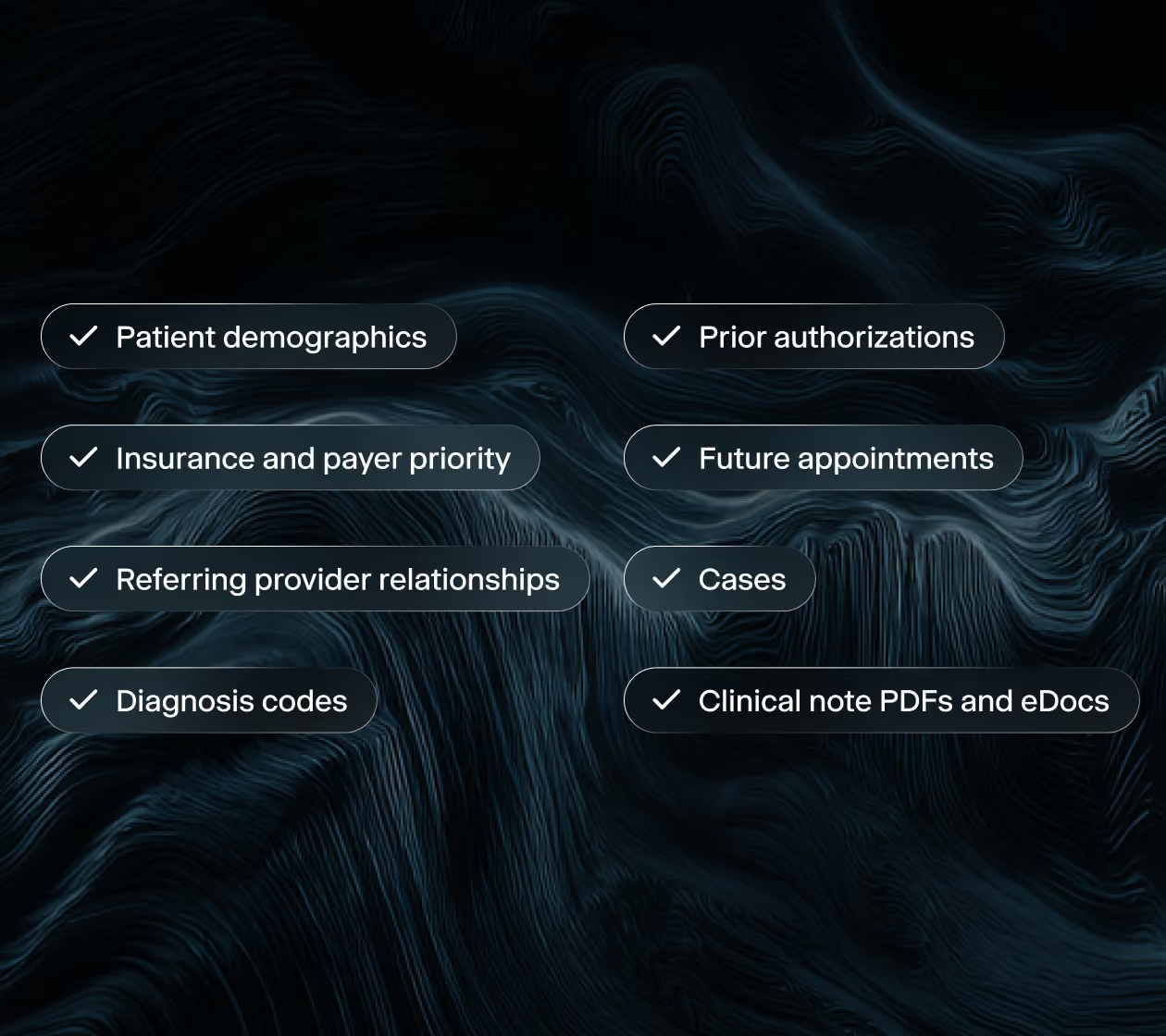
We run the migration. Your team gives us access and one point of contact, and your practice history arrives connected, not just copied.

What owners say about the numbers
Each practice's own words. Reports show your data as billed and posted.
"I LOVE the by Payer filtering available here!!!"
Owner · Buffalo Rehab Group
"I love that Self-Pay is included as a 'payer' filter option!!!"
Owner · Buffalo Rehab Group
"The report's awesome. I like the way it's set up. I get the patient revenue, insurance number, and their total revenue."
Chris, Owner · Jaguar / APEC
"The revenue per visit makes me feel really comfortable"
Kunwar, Owner · Premier PT
"It's good to see this breakdown because this is how I can hone in on those specific insurances to start"
Stephanie, Owner · Bushnell PT
"I like the tabs at the top so you can look at it from different perspectives. Appointments, claims, revenue analysis."
Jason, Owner · The Physio Shop
"She called me back and she said, Leigh, whatever you sent me, that was perfect."
Lee, Owner · Knox Physical Therapy
"That's been really helpful about having the deposit form because now I can match those payments"
Stephanie, Owner · Bushnell PT
"The site transaction report in the PDF form was great for the location. It just easily listed what was collected, what the Stripe fee was."
Adam, Owner · Cloudline PT
Every morning
"I wake up. I look at the bank account. I log in to Athelas. I go to the overview page. I look immediately what the revenue was from the previous day. From there, I look at what our no show and cancellation rate is."
Jason, Owner · The Physio Shop

How a demo works
Thirty minutes, with your numbers in mind.
Book a 30-minute call
Within one business day
Tell us about your practice and the numbers you track today. We confirm a time that works for you.
See your own KPIs mapped in Air
30 minutes
We walk through the Financial Health and Clinical Operations dashboards with your metrics, payers and locations in mind.
Decide with your team
Take the recording and a summary back to your team. Ask more questions, or move ahead when you are ready.

Questions, answered
Which metrics are built in?
Financial Health Overview: charges, payments, A/R aging, denials and the claim funnel. Clinical Operations: visits, arrival and no-show rates, and schedule-to-fill rate. Performance Analysis cards cover the rest. Every dashboard filters by date, provider, payer and location.
Can I filter by Self-Pay?
Yes. Self-Pay is an option in the payer filter, so you can include it or exclude it like any insurer.
Will the demo use my own numbers?
The demo maps the KPIs you track today onto Air's dashboards, so you see where each number lives and how it is filtered. Your historical reporting comes over with migration when you switch.
Can reports be emailed on a schedule?
The revenue report can be scheduled today. Other reports download as CSV or Excel from My Reports.
Can I build my own dashboard?
Yes. Duplicate a template or start a new dashboard, then use Add A Metric to pick the metrics you track.
Can my billing manager and clinic director see different things?
Yes. Dashboard access is set per role, and by which providers' and locations' data each user can see.
Is my data secure?
Yes. Athelas Air is built on Commure's HIPAA and HITECH-aligned infrastructure, with AES-256 encryption at rest and TLS 1.2+ in transit. Patient data is hosted in US-based data centers with 24/7 intrusion monitoring, role-based access controls and annual third-party penetration testing.