
Billing software that supercharges your in-house team
An AI assistant on every claim. See why a claim denied, fix it and resubmit, all in one place.
Denial explained in plain English on the claim
Corrected claims drafted by Athelas Assistant, confirmed by you
Patient balances, statements and eligibility in the same system


Book a 20-minute walkthrough
Denial explained in plain English on the claim
Corrected claims drafted by Athelas Assistant, confirmed by you
Patient balances, statements and eligibility in the same system
Practices and Health Systems Running on Athelas
















.avif)








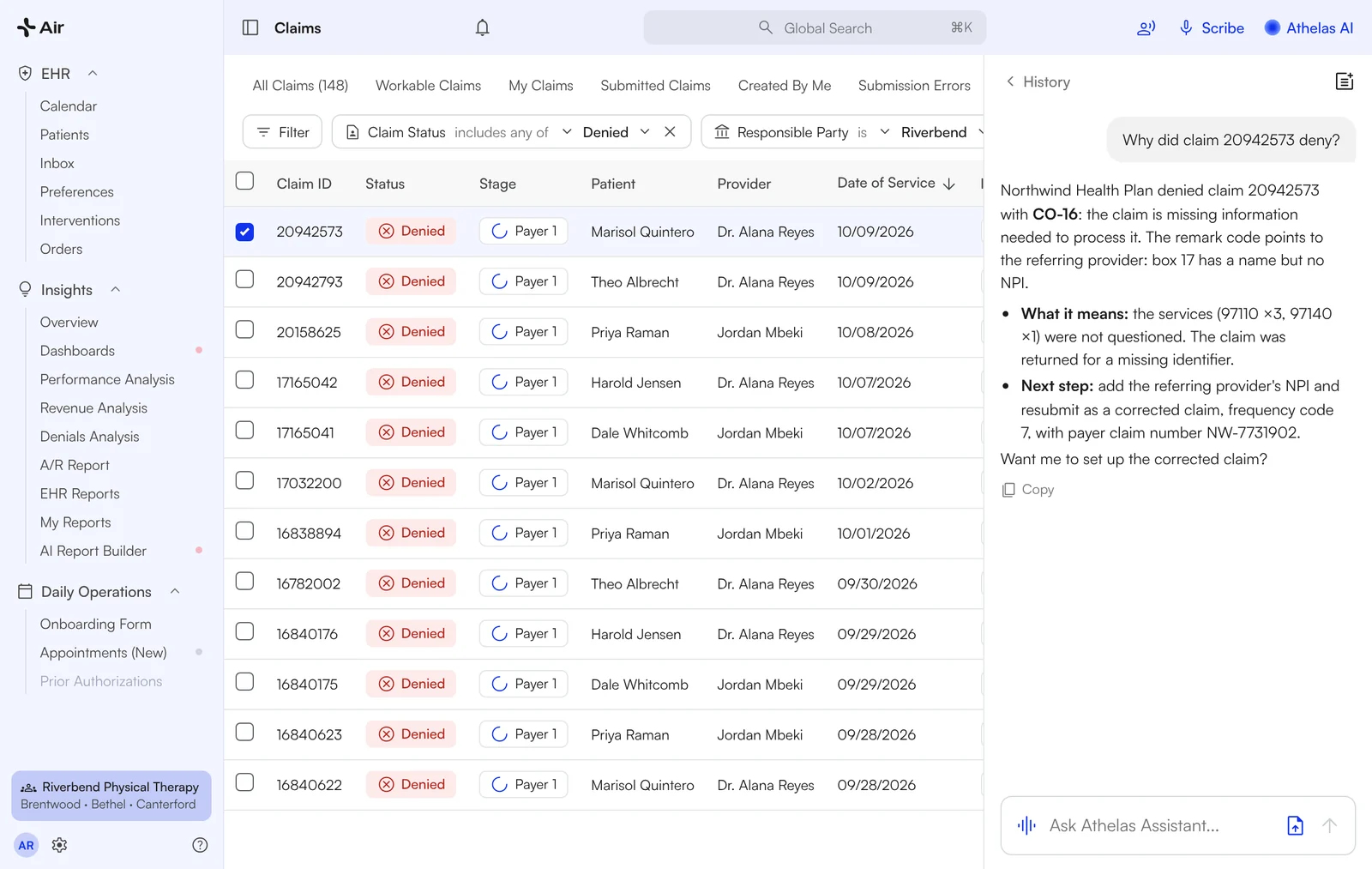
See why each claim denied, and the next step
Open any denied claim. The AI summary names the denial, what it means and what to do next, on the claim itself. Want more? Ask Athelas Assistant why it denied and it reads the claim and the denial, then explains the fix in plain English.
- ✓CO-16, CO-97 and the rest, decoded on the claim
- ✓"Analyze" button for a one-click breakdown
- ✓Your biller decides; nothing changes without you
"Do the AI thing… give me additional information as to why this is being denied."
Billing Lead · Kinetic Edge

Fix it and resubmit from one chat
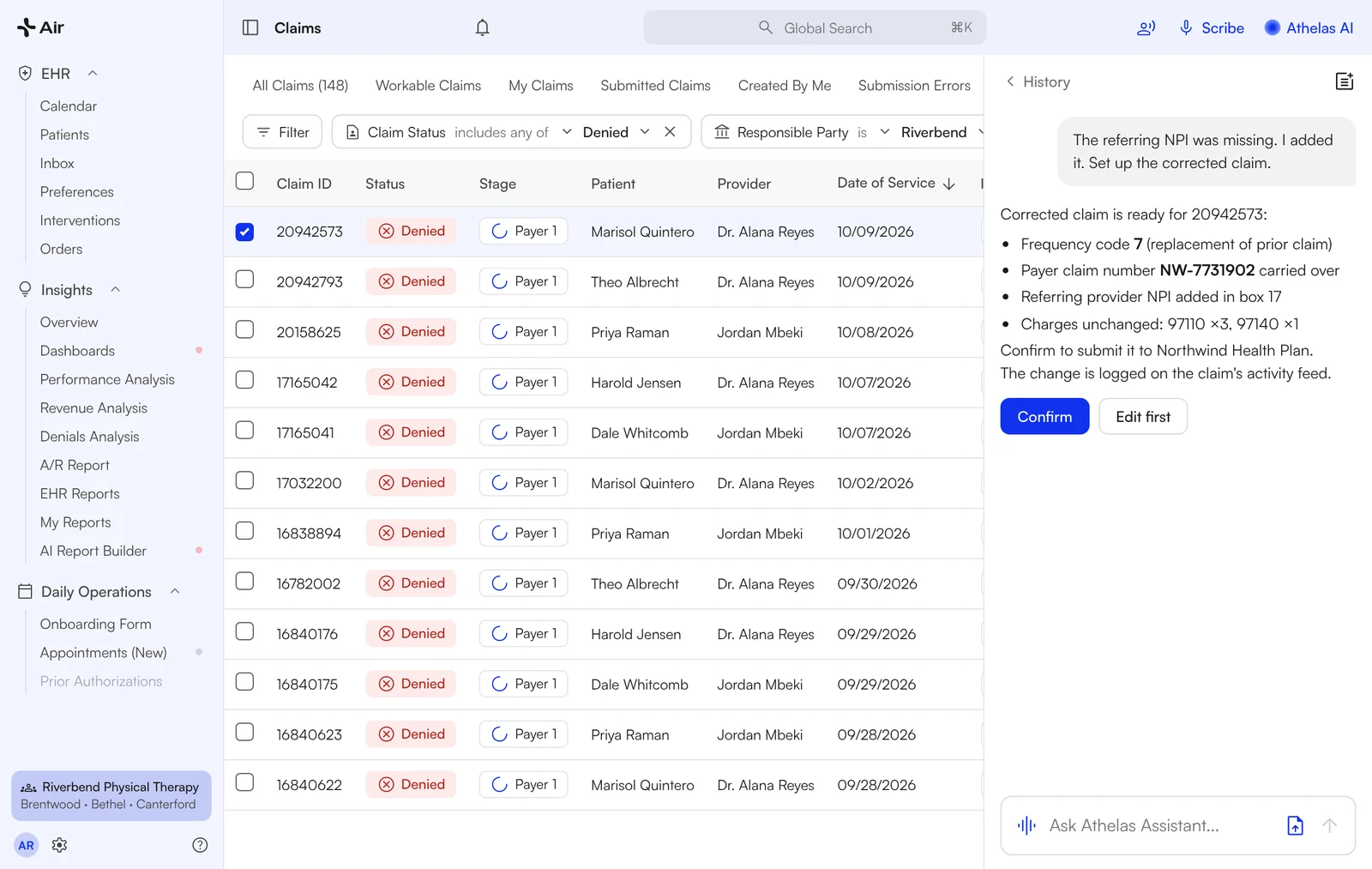
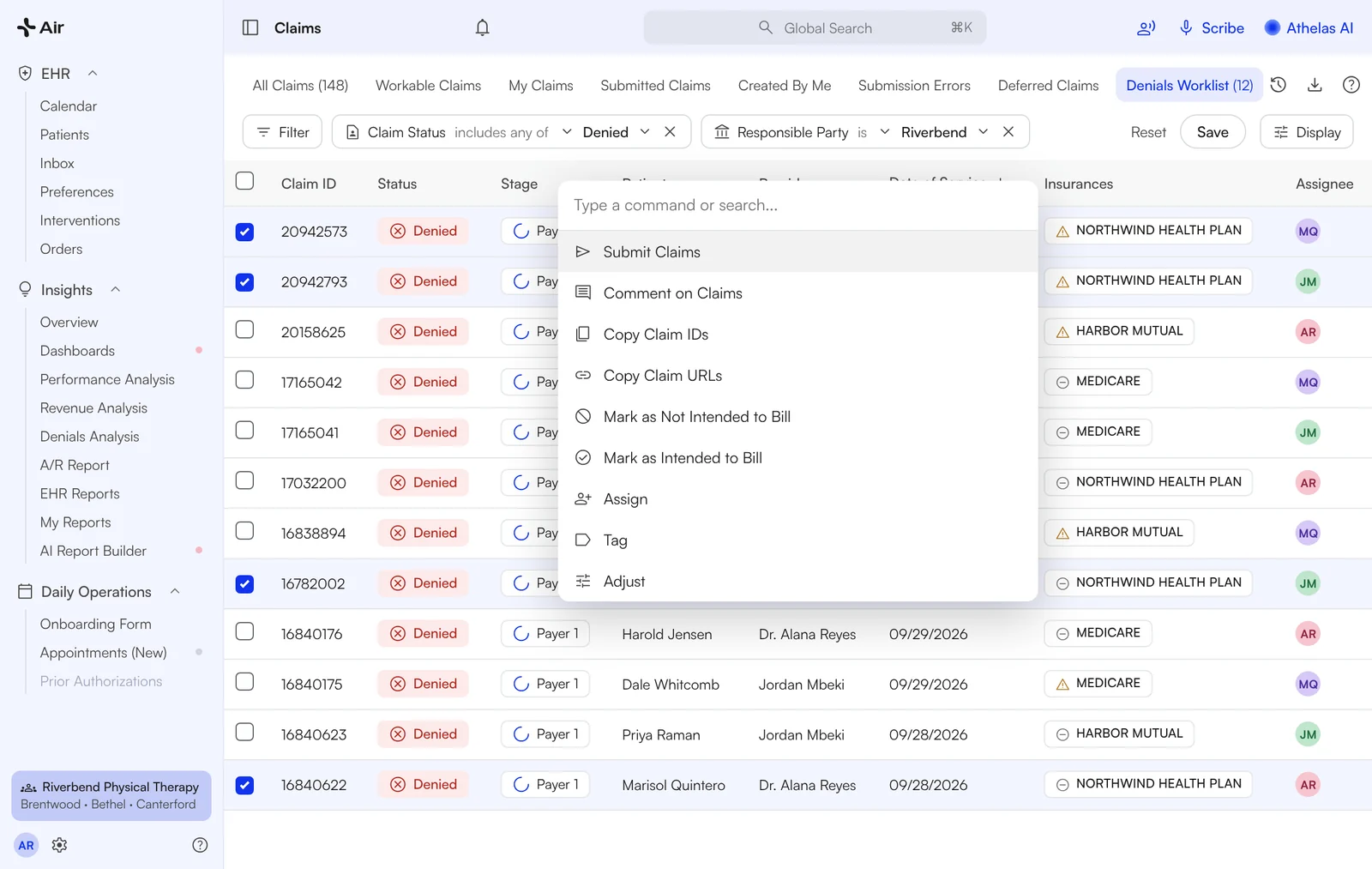
Tell Athelas Assistant what changed. It sets up the corrected claim with the right frequency code and payer claim number; you confirm with one click. Write off, bill the patient or resubmit: the claim's history and options sit in the same view, so your biller decides and acts on the spot.
- ✓Corrected claims without retyping
- ✓Bulk actions and plain-English filters ("show me denied corrections from last week")
- ✓Every action logged on the claim's activity feed

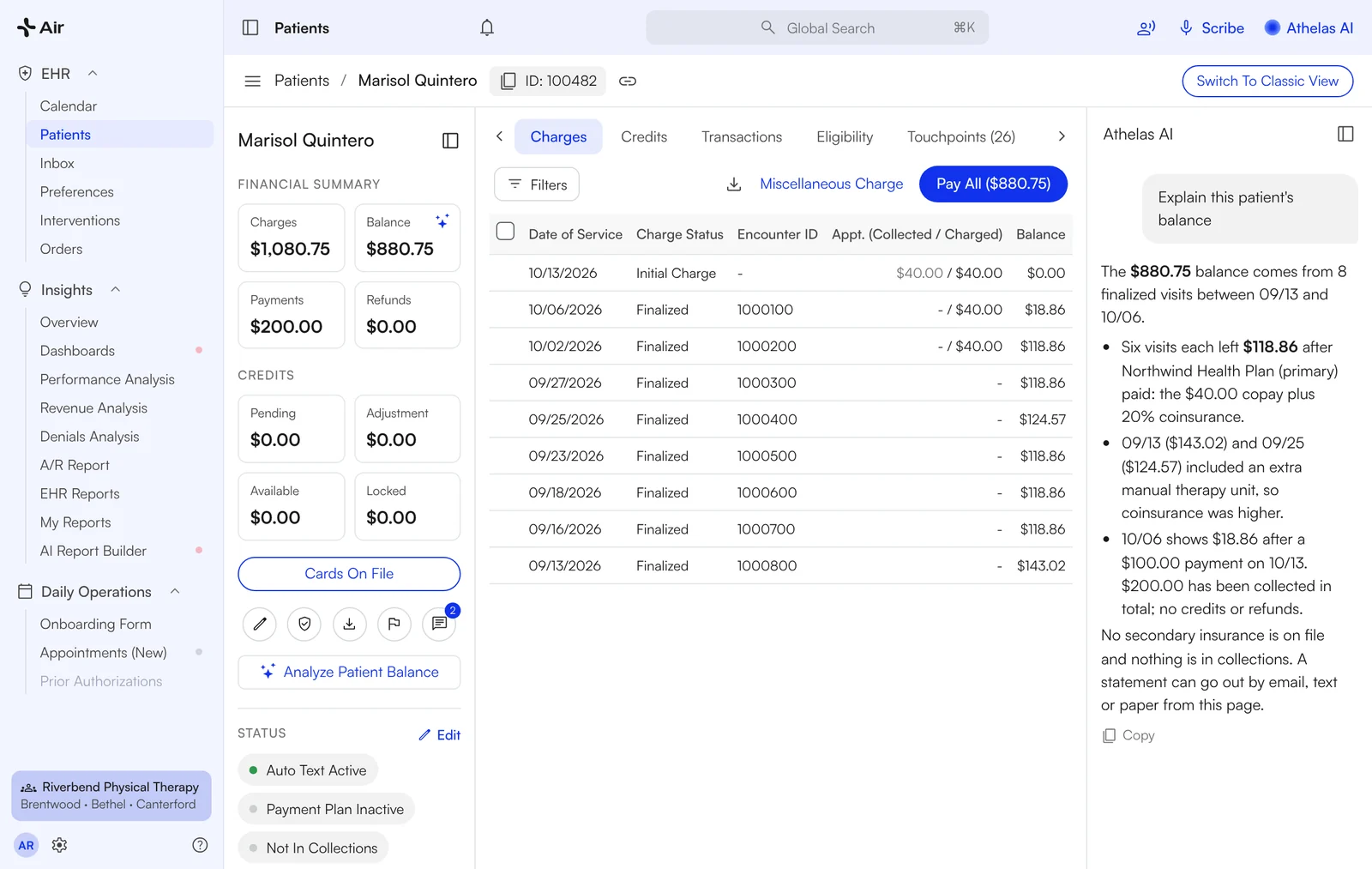
Why does this patient owe? One click.
Click the balance on a patient's profile and Athelas Assistant explains each charge, insurance payment, credit and open amount in plain English. Primary, secondary and patient balances show together on the patient's claims tab, so "why didn't secondary pay?" is a look, not a phone call.
- ✓Balance explained from the patient profile
- ✓Primary, secondary and patient amounts side by side
- ✓Patient statements by email, text or paper, from the same system

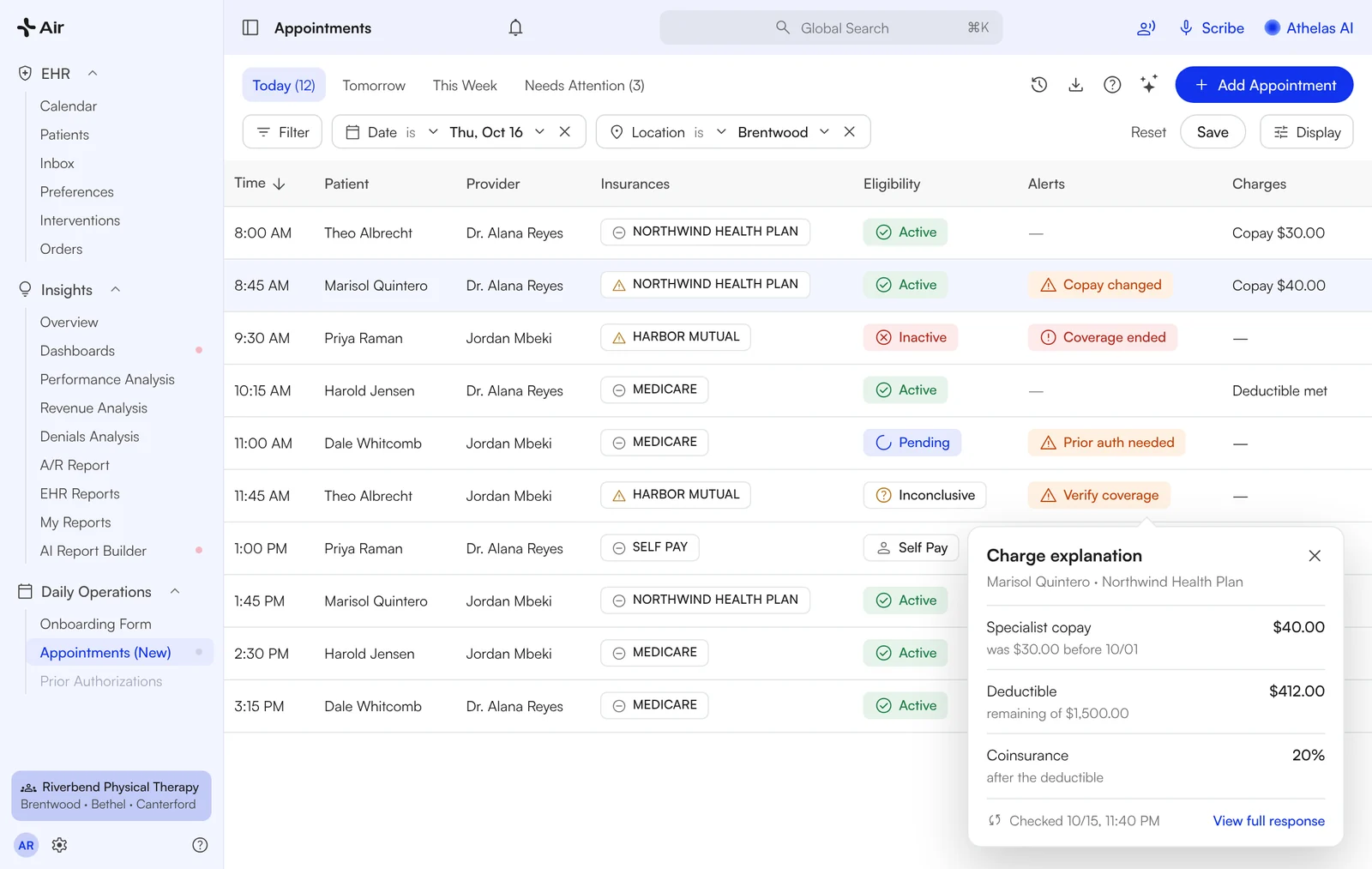
Copays and deductibles, before check-in
Athelas runs eligibility checks for upcoming appointments with most payers and flags coverage and copay issues on your appointments list. Click any result for the full response. Copay vs coinsurance? Ask Athelas Assistant and get it in plain English.
- ✓Nightly checks on upcoming appointments
- ✓Alerts column for coverage, copay and prior-auth issues
- ✓Collect copays, coinsurance and deductibles at the desk
"Before, we had no eyes on that."
Clinic Director · Evolution PT

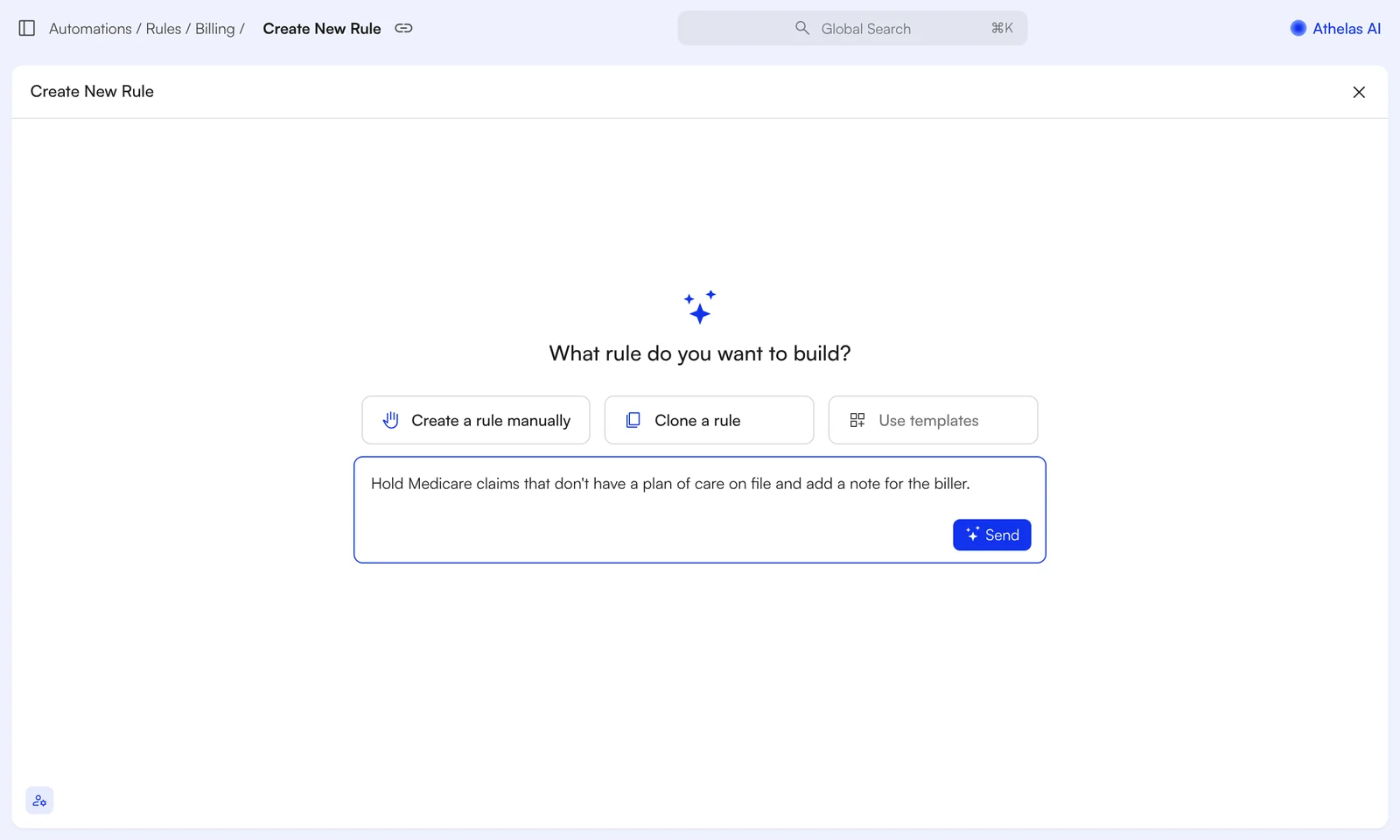
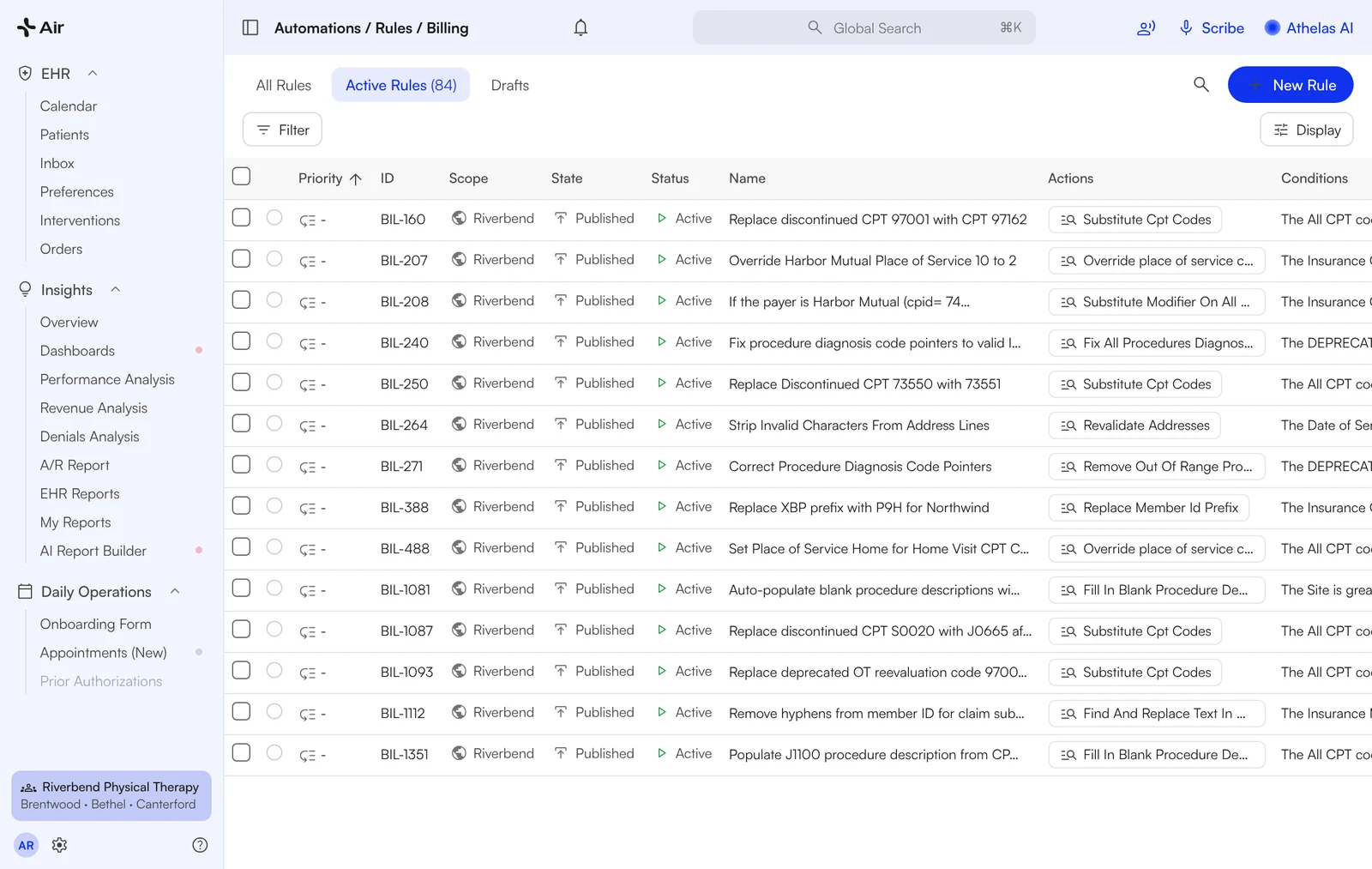
Your billing rules, written in plain English
Describe the rule ("hold Medicare claims without a plan of care") and Athelas Assistant drafts the conditions and actions. You review, approve and it runs on every claim. No ticket, no waiting.
"I'm so used to having to find ways around it."
Kenny, Owner · ERB Physical Therapy

Also in Air Billing
The Financial Health dashboard and the claims worklist your billers start the day in.
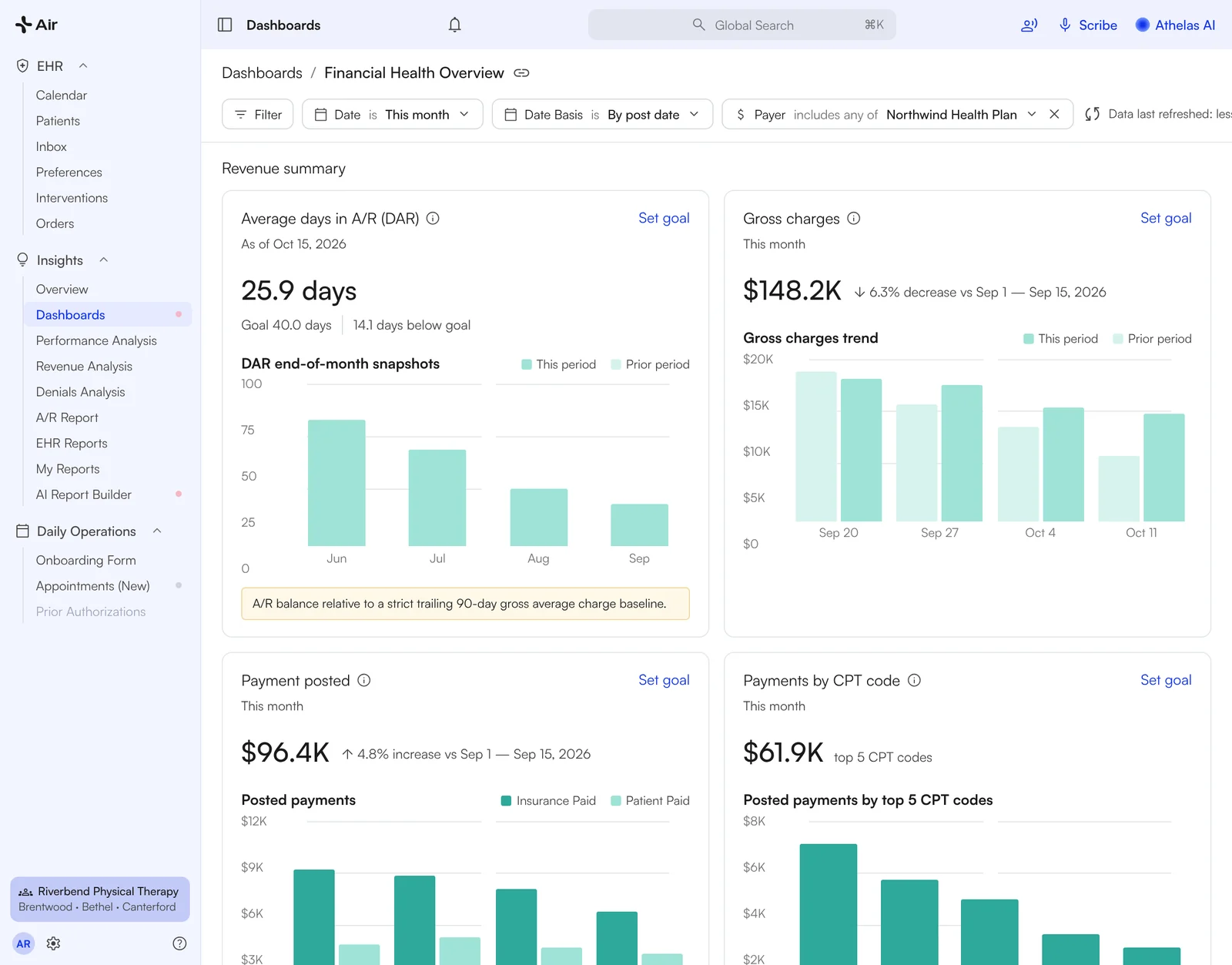
Financial Health: days in A/R, gross charges, payments posted and payments by CPT code, filtered by date basis and payer.
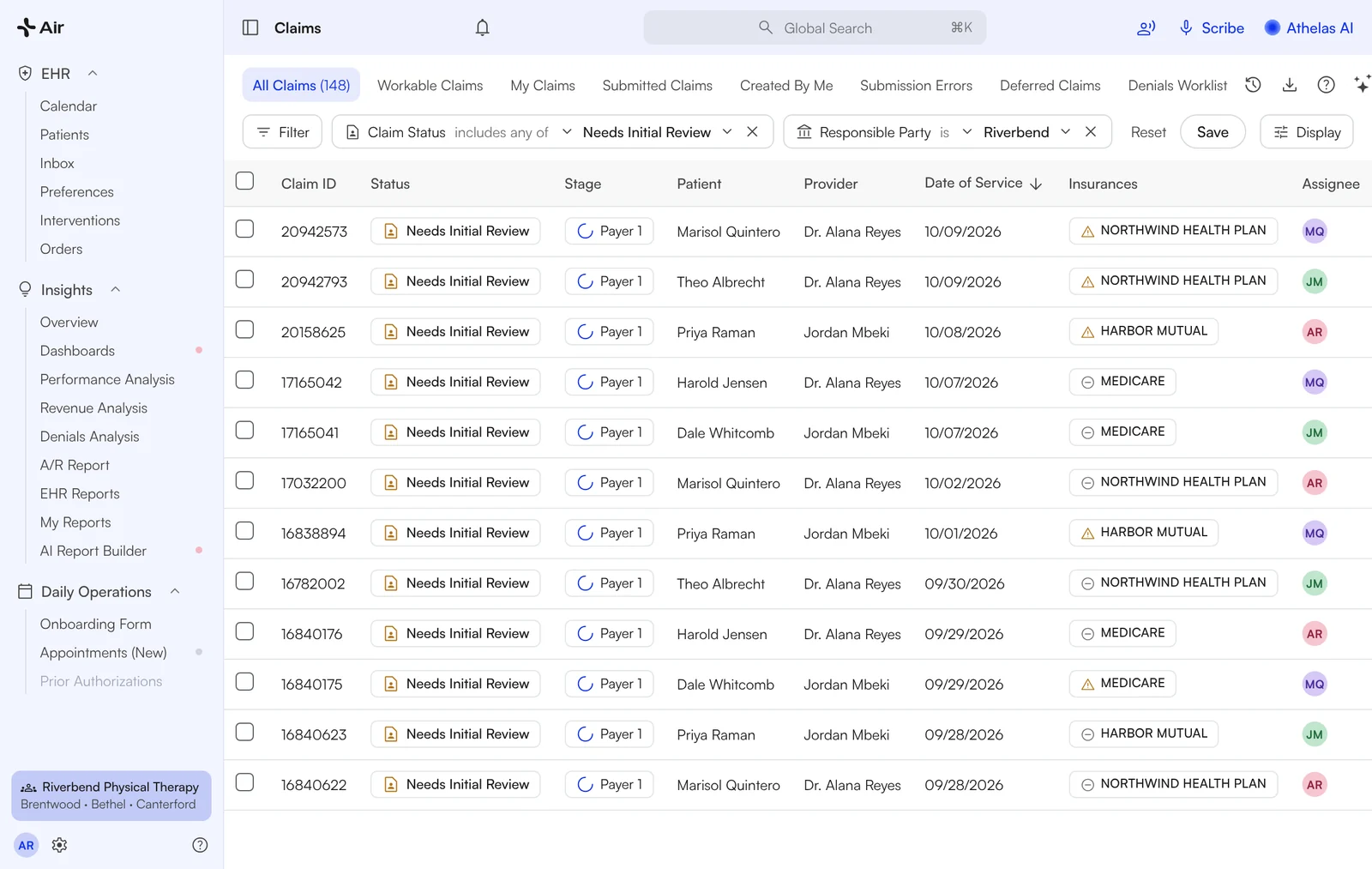
Claims: saved filters, status and stage on every row, bulk actions and an assignee per claim.

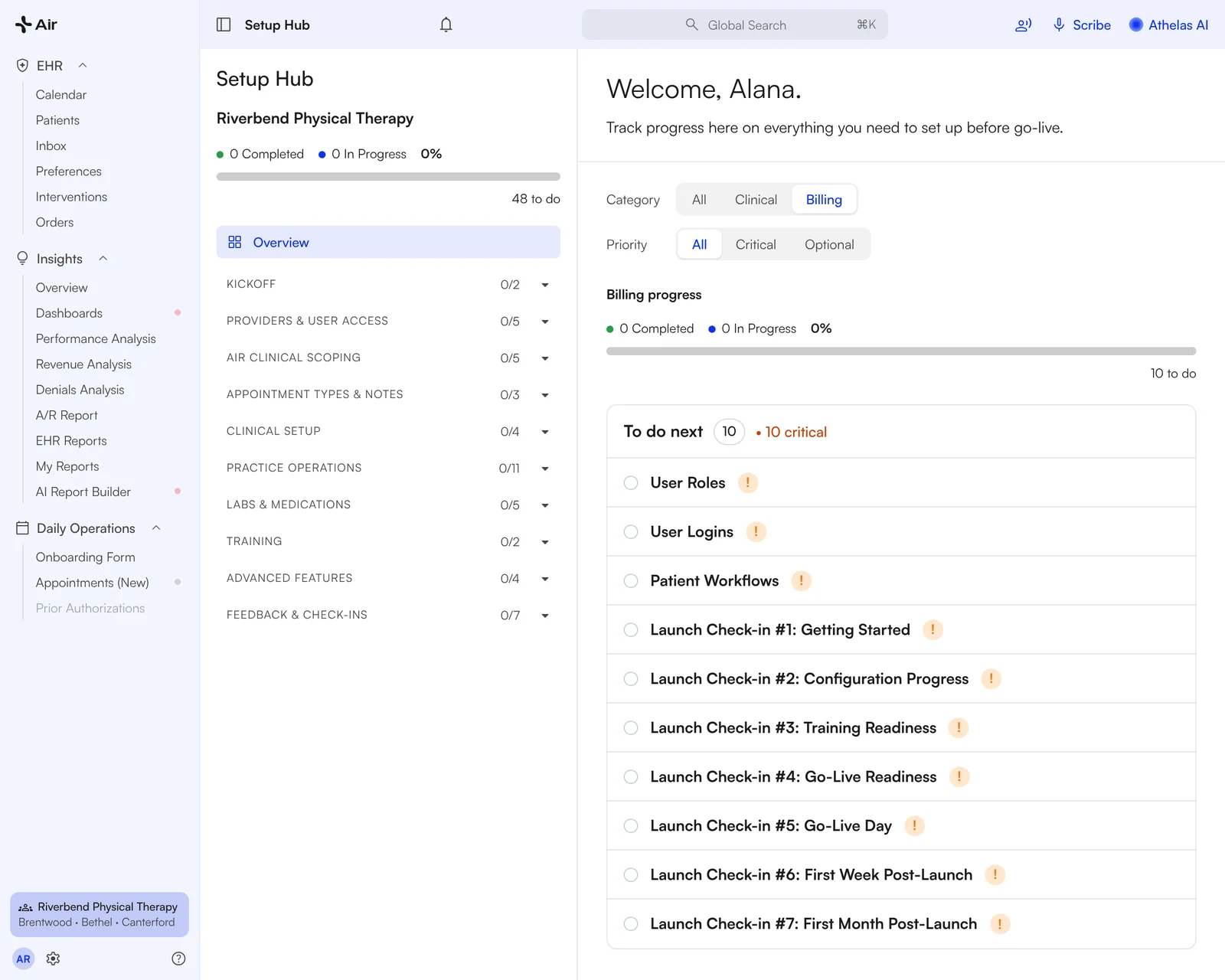
Setup Hub with the Billing filter: 10 tasks, from user roles to the seventh launch check-in.
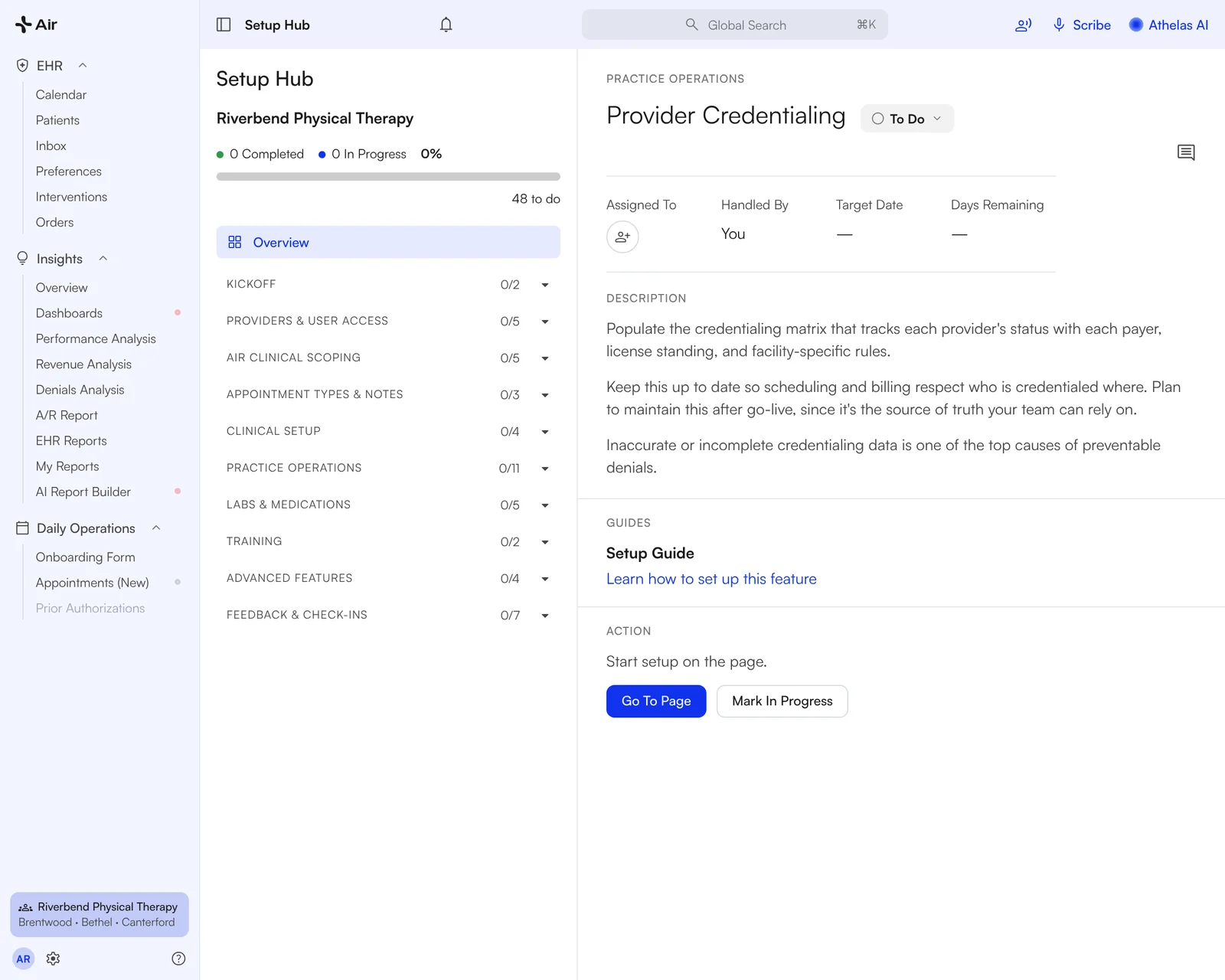
A task opened: status, owner, description, the setup guide and a Go To Page button.
Set up at your own pace
Setup Hub is a checklist inside Air. Every setup task lives in one place, tagged Clinical or Billing and Critical or Optional, with a short description, a setup guide and a Go To Page button on each.
- 1Kickoff. A quick tour and a welcome session with us.
- 2Work the Billing checklist. User roles and logins, provider credentialing, alert rules that surface payer requirements inside the note, patient reminders with intake forms and payment links.
- 3Seven launch check-ins with us. From Getting Started to First Month Post-Launch.
Self-paced trainings and training office hours are on the checklist too.

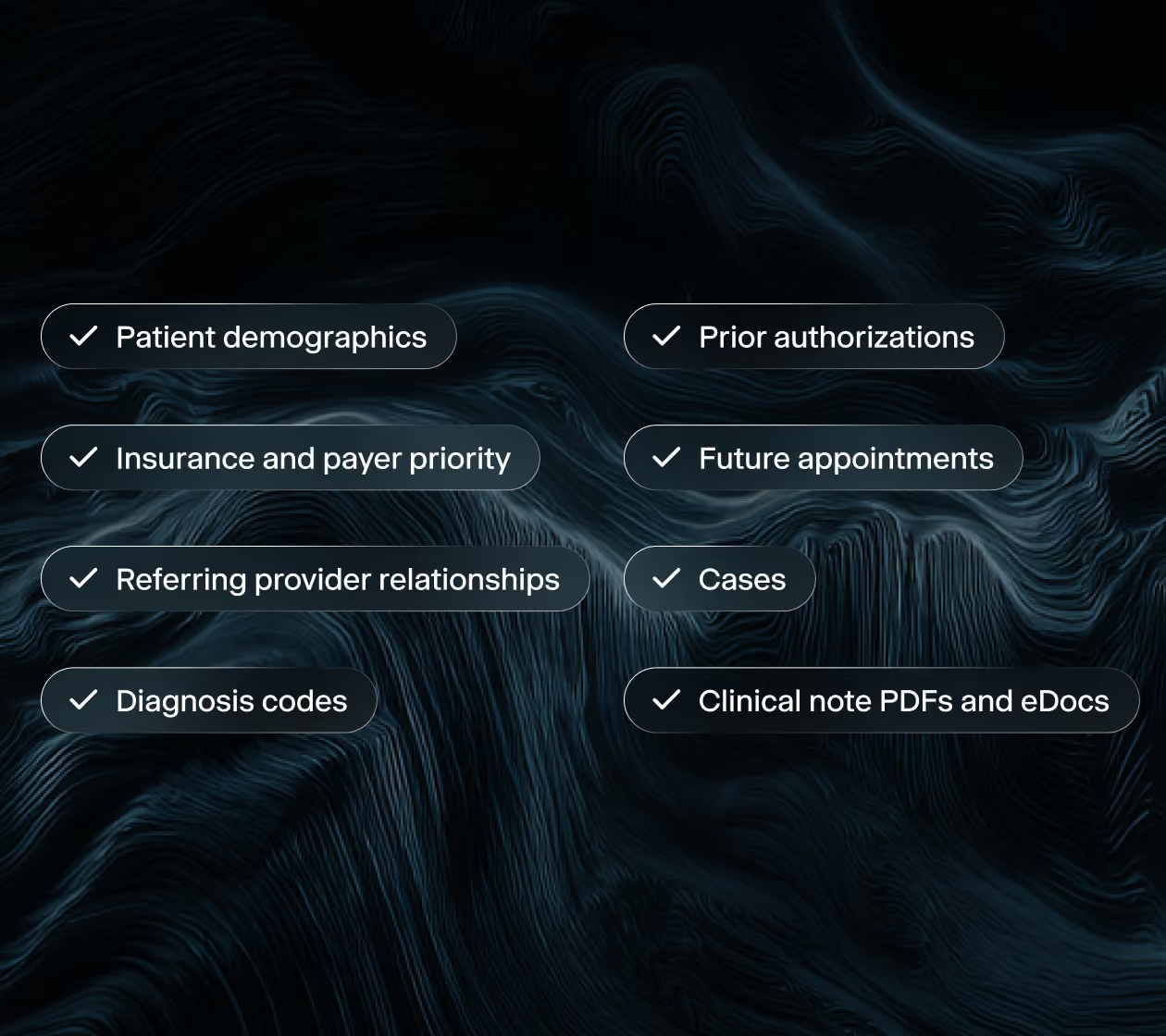
Switching EHRs shouldn't require starting over.
We run the migration. Your team gives us access and one point of contact, and your practice history arrives connected, not just copied.

In their words
From billing teams on Air.
"I was on a call with a guy this morning who's asking me about Athelas, and I told him how awesome it was."
Kenny, Owner · ERB Physical Therapy
"Onboarding on Athelas, it was very clear on what we needed to do."
Jill, Practice Administrator · ERB Physical Therapy
"This has been so intuitive that you just get in there and start using it."
Kenny, Owner · ERB Physical Therapy
"I love it, you could make an immediate change. As of right now, boom."
Kenny, Owner · ERB Physical Therapy
Before building a rule herself: "It felt like coding." After: "I think it's great… a lot easier for the simple minds."
Kerry, Billing Manager · Slate
"I like the summary - that has been correct all day"
Biller · Slate

Three things that happened
Billing teams doing it themselves, without a ticket.
New hire, no training
Secondary insurance added and rebilled
A new hire at a 3-year customer who had never opened the system added secondary insurance to claims and rebilled them using the Assistant, with no training.
One rule, 200+ claims
A write-off rule, cloned to every site
A biller had written off the same denial code on 200–250 claims one at a time; the billing team built that write-off rule themselves in one session and cloned it to their other sites.
First days live
Eight billing rules in the first week
A practice administrator built 8 billing rules on her own in her first days live.

Questions billing teams ask
How fast does the assistant answer?
The AI summary loads with the claim. Longer questions to Athelas Assistant can take several seconds.
Who does the billing?
Your team. Air gives your billers the claim, the denial and the fix in one place, and nothing changes until someone on your team confirms it.
Do we need an administrator to set it up?
Setup Hub guides one person through it. Practices with a dedicated office or billing manager move fastest.
Can we keep our EHR?
Yes. Migration is read-only, so nothing changes in the system you use today.
What does it cost?
It depends on the number of providers and claim volume. We share pricing on the walkthrough.