
The EMR with your own AI assistant built in.
Ask about outcome measures and special tests, or draft a letter of medical necessity, from the chart already open in Air. Try it free on your own patients.
Answers reference questions beside the open chart
Drafts letters from the chart notes already in Air
Nothing leaves Air until you review it


Start my free pilot
Answers reference questions beside the open chart
Drafts letters from the chart notes already in Air
Nothing leaves Air until you review it
Practices and Health Systems Running on Athelas
















.avif)








Ask from the chart that is already open
Outcome-measure norms, special tests, a letter of medical necessity: ask with the patient's note open and read the answer in the same panel.
- ✓Answers reference questions beside the open chart
- ✓Drafts letters from the chart notes already in Air
- ✓Nothing leaves Air until you review it
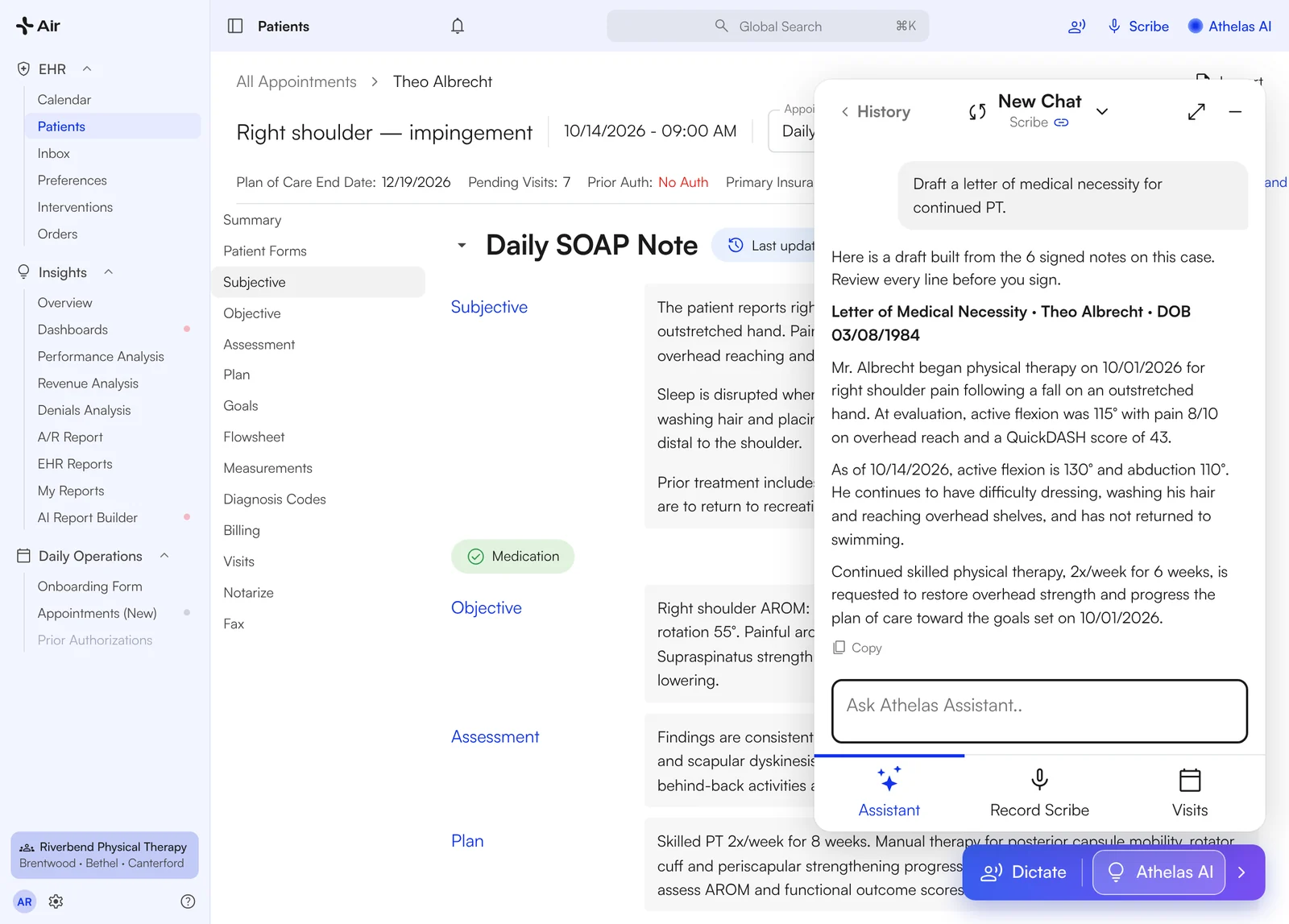
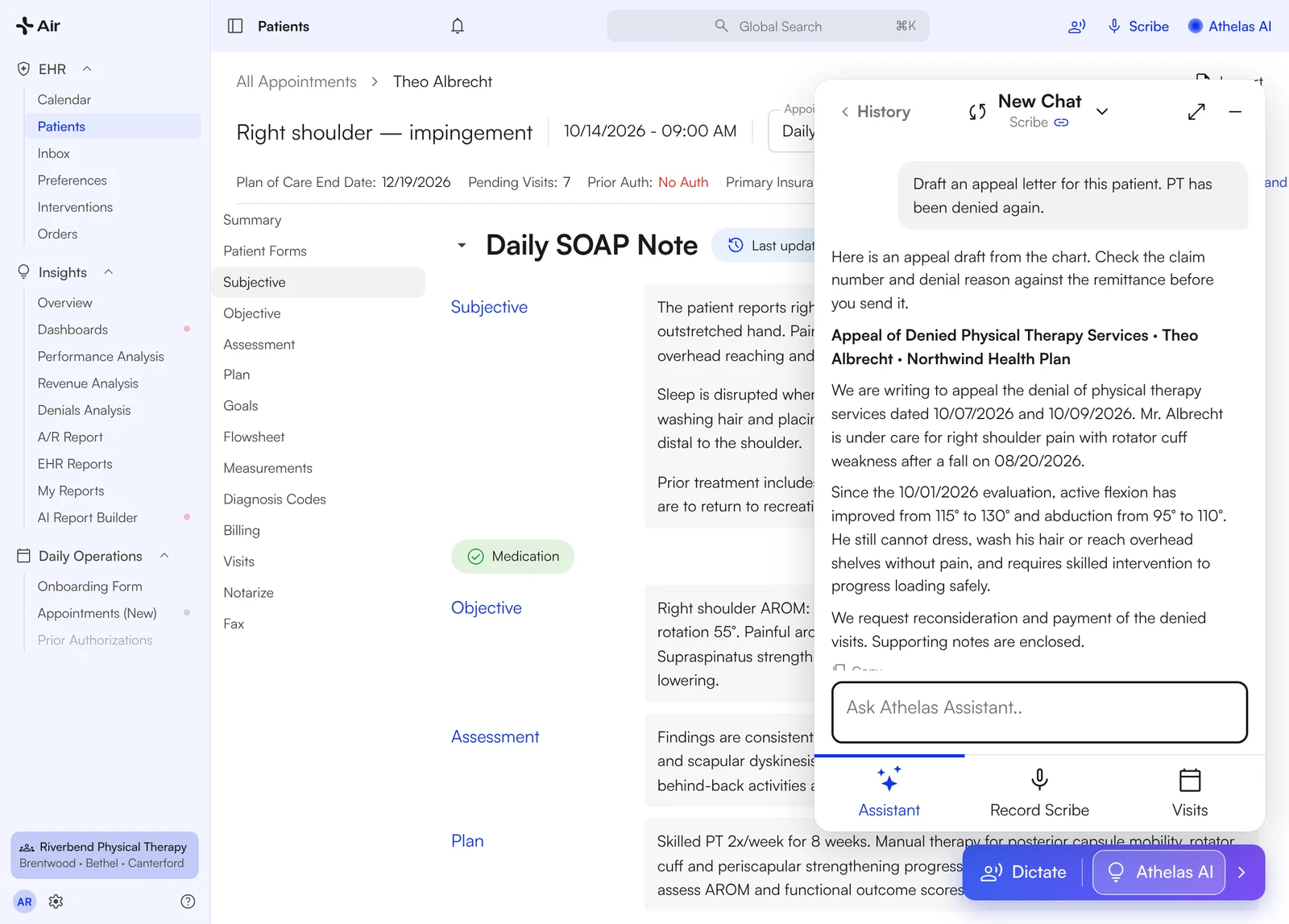
The Assistant drafts a letter of medical necessity beside the open chart.

Look it up with the chart open
Outcome-measure norms, special tests, exercise options: asked and answered beside the patient's note, not in another tab.
1 · Ask
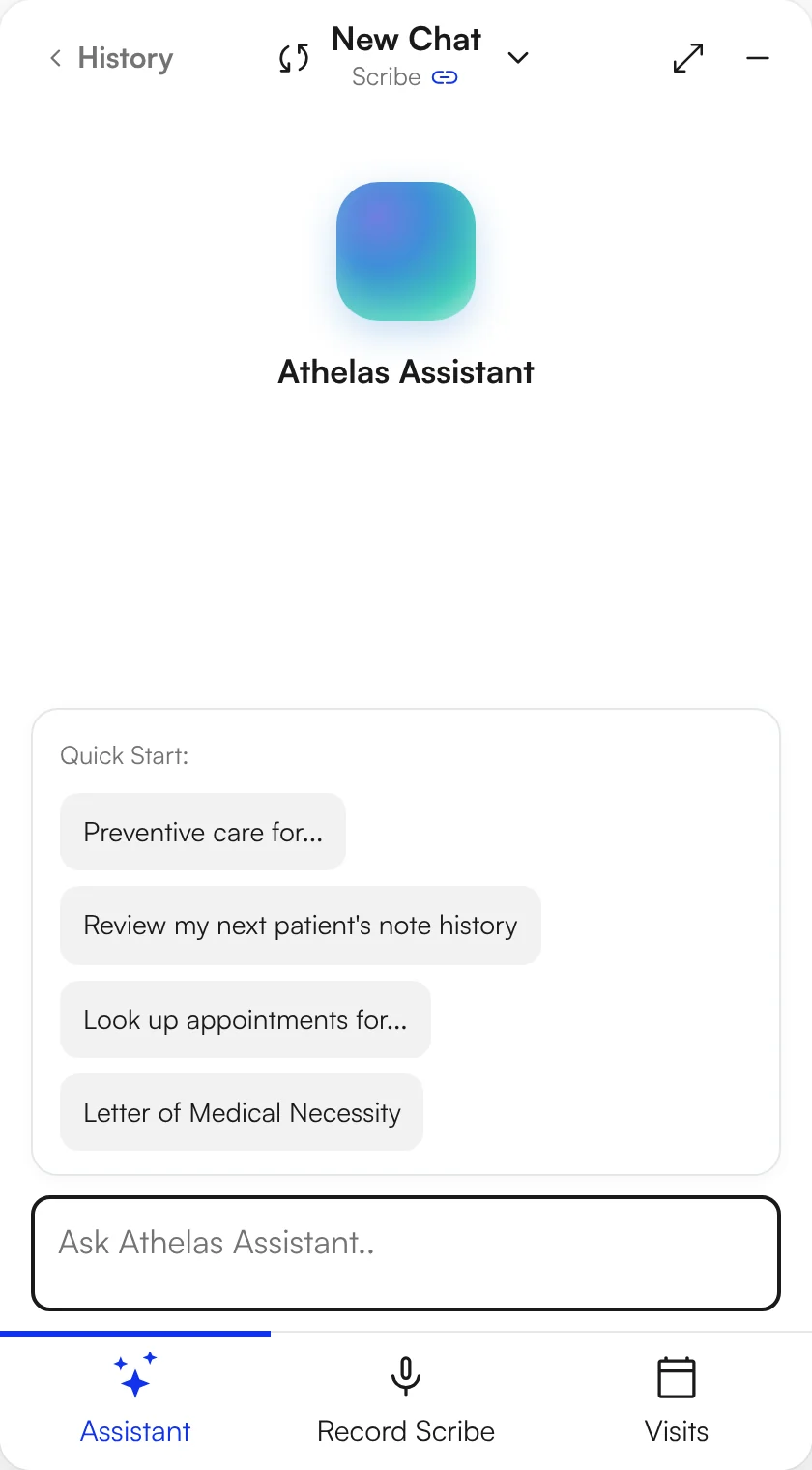
"What's the typical 5x sit-to-stand time for an 87-year-old male?"
2 · Read it beside the chart
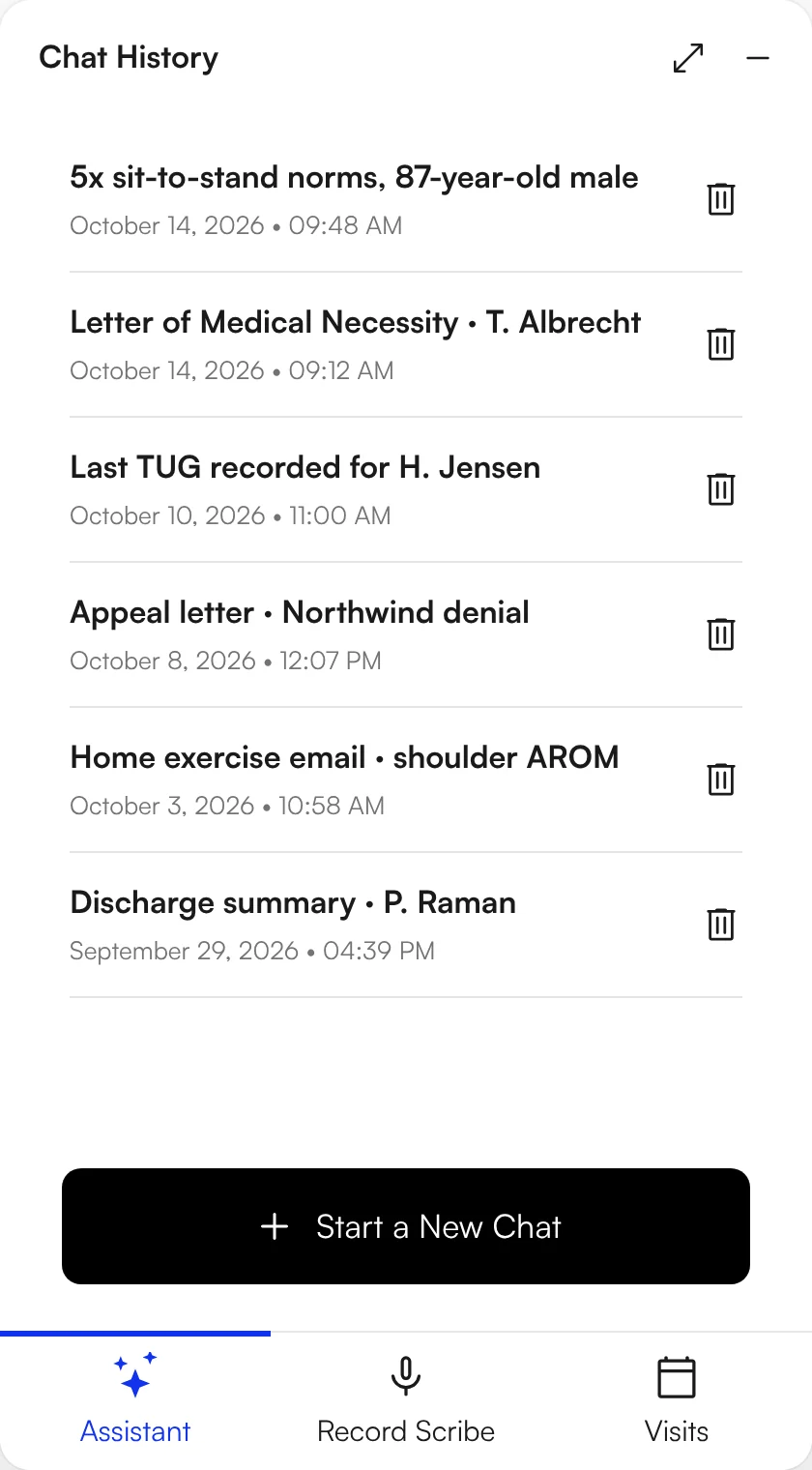
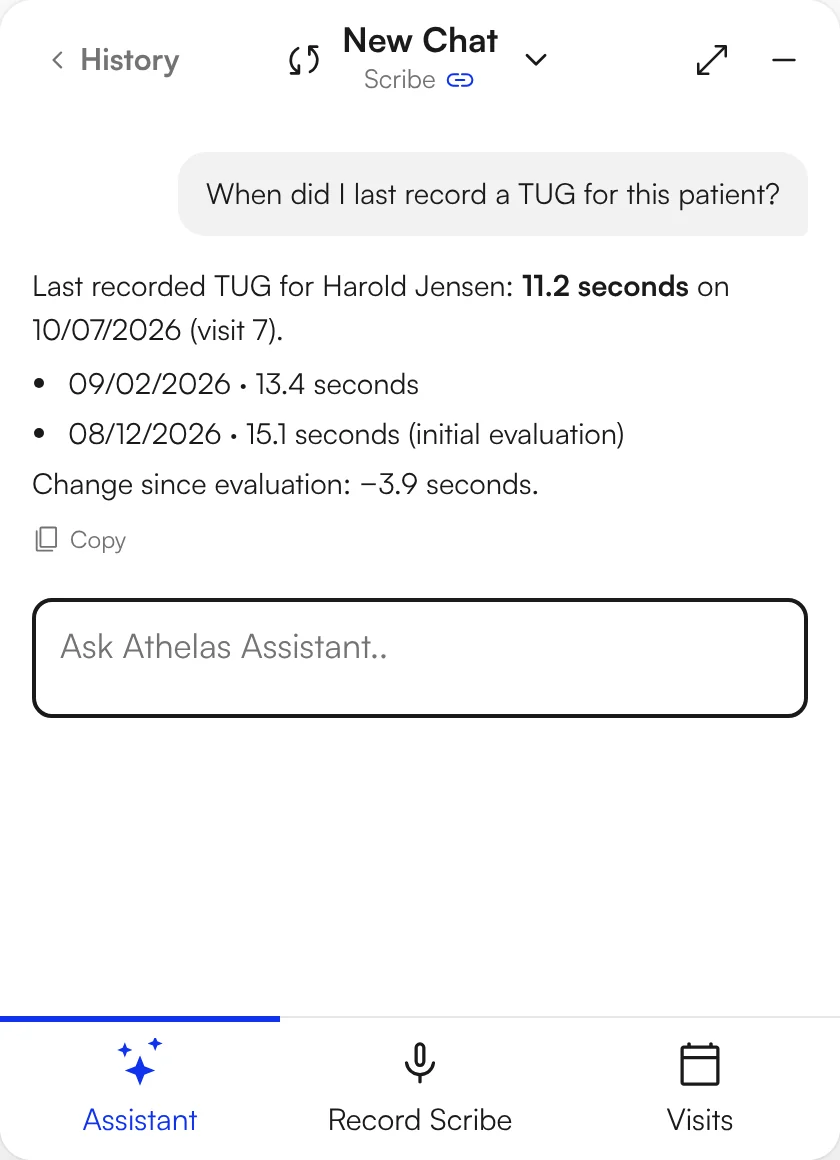
The answer lands in the same panel, note still open. Ask a follow-up: "When did I last record a TUG for this patient?"
3 · Copy what you need
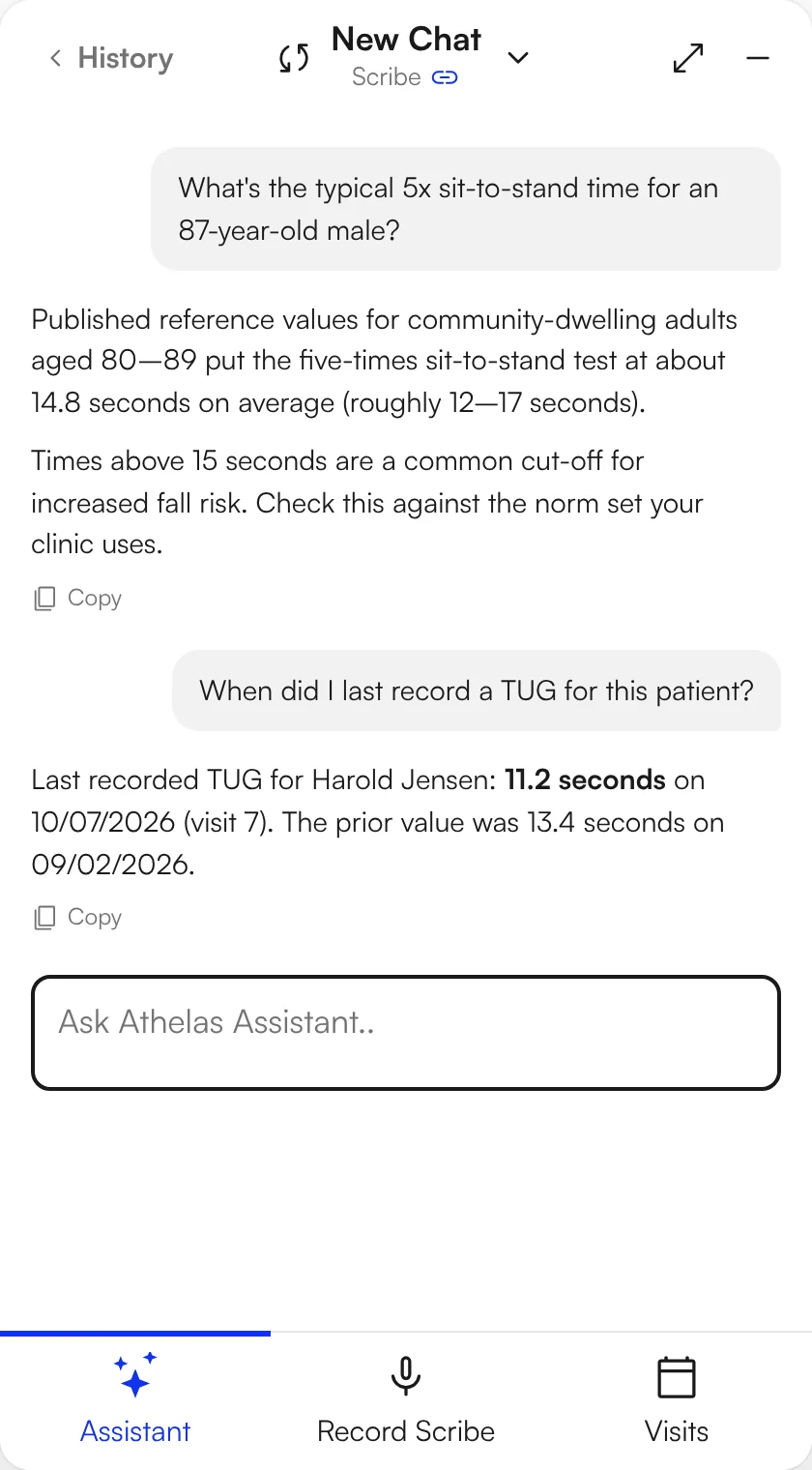
Copy the text you want into today's note. The Assistant never edits your note for you.
Reference answers are for your judgment. Check anything you chart.

Letters drafted from the chart
Letters of medical necessity, appeal letters, referring-doctor updates and home-exercise emails, drafted from the notes already in the patient's chart.
- 1Ask from the patient's chart. Pick the quick-start "Letter of Medical Necessity", or type it: "Draft an appeal letter for this patient. PT has been denied again."
- 2Get a draft built from the notes. The history, visits and plan come from what you already documented in Air.
- 3Copy, review, sign, send. Copy the draft into your letter, check every line, sign it, and send it the way you do today.
Drafts only. The Assistant does not send, fax or file anything.

More you can ask with the chart open
Each answer is drafted from the chart in Air. You copy what fits, review it and sign.
Chart recall
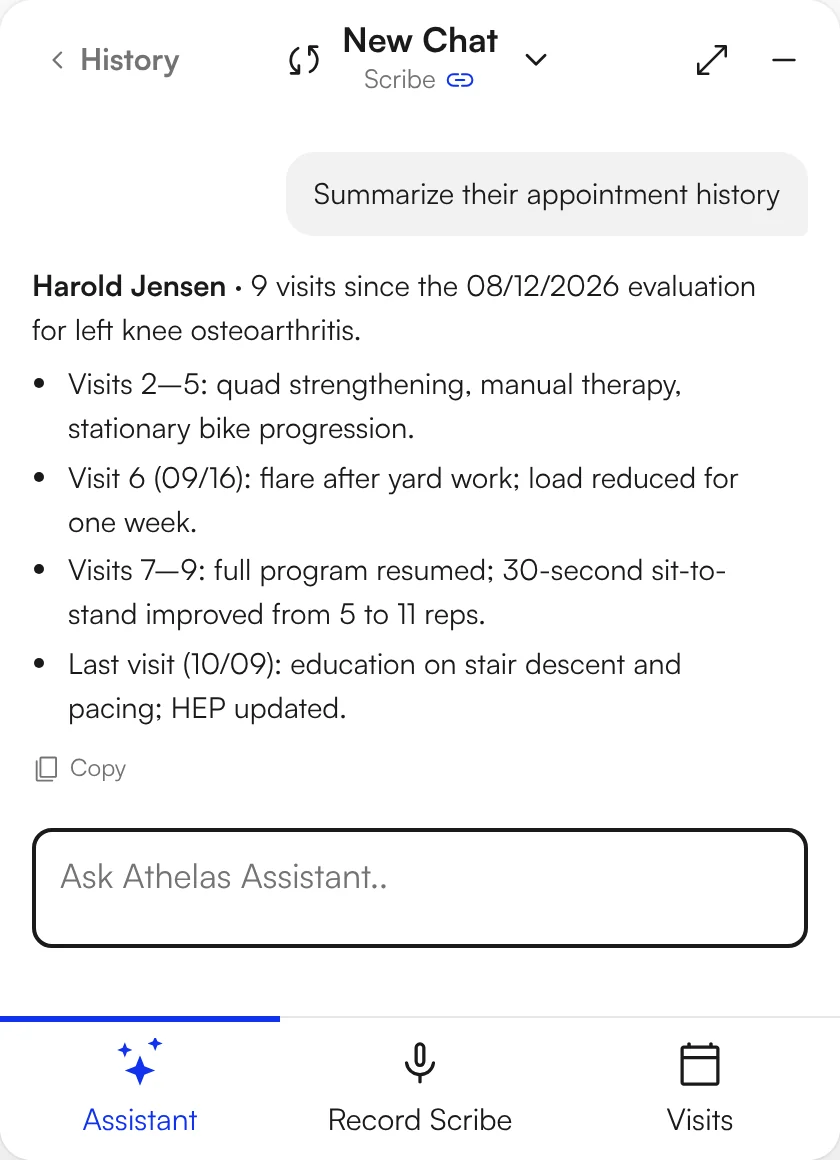
Ask what happened last visit
"Summarize this patient's history." "What education did I give last time?" The Assistant reads the prior notes and the appointment history.
Find a prior measurement
Find the last score without scrolling
"When did I last record a TUG?" "What was her last QuickDASH?" The Assistant finds the value and the date in the chart.
Patient handouts
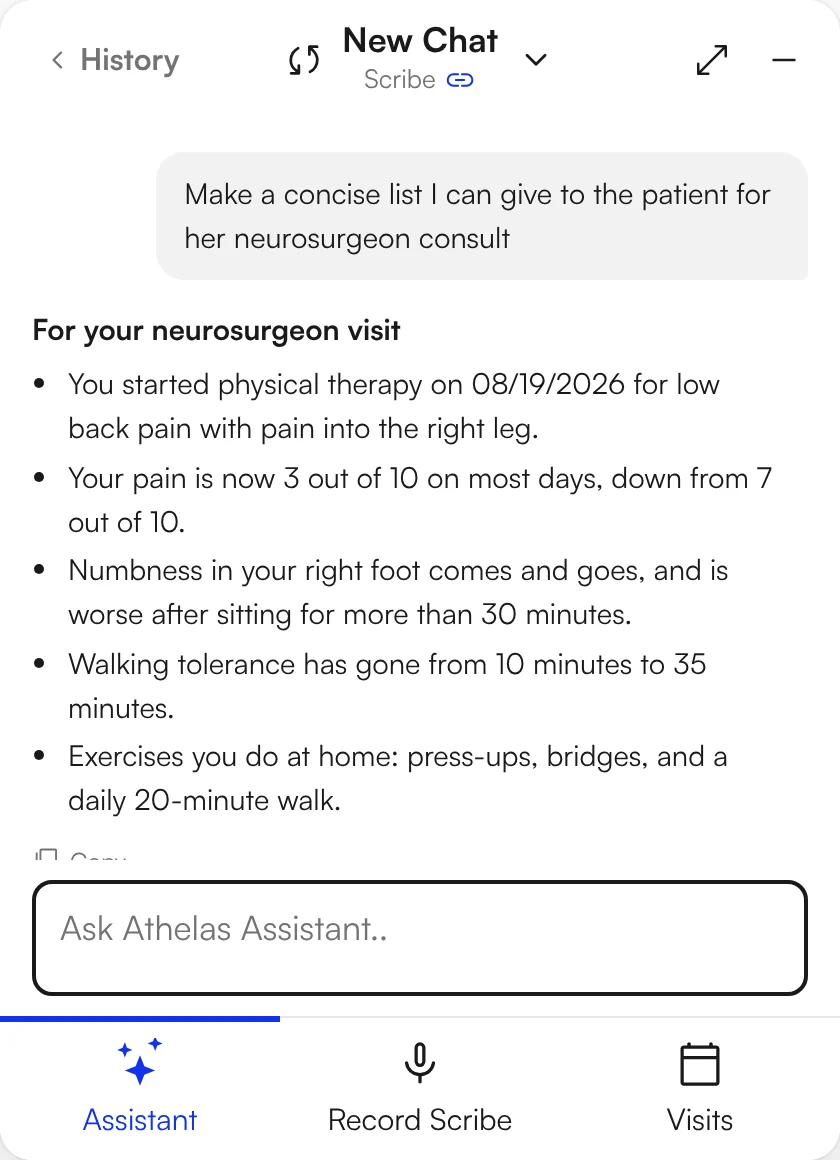
Patient instructions, written for the patient
A plain-language summary of today's education, a list for a specialist visit or home-exercise instructions, drafted from the note.
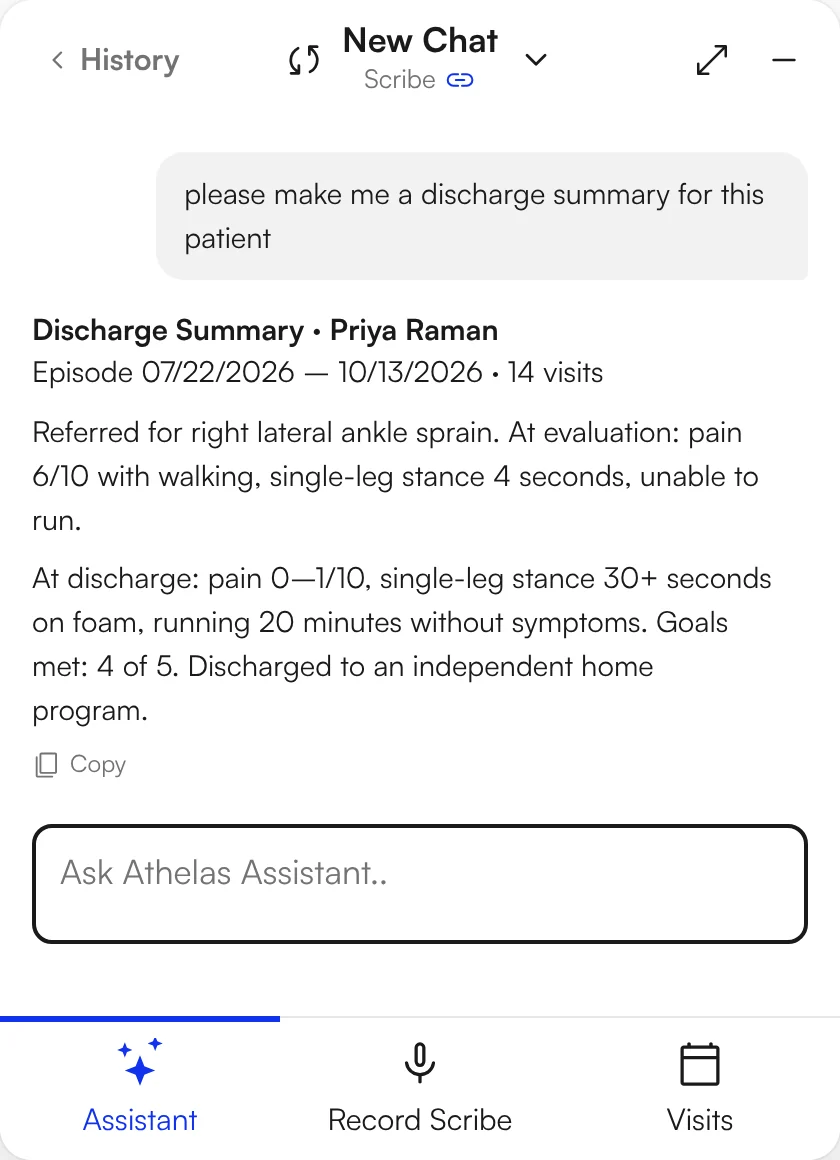
Discharge and re-eval
Discharge summaries and re-eval assessments, drafted
A discharge summary from the whole episode, or an updated assessment from today's findings. You edit and sign.
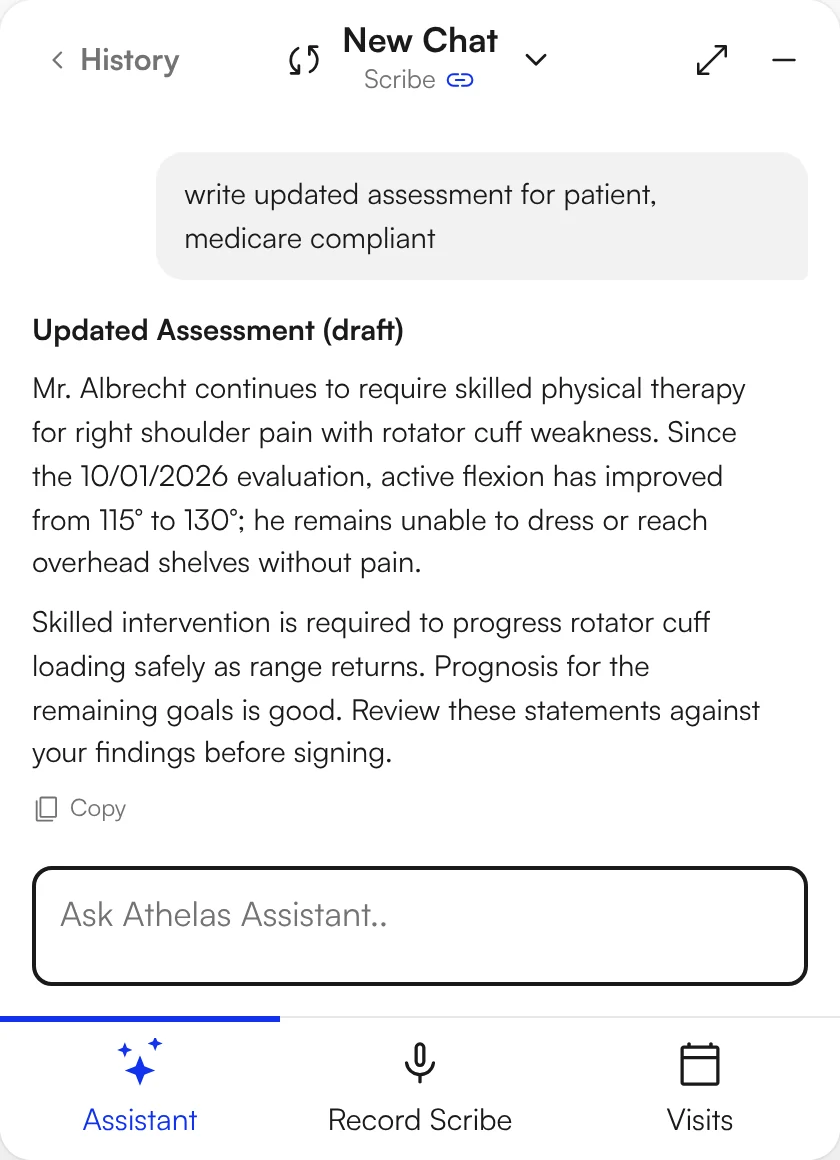
Medicare wording
Write it the way Medicare reads it
An assessment that states skilled need and progress toward goals, or a KX modifier statement, drafted from the note.
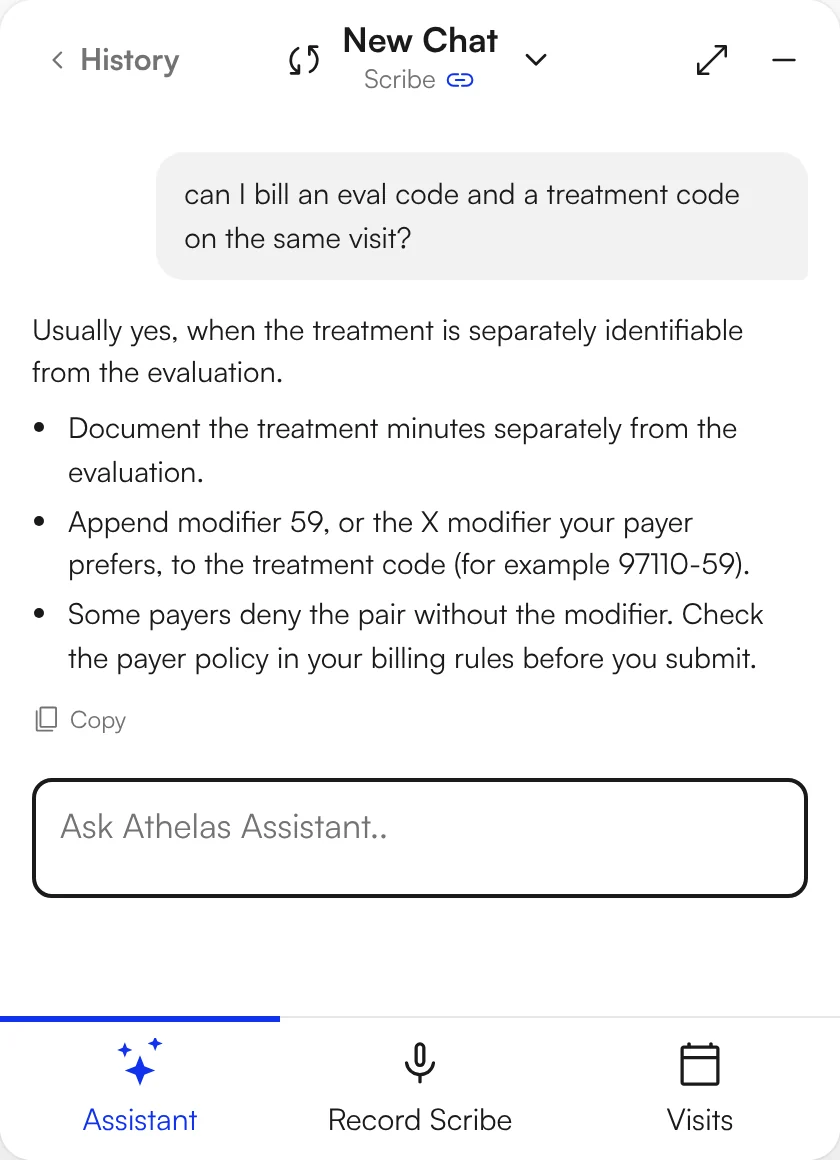
Coding questions
Coding questions, answered on the chart
Which CPT fits, how many units, which modifier: an answer to check against your payer rules, not a decision made for you.
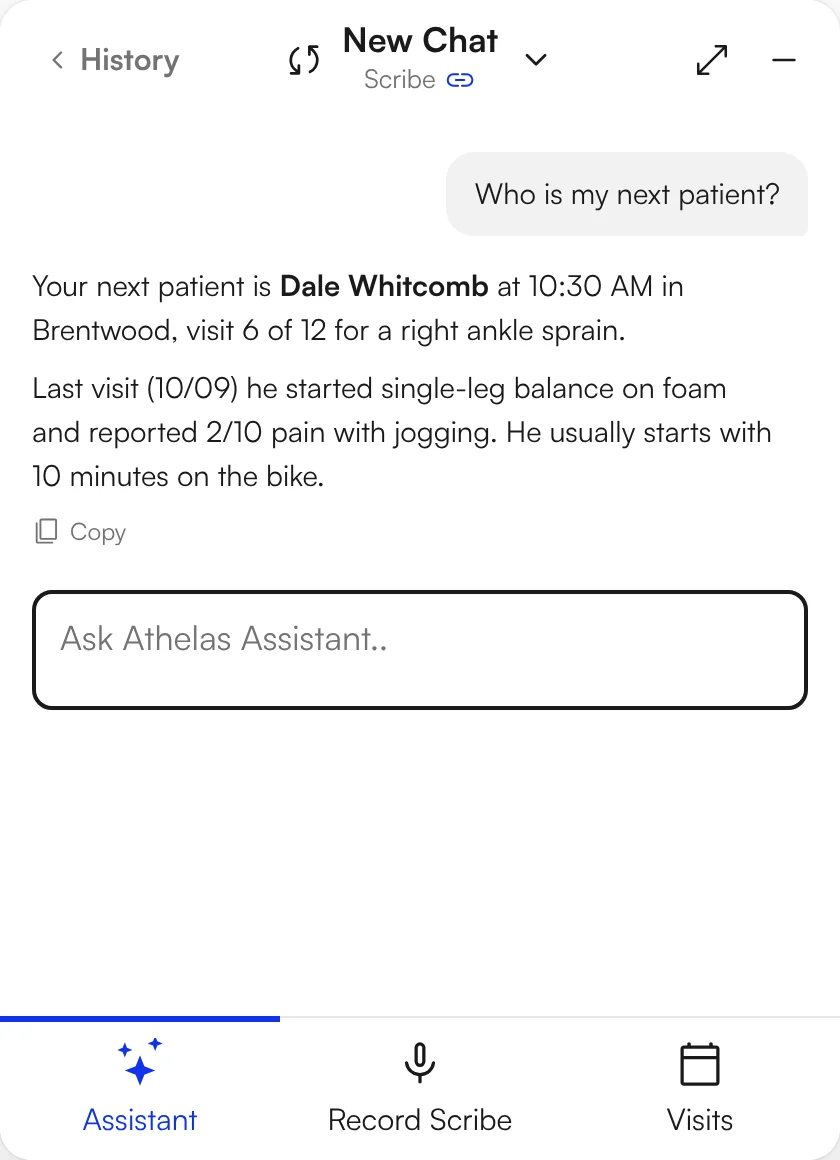
Today's schedule
Ask about today's schedule
"Who is my next patient?" "What does this patient usually start with?" The Assistant reads the appointment list and the chart.

Part of Air, not a bolt-on
The Assistant lives in the same record as your notes, scribe and schedule.
Scribe → note
Air Scribe drafts the note; the Assistant can start a chat from the finished scribe with the transcript as context.
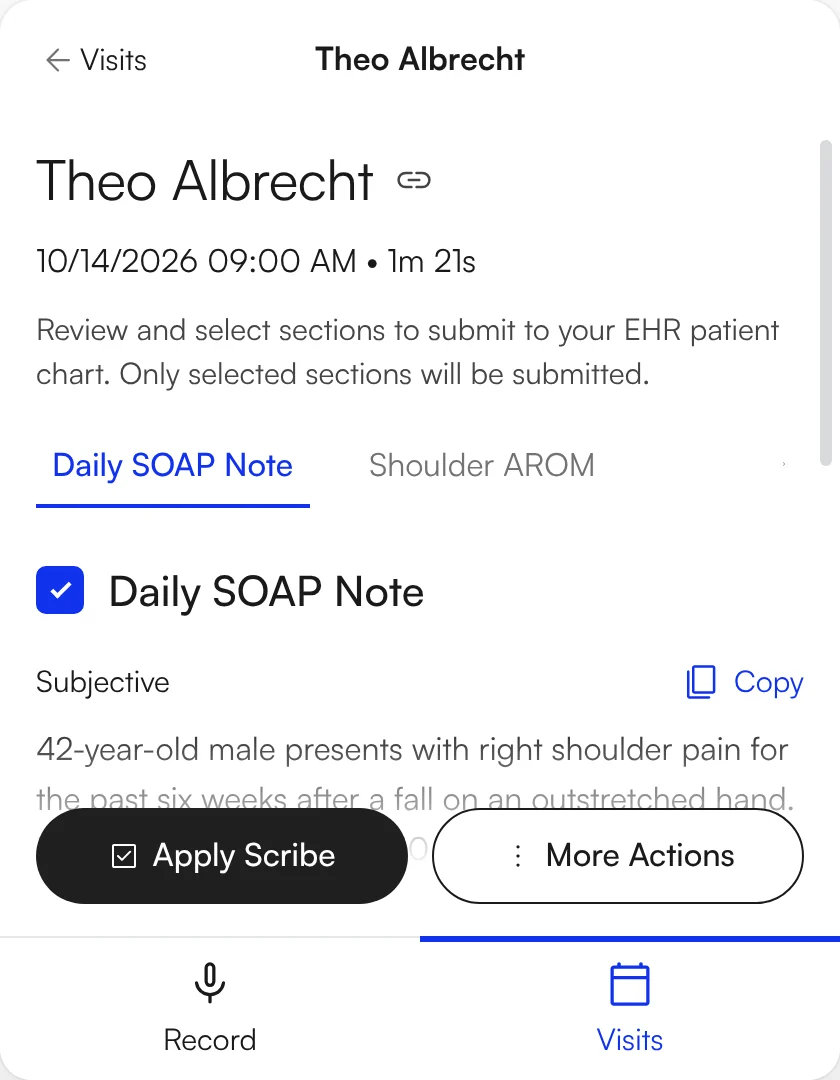
Chart → letter
Signed notes, visits and plan are already there for a draft to draw on.

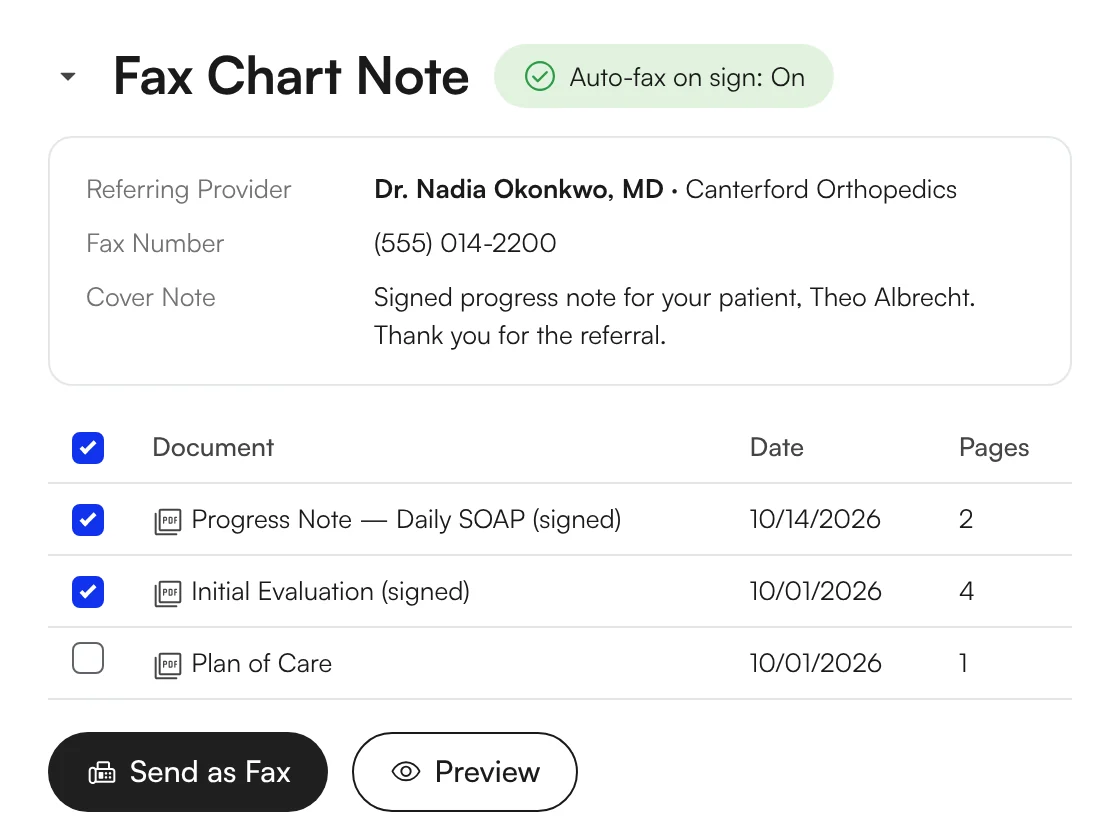
Note → referring provider
Air can fax a signed note to the referring provider automatically.

What clinicians say
Owners and clinicians on Air and the Assistant, in their own words.
"I love the AI summary when I pull up a visit."
Stephanie, Owner · Bushnell PT
"When you click on a patient's case, there's AI summary of what's going on with that patient, which makes it a really easy chart review."
Devin, Clinic Director · Evolution PT
"It worked phenomenally well. It got me to answer within a couple minutes. So I was pretty impressed. Love that."
Amol, Owner · FYZICAL Lakewood Ranch
"It writes several better goals than I've written in the last 5 years"
Brian, Clinic Director · Evolution PT
"We want daily notes to take less than two minutes. We achieved that within 3 months of being with Air and Scribe."
Jason, Owner · The Physio Shop
"I was really impressed with the way the scribe pulled that out of our conversation."
Kenny, Owner · ERB Physical Therapy
Published customer story
"Our clinicians are happier no doubt. I have had physical therapists with over 15 years of experience tell me that they now remember why they wanted to be a PT again."
Ernst, Owner · Oxford Physical Therapy

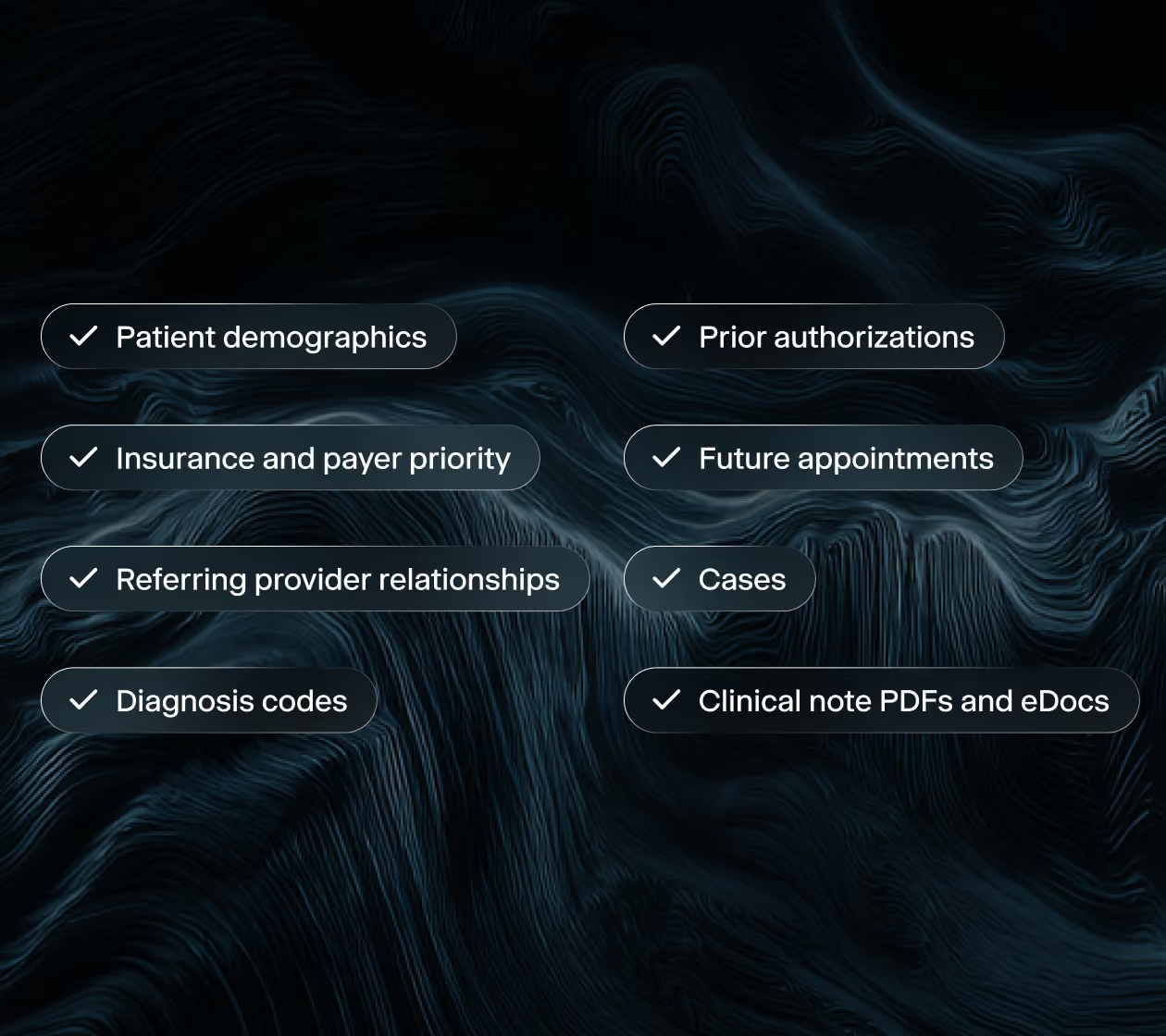
Switching EHRs shouldn't require starting over.
We run the migration. Your team gives us access and one point of contact, and your practice history arrives connected, not just copied.

A zero-risk way to find out.
Run Air and the Assistant on your own patients, in your own clinic, at no cost. Three days of real visits is a better evaluation than any demo.

How the pilot works
Four steps, and most of the work is ours.
Apply
Tell us about your practice. A short scoping call sets the providers, the dates, and your start date.
We set it up
Five days. We migrate your patients and prior notes read-only, load your templates and train your team before go-live.
Pilot Starts
Your providers use Air and the Assistant with real patients for three days, with our team checking in alongside them.
Decide
Keep it, ask more questions, or walk away. We wrap up against the success criteria you set.

The questions owners open with.
Is the pilot really free?
Yes. The Athelas Air pilot is free, with no contract and no commitment to continue. You tell us about your practice on a short call, we set up your environment, and your providers try Air with real visits. At the end you decide whether to move forward.
Do I have to stop using my current EHR?
No. Your current EHR stays live and remains your system of record throughout the pilot, so nothing changes for scheduling, billing, or compliance. Athelas Air runs alongside it, which means your providers document the same visit in both systems and see the difference directly. Nothing is at risk while you evaluate.
Will you migrate my existing patient data?
Yes. Athelas Air migrates your real patients, appointments, insurance, cases, and schedules into your pilot environment before day one, so your providers log in to their own data instead of a sample account. For the pilot we migrate a focused set of recent and upcoming appointment dates per your preference. Migration is currently supported from WebPT, Prompt among other major EHRs.
How long does the setup take?
To try Scribe on sample visits, all we need is your providers' email addresses and we can have you set up within a day. To see your own patients and schedule already live in Air, we need five business days to migrate your data, plus a short setup guide from you.
What happens after the pilot?
You decide whether to move forward. The pilot runs on a sample of your data, so continuing means a full implementation with your complete records, your workflows, and billing configured. The pilot exists so you know the answer before you commit.
What does switching from my current EHR involve?
Athelas Air handles the migration. We extract your patient records, cases, insurance, and schedules from your current system and map them into Air, so your team isn't doing manual data entry. We configure your templates, workflows, and payer rules, handle your EDI and ERA enrollments, and train your team before you go live. Your current system stays your system of record until cutover, so scheduling and billing continue uninterrupted.
Is my data secure?
Yes. Athelas Air is built on Commure's HIPAA and HITECH-aligned infrastructure, with AES-256 encryption at rest and TLS 1.2+ in transit. Patient data is hosted in US-based data centers with 24/7 intrusion monitoring, role-based access controls, and annual third-party penetration testing. Commure does not sell or share PHI, and your practice retains full ownership of its data.